How to keep a 20-year-old SDK up to date

Table of contents
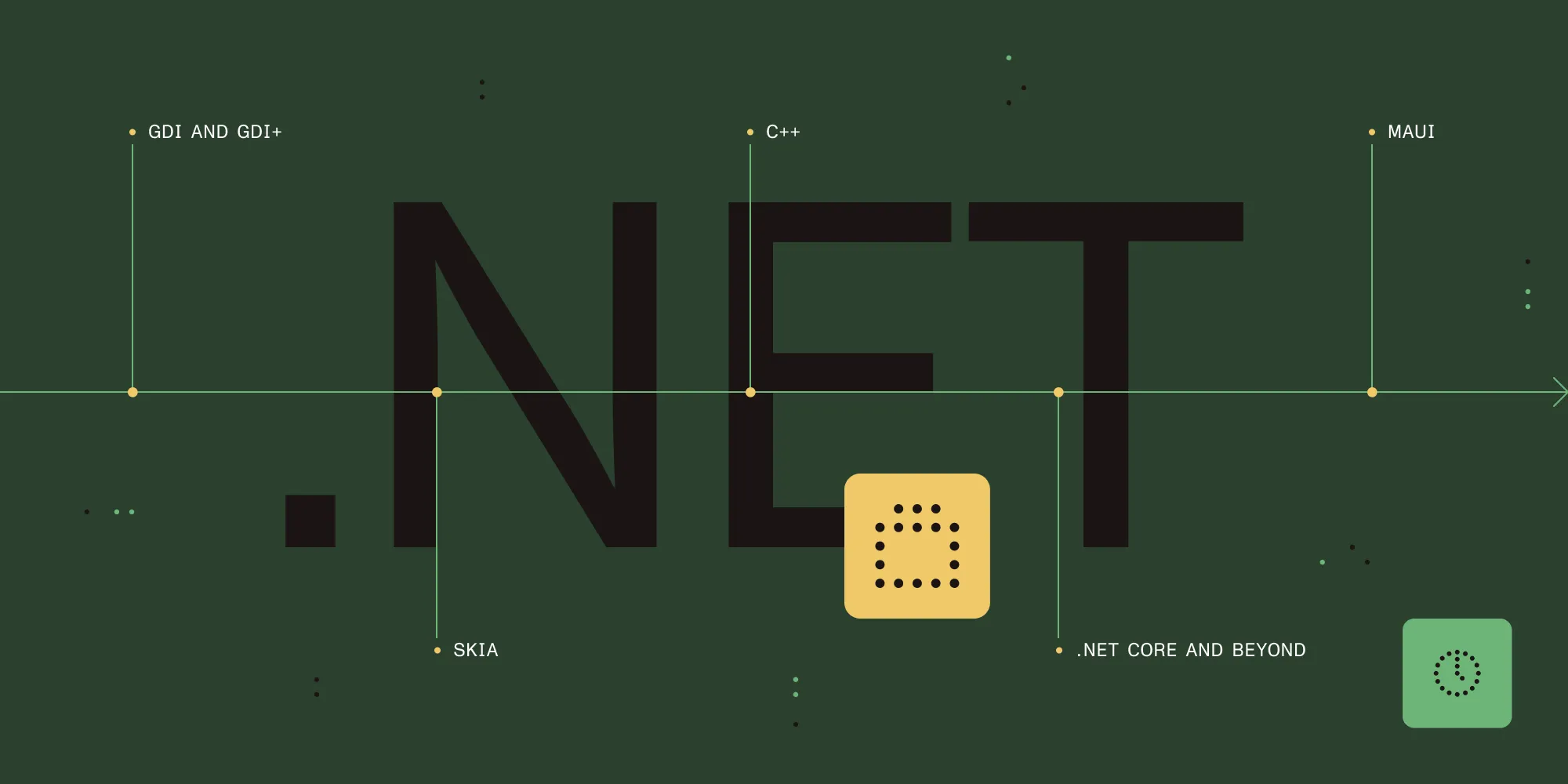
Maintaining and evolving a codebase over decades forces you to reconcile legacy assumptions with modern expectations. What started as our Windows-centric .NET Framework library wrapping GDI+ has, over the course of 20 years, become a cross-platform document SDK powering web, desktop, and embedded experiences for PDFs and Office documents. That journey required unbundling platform entanglement, replacing obsolete dependencies, building abstraction layers, and riding the wave of evolving managed runtimes and user interface (UI) platforms.
This post walks through that path: from untethering from GDI+, to adopting Skia for rendering, abstracting native runtime dependencies (including Win32), migrating the managed surface from .NET Framework to .NET Core/.NET, and finally, the pursuit of truly cross-platform viewers via MAUI. Along the way — driven by customer demand for Linux and web deployments — we’ve balanced compatibility, performance, and developer ergonomics, because keeping a 20-year-old SDK healthy isn’t about rewriting everything from scratch; it’s about applying the right incremental evolution at the right layers.
From Windows graphics to cross-platform rendering
Achieving cross-platform compatibility meant replacing the Windows-locked graphics layer with a portable rendering engine that could perform consistently across all target platforms.
A bit of history: GDI and GDI+
Our original .NET SDK was deeply rooted in the Windows graphics stack, specifically GDI+ (Graphics Device Interface Plus). GDI+ is the successor to the original GDI — Microsoft’s legacy system for representing graphical objects and sending them to output devices like screens and printers. It exposed drawing primitives, text rendering, and image manipulation through a C++ class-based API and was the default for new Windows applications when it replaced the more primitive GDI. Over time, while still supported for backward compatibility, newer rendering layers such as Direct2D and hardware-accelerated pipelines became preferred for modern workloads. Relying on GDI+ implicitly tethered the SDK to Windows and limited its ability to scale beyond that ecosystem.
That tight coupling shaped everything; drawing, layout, and even some higher-level document rendering logic expected the semantics and behaviors of GDI+, making any cross-platform ambitions brittle without a fundamental change.
Untying from GDI+: Choosing Skia
To become truly cross-platform, the first major step was to untie the SDK from GDI+. Microsoft’s own investment patterns (e.g. pushing toward newer graphics primitives and the increasing stagnation around GDI+ portability) and internal signals — like preference for Skia in areas adjacent to our renderer — made it clear the future lay elsewhere. We decided to migrate all existing surface drawing calls — more than 70 public API entry points — from GDI+ to Skia, which we were already using in parts of our PDF renderer, giving us confidence in its stability. Skia is an open source, high-performance 2D graphics engine originally developed by Google. It’s designed for cross-platform consistency and powers rendering in Chrome, Flutter, and many other projects.
The migration involved a substantial refactor. APIs that implicitly assumed GDI+ state, coordinate system quirks, and resource lifetimes had to be rethought. But Skia brought advantages that justified the effort:
- True cross-platform rendering — Without platform-specific fallbacks
- Consistent look and behavior — Across devices, because Skia implements its own backend logic rather than relying on fragmentary native toolkits
- Modern performance characteristics — With GPU acceleration where available, and well-tested fallbacks on constrained environments
The switch also future-proofed the SDK: Skia’s ecosystem includes ports to emerging targets (including WebAssembly through integration projects), which opened doors we didn’t have when we were locked to GDI+.
Native runtimes, Win32 dependencies, and platform abstraction
The rendering layer wasn’t the only Windows dependency. Performance-sensitive operations relied on native C++ code tightly coupled to Win32 APIs, requiring a careful abstraction approach to enable cross-platform execution.
Why we relied on C++ runtime libraries
For some of the most performance-sensitive and low-level operations — especially small, hot API calls or CPU-intensive document processing tasks — the managed layer (C# code running on .NET’s runtime) wasn’t sufficient. We built and maintained runtime libraries in C++ that encapsulated optimized implementations, often exposing functionality with heavy dependency on the Win32 API. The Win32 API (also called the Windows API) is the core set of interfaces Microsoft exposes for interacting with the operating system, including GUI/window management, drawing primitives, file system access, and threading. Historically, high-performance GUI applications and system services on Windows were built atop Win32 directly or via thin layers, giving fine-grained control but encoding platform assumptions deeply into the code.
These native runtimes packaged performance-critical code — optimized math routines, memory helpers, and system integrations — that weren’t feasible or efficient in managed C#. Historically they leaned heavily on Win32, which gave us the low-level control and predictable behavior we needed on Windows, but also deeply tied those implementations to that platform.
Abstracting the platform
The combination of deeply embedded Win32 calls and C++ runtime dependencies presented the next portability hurdle. To break the Windows ownership while preserving performance, we designed a small abstraction framework around the native runtime layer. Its goals were:
- Detect and encapsulate platform-specifics — e.g. Win32 windowing or file handles behind a uniform interface
- Provide alternative implementations — Or shims on non-Windows platforms without leaking Windows idioms upward
- Allow incremental porting — Existing consumers of the runtime libraries could continue calling the same APIs while the underlying implementations diverged per OS
With this abstraction in place, the native runtimes were ported and compiled for Linux, macOS, ARM, and even WebAssembly, allowing the same core engine to run in environments far from its original Windows-only roots. The payoff: The SDK could ship on any platform, and in some cases (like the web) run in constrained sandboxes. For example, Nutrient Web SDK leverages this portability to render Office documents inside a browser without any Office dependency — relying on the ported native runtimes to drive rendering logic that used to assume Windows.
Migrating the managed surface: .NET Framework to .NET Core and beyond
Decoupling the managed code from Windows-specific APIs was the next major frontier. Early versions of the SDK were built against the full .NET Framework, which exposed many Windows-first APIs (e.g. WinForms, certain registry or configuration helpers, and some interop assumptions) that didn’t exist or behaved differently on .NET Core. Our first cross-platform managed runtime target was .NET Core 3.1, which, while stable at the time, lacked many of the higher-level framework conveniences developers had grown used to, making the migration both a technical and conditioning challenge.
Key efforts included:
- Identifying and isolating Windows-only calls — e.g. parts of WinForms hosting, legacy threading models, or P/Invoke patterns that presumed certain behaviors, and replacing or abstracting them
- Rewriting compatibility layers — Where no direct substitution existed, using conditional compilation and interface-driven design so that fallbacks could be swapped depending on the runtime
- Adapting to the evolving .NET SDK — As .NET improved, particularly with .NET 6 and 7 and the quality/performance investments in MAUI and the underlying runtime, the surface area for portability increased, and we were able to revisit earlier compromises
Thanks to those improvements in the broader .NET ecosystem, we also successfully ported our Windows-specific viewers, including WinForms and WPF-based components, to newer SDKs, preserving the familiar experiences for Windows users while enabling a parallel path forward.
What’s next: Bringing the viewer everywhere with .NET MAUI
WinForms and WPF remain, as of today, largely Windows-centric. To offer our document viewer component (GdViewer) consistently across all platforms — not just desktop Windows — we initiated a port onto .NET MAUI, which is Microsoft’s unified framework for building native cross-platform applications targeting Windows, macOS, iOS, and Android from a single C#/.NET codebase. It extends the ideas from Xamarin.Forms with tighter integration into modern .NET SDKs, single project support, and improved tooling.
Advantages of MAUI include:
- Single project targeting multiple OSes — With shared UI definitions and access to native controls
- Native performance and look and feel — Due to its handlers/mapper architecture
- Improved tooling and hot reload — Compared to previous cross-platform attempts, accelerating developer feedback loops
- Convergence with the modern .NET ecosystem — Benefiting from performance and quality improvements baked into .NET 8 and beyond
However, the community is still navigating some growing pains. There are lingering concerns around memory leaks in long-running MAUI applications, which can surface as sluggishness or stability issues if not carefully diagnosed and mitigated — problems that persist even into 2025 and require disciplined patterns and tooling to resolve. Discussions among practitioners reflect a cautious optimism: The framework’s current state shows meaningful maturity from earlier rocky transition periods, but edge cases — especially for UI-heavy or complex app scenarios — still prompt questions about viability and best practices.
Choosing the right evolution path
Looking back, the modernization of the SDK wasn’t a single big rewrite; it was a series of deliberate decouplings and migrations, each with its own criteria:
- Rendering dependency — Replace platform-locked graphics (GDI+) with a portable engine (Skia) when cross-platform reach is a priority
- Native performance hotspots — Encapsulate and abstract native runtime logic so that optimized code can evolve per platform without leaking assumptions
- Managed runtime drift — Layer Windows-specific .NET APIs behind interfaces to allow swapping implementations as the underlying framework evolves
- UI/viewer delivery — Move from Windows-bound UI frameworks to cross-platform ones (MAUI) once the ecosystem has stabilized sufficiently to support your feature set and performance needs
Each step preserved existing investments while opening new deployment targets; the guiding principle was always isolate, abstract, then iterate.
Putting it to work at Nutrient
At Nutrient, this evolution has tangible downstream effects. Our SDKs — such as the .NET SDK and the Web SDK — now share core rendering logic despite running in environments as different as desktop Windows, browsers (via WebAssembly), and mobile devices. The layered portability means that our engineers can build viewers and document pipelines once and confidently deploy them across clients, reducing duplication, surface area for bugs, and maintenance overhead. The approach also aligns with our broader philosophy: push complexity into well-tested layers so product teams can focus on experience rather than plumbing.
Add document viewing, editing, and processing to your .NET applications with Nutrient’s battle-tested, cross-platform SDK.
Conclusion
A 20-year-old codebase doesn’t become modern by erasing its past; it becomes resilient by gradually replacing brittle assumptions with well-bounded abstractions. Untying from GDI+ with Skia, encapsulating Win32 and native runtime logic behind portable facades, migrating the managed surface through .NET’s evolution, and embracing MAUI for cross-platform delivery — each of these moves was a vote for longevity over short-term convenience.
The next time a legacy dependency limits where you ship or how fast you iterate, ask yourself: Can the platform be abstracted? Can the contract be preserved while the implementation modernizes? Keeping a long-lived SDK up to date isn’t about chasing the newest shiny thing; it’s about choosing the right inflection points and letting the system evolve in layers. Automate fragmentation away, and let your SDK serve future platforms without rewriting its soul.
Building cross-platform document features? Nutrient’s SDKs handle the complexity so you can focus on your application — whether you’re targeting .NET, web, or mobile.