




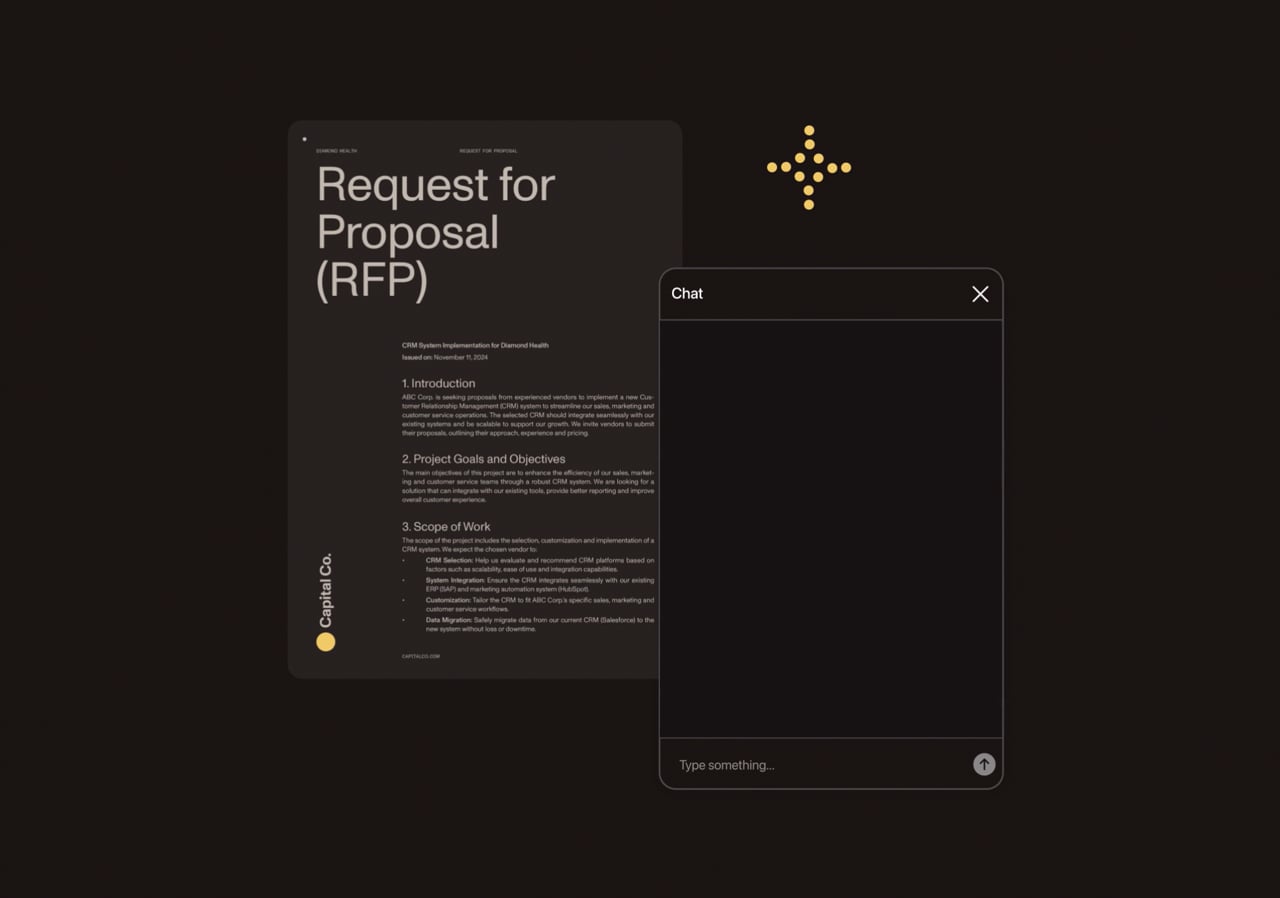
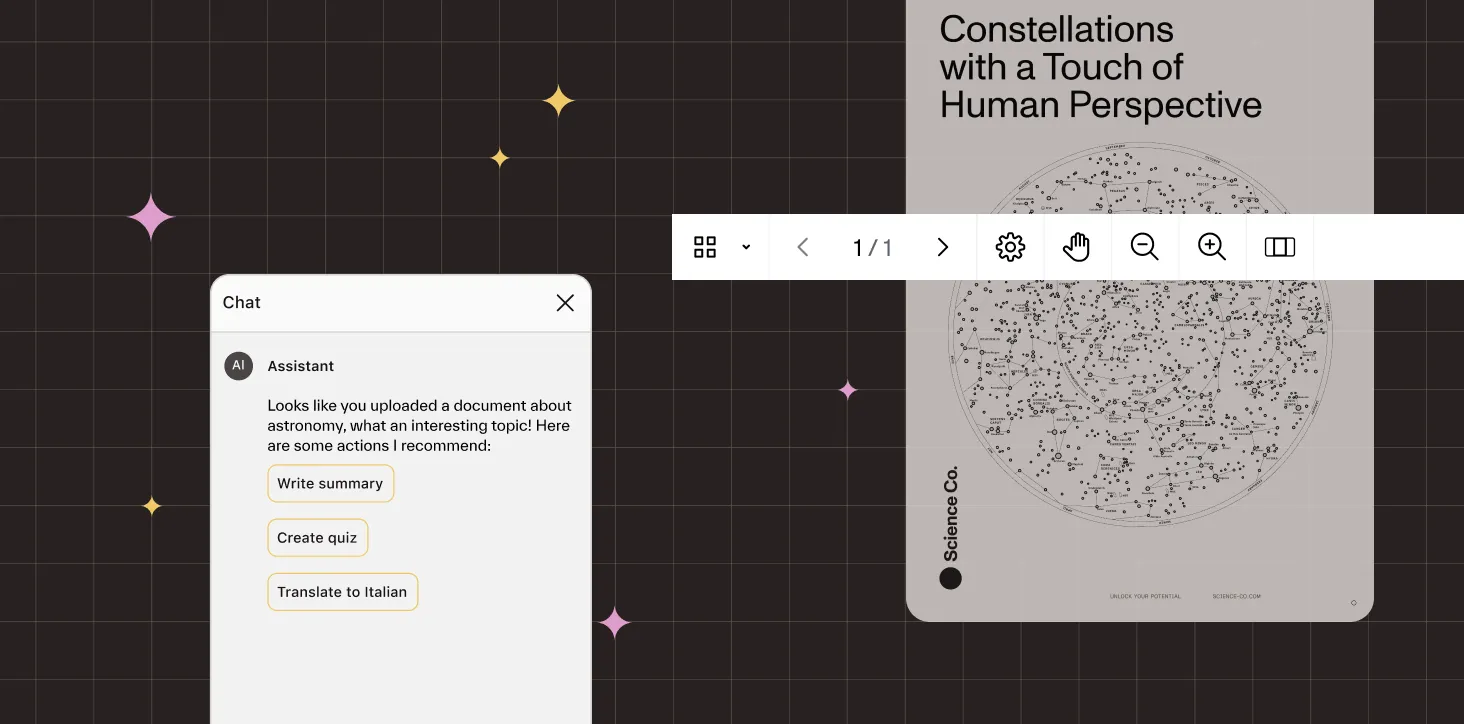
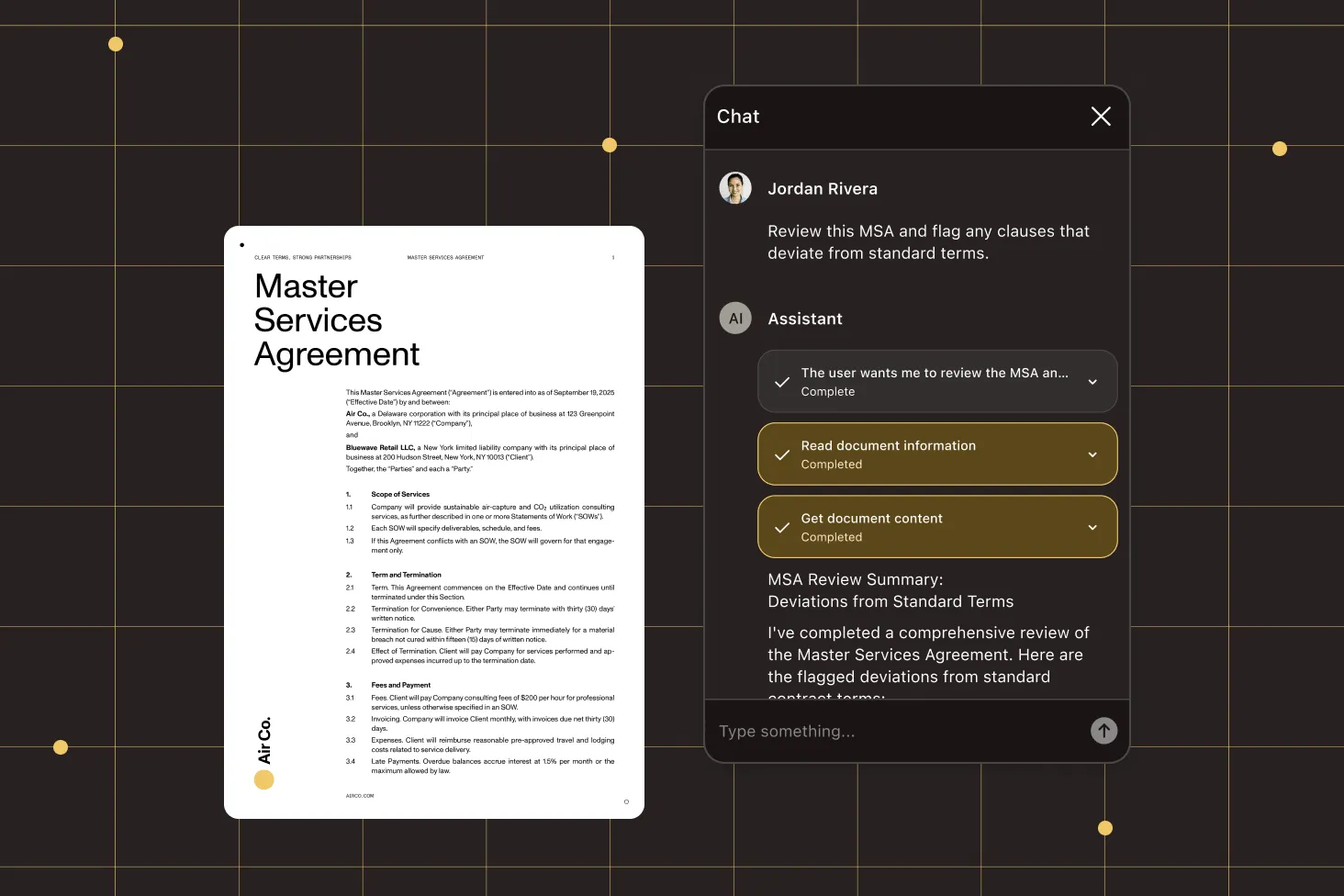

AI Assistant: Document-aware AI agents for your applications

Let your users ask questions, summarize, and translate documents with fast, low-latency AI. Or go autonomous — the agent extracts data, fills forms, annotates, and redacts through natural language. Works with any LLM provider across web, mobile, and hybrid apps.


AI ASSISTANT DEMO

See how our AI tools solve real-world tasks

AI Assistant demo video

TWO AGENTS, ONE PLATFORM

Choose how AI works with your documents

AI Assistant offers two agents: one for insights and summaries through conversation, and another for autonomous multistep document actions.

ASK AND EXPLORE

Chat agent

The agent interprets and explores documents without modifying them. Ideal for high-volume queries where cost, latency, and clarity matter.

  • Ask questions and get answers from document content
  • Generate summaries in seconds
  • Lower latency and cost-efficient token usage
  • Use for Q&A, summarization, translation

EDIT AND MODIFY

Document editing agent

The agent autonomously modifies documents using specialized tools, executing multistep document editing actions end to end.

  • Extracts structured data from documents
  • Fills form fields and edits annotations
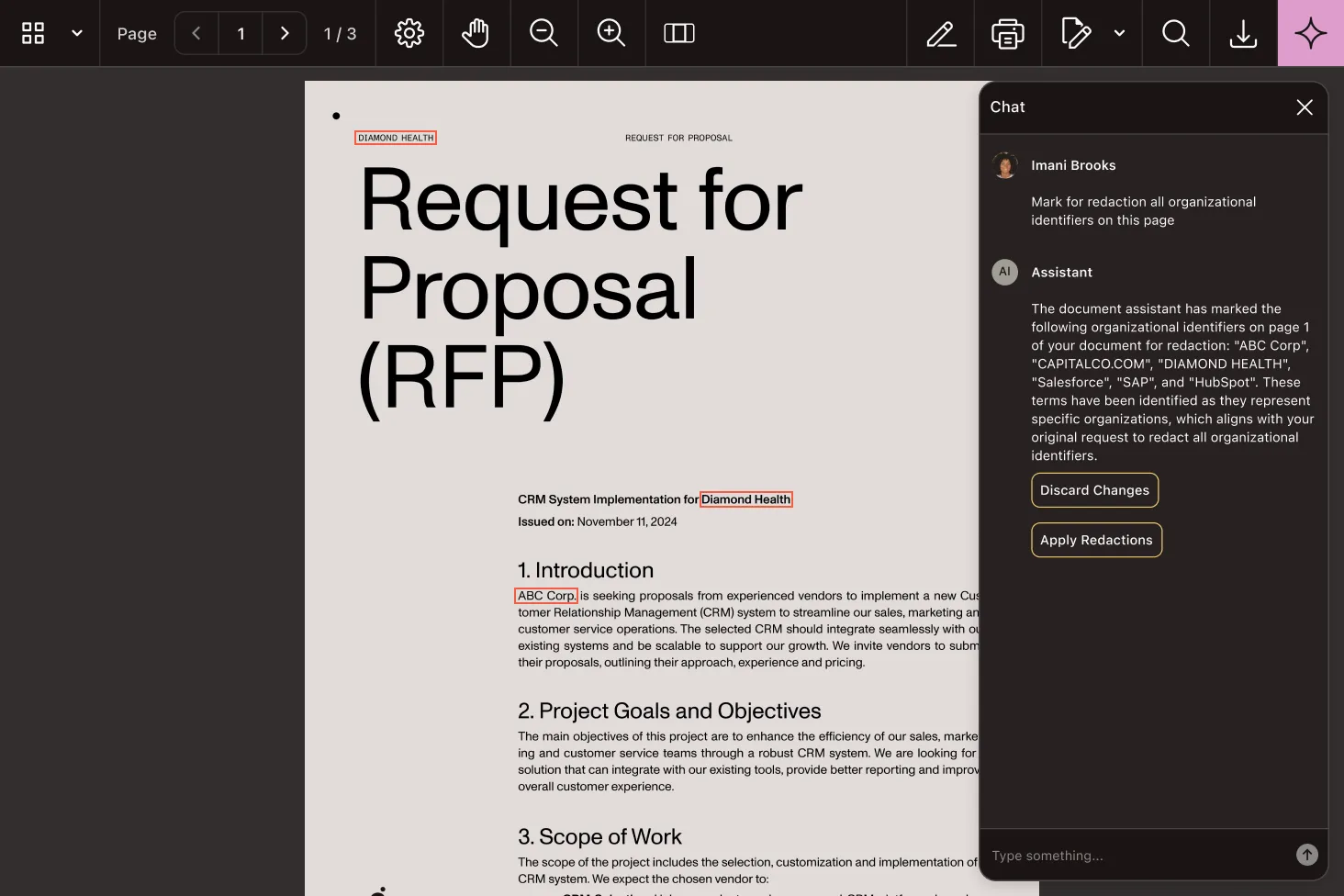
  • Redacts sensitive content on request
  • Use for document automation, data extraction, multistep editing

Automate document actions

Fill forms, add annotations, and redact sensitive content — all through natural language instructions.

Extract structured data

Pull fields, tables, and values from invoices, contracts, and forms into usable formats automatically.

Turn long PDFs into summaries

Auto-generated outlines and bite-sized summaries let users jump straight to what matters.

Give users instant answers

Ask questions and get precise answers from any document — no scrolling, no searching, no copy-paste.


AI DOCUMENT CAPABILITIES

Empower your applications with AI

Integrate robust AI tools to enhance document workflows. Improve productivity and deliver precise results to your end users.

AI Assistant demo interface

Configurable autonomy

Control how much freedom the agent has — from fully autonomous to approval required for sensitive actions.

Custom skills

Inject domain-specific knowledge on demand — contract review, construction drawings, compliance — without rebuilding prompts.

Multistep reasoning

The agent chains operations automatically to complete complex tasks, observing results and adapting as it goes.

AI-assisted summarization

Generate comprehensive summaries in seconds.

Natural language Q&A

Ask direct questions and get precise answers.

AI-powered redaction

Easily remove sensitive content with AI guidance.

Content restructuring

Search, reword, or reformat text for quick, shareable outputs.

Instant translation

Translate documents into multiple languages in real time.

Flexible usage controls

Efficiently manage and throttle AI usage to control your costs.


CUSTOM SKILLS

Embed your business logic into the agent

Skills and system prompts turn the agent into a flexible automation platform tailored to your company’s exact workflows. Encode domain expertise, compliance rules, and company-specific data so the agent executes tasks exactly how your business operates.

Document finalization workflows

Encode multistep processes, like “Always redact DOB and SSN before sending to external parties,” or “Add standard confidentiality footer to all contracts.”

Company-specific data and pricing

Inject business context like “Steel sheets cost $10/m²,” or “Our standard warranty is 24 months” so the agent uses your actual data.

Industry compliance rules

Build in regulatory requirements like HIPAA PHI handling, financial disclosure rules, or construction permit validation.

Custom validation and checks

Define what “complete” means for your workflows — required signatures, mandatory fields, approval chains, or quality gates.


AGENT CONFIGURATION

Tailor the agent to your domain

Make the agent an expert in your domain — whether that’s contract law, construction drawings, or financial compliance. Control how autonomous it should be and what it knows about your specific workflows.

System prompts

Define the agent’s expertise, operating context, and response style.

Seed messages

Shape how the agent introduces itself and guides users to start.

Tool approval

Control which actions require user confirmation before execution.

Skills

Inject domain-specific instructions without bloating every request.


INDUSTRY USE CASES

Describe what you need, get results in seconds

No custom scripts. No rule-based automation. Just natural language instructions that the agent executes end to end — searching, extracting, annotating, and redacting on your behalf.

Legal

“Extract all liability caps and indemnification clauses” — the agent searches a document, identifies sections, and returns structured data. Stage redactions of client names for attorney review before permanent removal.

Construction

“What are the door dimensions on the second floor plan?” — the agent renders a blueprint, interprets the drawing, and extracts measurements. Pull window schedules from tables and highlight fire-rated material references.

Finance

“Fill the expense report using this receipt” — the agent reads the source document, understands context, and populates the correct fields. Extract invoice line items or redact bank account numbers before audit sharing.

Healthcare

“Extract patient demographics from this intake form” — the agent handles handwritten and printed text and returns structured data. Summarize lab report findings with citations, or redact PHI before sharing with research teams.

Government

“Redact all personal identifiers for the public records request” — the agent identifies PII in context, stages redactions for review, and applies permanent removal on confirmation. Extract permit data into structured formats.

Life Sciences

“Summarize key findings from this clinical trial report” — the agent provides concise overviews with citations to specific sections. Extract study parameters or redact patient identifiers before regulatory submission.


Estimate your monthly LLM costs when using Nutrient AI Assistant

Documents ingested every month

small medium large huge
Medium
Two-to-three page-long legal contracts, privacy policies, or scientific article excerpts.

Active users

Documents viewed by a single user every month
none low medium high deep
Low
Users will use summarization and make occasional queries about the content of the document.
Documents redacted per month

Estimated monthly cost


Document ingestion 0 tokens per document • $0.02/1M tokens
$0.00

User interactions 0 tokens per user • $0.000375/1K tokens
$0.00

Document redaction 0 tokens per document • $0.000375/1K tokens
$0.00

Total monthly cost $0.00
The USD amounts are approximated for your chosen scenario based on the February 2025 prices of using gpt-4o-mini provisioned via OpenAI.

AI ASSISTANT

Want to see it in action first?

Try AI Assistant now — upload a document and experience it firsthand.

AI Assistant demo interface

AI ASSISTANT

Have pricing or licensing questions?

Talk to a member of our team to learn how AI Assistant can fit into your new or existing license.


Looking beyond AI?

Explore Nutrient’s full set of document components — from viewing and signing, to OCR and document generation — all available across our web, mobile, hybrid, and server SDKs.

View and collaborate

Render large PDFs instantly, layer on markups and threaded comments, and watch feedback appear live.

Create and edit

Add, reorder, or rewrite pages and build dynamic forms in a browser — zero desktop tools.

Finalize and sign

Apply tamper‑proof eSignatures, run pixel‑perfect diffs, and scrub sensitive data before release.

Integrate AI and automation

Ask a document anything, classify content, generate PDFs, and auto‑convert at scale with one endpoint.

Secure and comply

Output long‑term PDF/A, enforce encryption, and breeze through audits with built‑in accessibility standards.

Reasons to build with Nutrient

Nutrient SDKs and Cloud APIs add full document lifecycle support to any platform, tech stack, or infrastructure in minutes. The same technology meets Fortune 500 requirements while helping startups ship fast.

Ready for context engineering

Clean documentation, drop-in code, and MCP hooks for both hands-on developers and AI agents.

Build for and deploy anywhere

Web, mobile, desktop, server, or Nutrient Cloud — with no lock-in.

Secure and accessible

SOC 2 Type 2 and WCAG 2.2-compliant workflows with PDF/UA-accessible documents.

AI-first document workflows

Built-in document AI with support for leading LLMs and their private implementations.


Build smarter with these reads

EXPLORE BLOG

PROVEN AT SCALE

Trusted by the brands that move the world


Replaced paper and email with Nutrient Workflow to automate multilevel approvals across six Latin American offices, processing 236 asset requests.


Renders multipage PDFs and signature tags with Nutrient, keeping 200 million users in 188 countries moving at the speed of eSignature.


Integrated the Nutrient PDF SDK to deliver high‑fidelity previews and editing in its mobile apps, shipping customer‑requested features to 115,000 organizations months ahead of schedule.


FREE TRIAL

Ready to get started?

Unlock the possibilities of AI assistant — no payment information required.


AI Assistant

What is an AI assistant for documents?

An AI assistant for documents is a development toolkit that lets you embed conversational and intelligent capabilities into your app, enabling users to ask questions, extract insights, redact sensitive data, or summarize key content directly from complex documents.

How to choose the right AI assistant SDK

If you’re evaluating AI-powered tools for document automation, here are the biggest variables that matter:

  • Natural language understanding — Look for a system that supports questions, summaries, and text transformations using plain English input.
  • Content fidelity — Accuracy matters. Summarization and redaction should preserve meaning and structure.
  • Output control — Ensure you can fine-tune responses, handle edge cases, and maintain transparency in what the AI does.
What are the best solutions to solve my AI assistant needs?

Different use cases require different levels of sophistication. Advanced AI SDKs like Nutrient enable natural language summaries, Q&A, redaction, and multilingual translation directly in your app’s document viewer.

What are the benefits of using Nutrient AI Assistant?

Nutrient AI Assistant offers several advantages:

  • AI-assisted summarization — Generate comprehensive summaries in seconds, allowing users to quickly understand the main points of lengthy documents.
  • Intelligent document processing — Beyond summarization, AI Assistant enables querying and translating documents on the fly, enhancing document interaction and efficiency.
  • Seamless integration — Designed for easy incorporation into various platforms, with comprehensive documentation and support to assist developers throughout the integration process.
  • User-friendly interface — Provides an intuitive UI for users to interact with documents, improving the overall user experience.
  • Security and compliance — Adheres to data protection regulations, ensuring sensitive information is handled securely during document processing.
How does Nutrient AI Assistant compare to other solutions?

While other AI PDF summarization tools may offer basic functionalities, Nutrient AI Assistant stands out with its robust and user-friendly experience. Its design prioritizes ease of use and straightforward integration, making it a strong choice for organizations looking to implement AI in their document management.


Frequently asked questions

What is Nutrient AI Assistant?

The Nutrient AI Assistant SDK is a toolkit that enables developers to integrate advanced AI functionalities into their applications. It leverages intelligent document processing (IDP) technology to allow users to query, summarize, and translate documents on the fly, enhancing document interaction and efficiency.

How does AI Assistant integrate with existing applications?

AI Assistant integrates directly with Nutrient Web SDK and Document Engine, eliminating the need for additional API calls or complex workflows. By setting it up within your infrastructure and configuring it accordingly, users can immediately take advantage of its powerful AI-driven capabilities within their existing document processing systems.

How is AI Assistant deployed?

AI Assistant is distributed as a Docker container, requiring a Docker runtime environment for deployment. It also requires an API key from an LLM provider such as OpenAI or Azure OpenAI. Detailed setup guides are available to assist with the installation and configuration process.

How does AI Assistant ensure data privacy?

Nutrient provides control over user data with a simple call from your backend, allowing you to securely purge chat history and document data. This ensures complete privacy and compliance whenever needed.

Is AI Assistant compatible with mobile platforms?

Yes. AI Assistant is available for both iOS and Android platforms, enabling intelligent document interaction on mobile devices. Developers can integrate AI-powered document functionality directly into their mobile apps, providing users with features like instant summaries, contextual search, and interactive Q&A with their documents.

What’s the difference between the chat agent and document editing agent?

The chat agent interprets and explores documents without modifying them — ideal for Q&A, summaries, and translation where cost, latency, and clarity matter. The document editing agent acts autonomously with access to specialized tools, taking multistep actions like extracting data, filling forms, and redacting content. You can choose which agent fits your use case, or use both depending on the context.

Can I control what the AI agent does?

Yes. You can configure which tools are available and whether actions require user approval before execution, as well as inject custom skills that guide the agent’s behavior for specific domains or tasks. This gives you fine-grained control over autonomy and capabilities. Refer to the agent configuration guide for details.