Nutrient .NET SDK
Add digital signatures to PDFs in C#
- Sign PDFs with PKCS#12 certificates — visible or invisible signatures
- Certify documents to lock them against further modification
- Add signature fields, fill existing ones, and read their properties
- Customize signature appearance with text, images, or both
Need pricing or implementation help? Talk to Sales.
PDF SIGNING IN C#
using GdPicturePDF gdPicturePDF = new GdPicturePDF();gdPicturePDF.LoadFromFile(@"C:\temp\source.pdf");
// Set the certificate from a PKCS#12 file.gdPicturePDF.SetSignatureCertificateFromP12( @"C:\temp\certificate.pfx", "password");
// Add signer information.gdPicturePDF.SetSignatureInfo( "John Smith", "Approval", "Vienna", "john@example.com");
// Position the signature on the last page.gdPicturePDF.SetMeasurementUnit( PdfMeasurementUnit.PdfMeasurementUnitCentimeter);gdPicturePDF.SelectPage(gdPicturePDF.GetPageCount());gdPicturePDF.SetSignaturePos(10, 10, 5, 2);
// Apply and save.gdPicturePDF.ApplySignature(@"C:\temp\output.pdf", PdfSignatureMode.PdfSignatureModeAdobePPKMS, false);using GdPicturePDF gdPicturePDF = new GdPicturePDF();gdPicturePDF.LoadFromFile(@"C:\temp\source.pdf");
// Set the certificate from a PKCS#12 file.gdPicturePDF.SetSignatureCertificateFromP12( @"C:\temp\certificate.pfx", "password");
// Add certificate information.gdPicturePDF.SetSignatureInfo( "John Smith", "Certified", "Vienna", "john@example.com");
// Certify and save.gdPicturePDF.ApplySignature(@"C:\temp\output.pdf", PdfSignatureMode.PdfSignatureModeAdobePPKMS, false);using GdPicturePDF gdPicturePDF = new GdPicturePDF();gdPicturePDF.LoadFromFile(@"C:\temp\source.pdf");gdPicturePDF.SelectPage(1);
// Set coordinate system and units.gdPicturePDF.SetMeasurementUnit( PdfMeasurementUnit.PdfMeasurementUnitCentimeter);gdPicturePDF.SetOrigin( PdfOrigin.PdfOriginBottomRight);
// Add a signature field.int fieldId = gdPicturePDF.AddSignatureFormField( 2, 5, 5, 2, "Signature1");
// Configure the field appearance.string font = gdPicturePDF.AddTrueTypeFont( "Freestyle Script", false, false, false);gdPicturePDF.SetFormFieldFontResName(fieldId, font);gdPicturePDF.SetFormFieldFontSize(fieldId, 48);
gdPicturePDF.SaveToFile(@"C:\temp\output.pdf"); Lufthansa
Disney
Autodesk
UBS
Dropbox
IBM
Lufthansa
Disney
Autodesk
UBS
Dropbox
IBM
USE CASES
When developers reach for this SDK
Automate contract signing
Sign contracts, agreements, and NDAs programmatically. Load a PDF, apply a PKCS#12 certificate, and save the signed output — no manual signing step required.
Certify documents for compliance
Certify PDFs to prove authenticity and detect any post-signing modification. Any change to a certified document is flagged when a PDF is opened.
Prepare documents for signing
Add signature fields to PDFs before distributing them. Recipients fill the prepared fields with their own digital signatures.
Add visible signature appearances
Customize how signatures look on the page — add signer name text, a scanned handwritten signature image, or both inside the signature bounding box.
Digital signature capabilities for .NET
Sign with a digital signature
Apply a PKCS#12 certificate to a PDF. Position the signature on any page, add signer metadata, and save the signed document.
- Visible or invisible signatures
- Signer name, reason, location, and contact information
- Certificates from PKCS#12 files or streams
Certify a document
Add a certificate to prove document authenticity. Any modification after certification is detected and flagged.
- Certificate-based document authentication
- Tamper detection on signed documents
- Retrieve and remove certificate properties
Manage signature fields
Add signature form fields, fill existing ones, and read their properties — ID, name, font, size, and color.
- Add fields with custom position and dimensions
- Fill fields by name or ID
- Read field properties programmatically
Customize signature appearance
Control how signatures look on the page. Add text, an image (such as a scanned handwritten signature), or both.
- Text with custom font, size, color, and alignment
- JPEG image stamp inside the signature box
- Combined text and image layout
Sign with hardware-backed keys
Apply PAdES B-LT or B-LTA signatures with embedded long-term validation material, and sign using PKCS#11-compatible hardware.
- Long-term validation (LTV) material embedded in the signature
- PKCS#11 support for hardware security modules (HSMs), USB tokens, and smart cards
- Available on every platform the .NET SDK supports
Operations
ADVANCED CAPABILITIES
Beyond basic PDF signing
The SDK handles more than applying a single signature. Work with multiple signatures, load certificates from different sources, control signature positioning down to the pixel, and integrate signing into batch processing workflows.
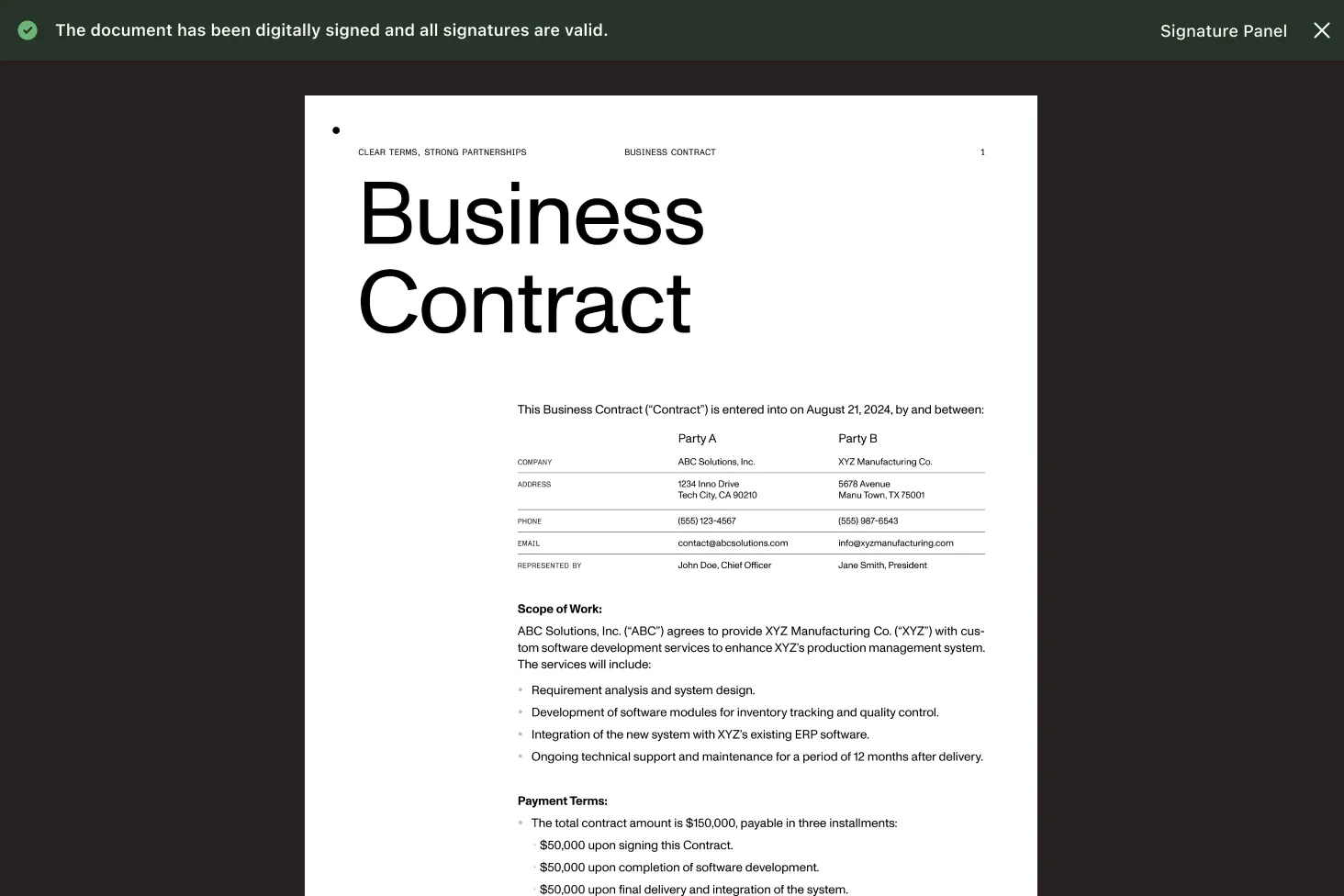
Multiple signatures
Apply more than one digital signature to a document. Each signature is independent and can use a different certificate.
Certificate from any source
Load certificates from PKCS#12 files on disk or from stream objects — compatible with certificates stored in databases, key vaults, or memory.
Server-side batch signing
No GUI dependencies — sign PDFs in background jobs, Windows services, or API handlers. Process stacks of documents in a loop.
Signature validation detection
After signing, any modification to the document is noted. Certified documents flag changes when opened in any compliant PDF reader.
Frequently asked questions
How do I add a digital signature to a PDF in C#?
Load the PDF, set the certificate from a PKCS#12 file, optionally add signer information (name, reason, location), position the signature on a page, and call the apply method to save the signed document. See the digital signature guide for a complete working example.
What’s the difference between signing and certifying a PDF?
Signing applies a digital signature that authenticates the signer’s identity. Certifying goes further — it also locks the document so any post-certification change is detected and flagged. Both use PKCS#12 certificates. See the certify guide.
How do I add a signature field to a PDF for others to sign?
Load the PDF, set the coordinate origin and measurement unit, and call the method to add a signature form field with position, dimensions, and a field name. Recipients can then fill the prepared field with their own digital signature. See the add signature field guide.
Can I customize how the signature looks on the page?
Yes. You can add text (with custom font, size, color, and alignment), a JPEG image (such as a scanned handwritten signature), or both inside the signature bounding box. If both are used, the image is placed to the right of the text. See the signature guide for text and image examples.
What certificate formats does the .NET digital signature SDK support?
The SDK accepts certificates from PKCS#12 files (.pfx or .p12) and from stream objects. This means you can load certificates from disk, from a database, from a key vault, or from any source that provides a stream.
Can I sign a PDF without showing a visible signature on the page?
Yes. If you skip setting the signature position and dimensions, the signature is applied as an invisible signature. The document is cryptographically signed, but no visual element appears on any page. Invisible signatures are useful for automated workflows where visual appearance isn’t needed.
Can I apply multiple digital signatures to one PDF?
Yes. The SDK supports documents with multiple signatures. Each signature is independent and can use a different certificate, signer information, and appearance. This is common in approval workflows where several parties need to sign the same document.
Can I sign PDFs in a batch process without a UI?
Yes. The SDK is a standard .NET library with no GUI dependencies. Loop through your PDF files, apply signatures, and save the results in a console application, Windows service, background job, or API handler.
FREE TRIAL
Ready to get started?
Start signing and certifying PDFs in C# in minutes — no payment information required.
Explore more
Also available for
More .NET SDK capabilities