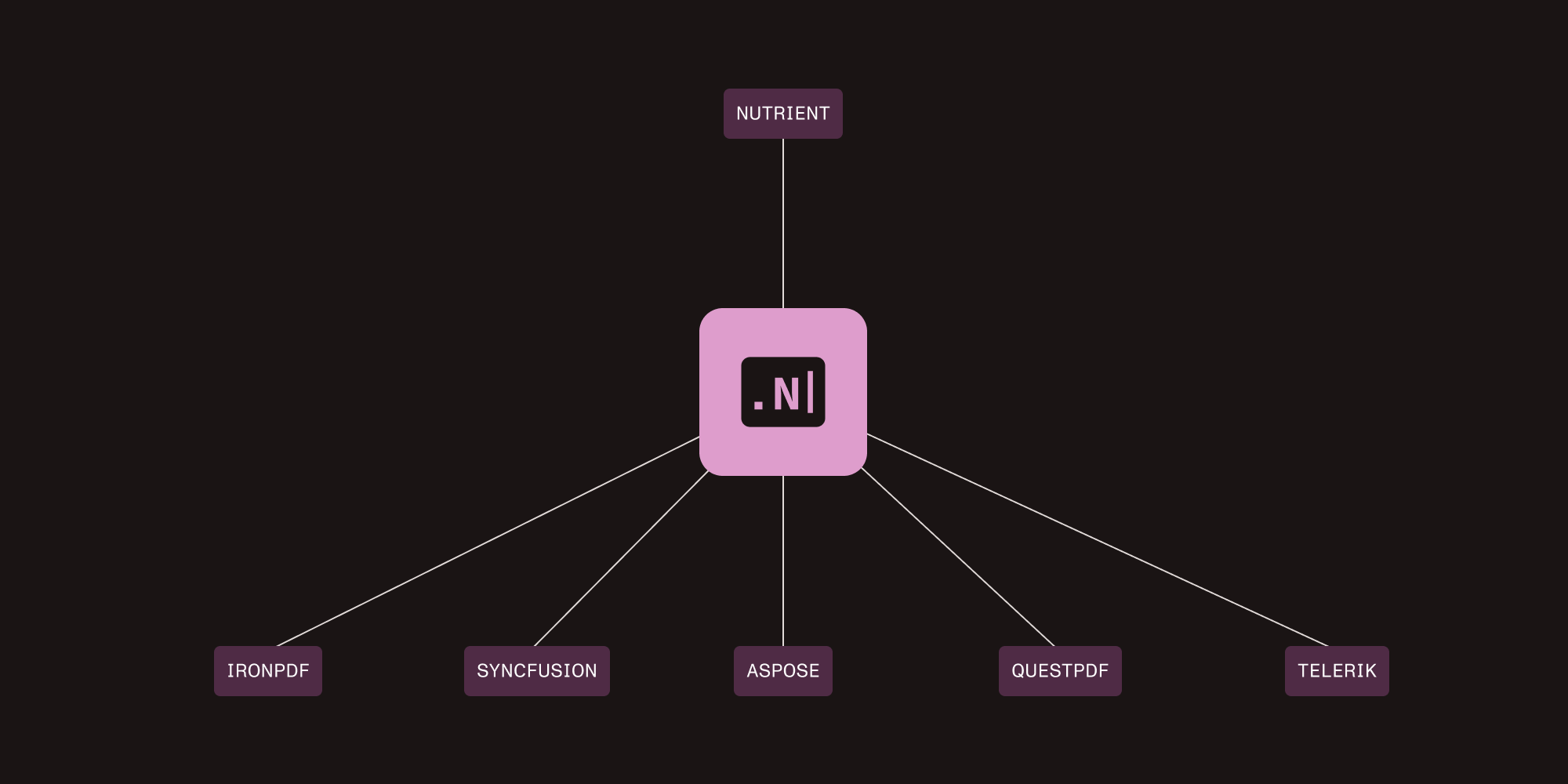
Nutrient vs. Aspose.PDF: Complete comparison for .NET developers

Table of contents

Nutrient .NET SDK includes PDF processing, OCR, ML-powered extraction, and support for 100+ formats in one API. Built-in data extraction, scanner integration, and image preprocessing replace 3–5 separate libraries. Aspose.PDF covers the PDF specification, including 3D annotations and portfolios. OCR and barcodes require separate products.
The practical difference
Aspose.PDF covers the PDF specification, including edge case features like 3D annotations, PDF portfolios, and advanced XFA forms. Nutrient .NET SDK (formerly GdPicture.NET) handles document processing with built-in ML-powered data extraction, OCR, scanner integration, and support for 100+ formats in one SDK.
Aspose.PDF focuses on PDF-centric workflows with Office↔PDF conversion. OCR and barcode capabilities require separate Aspose products (Aspose.OCR, Aspose.BarCode).
Nutrient .NET SDK includes PDF manipulation, ML-powered data extraction, OCR, barcode I/O, scanner support, and conversion for 100+ formats, including CAD, DICOM, and medical imaging.
Quick decision — If you need 3D annotations, PDF portfolios, or complex XFA forms, use Aspose.PDF. For data extraction, scanner integration, or consolidated document processing workflows, check out Nutrient’s features.
Key differences
Integration complexity
Nutrient — Single SDK replaces PDF library + OCR + barcodes + format converters (3–5 products)
Aspose.PDF — Requires separate products for OCR (Aspose.OCR) and barcodes (Aspose.BarCode)
Data extraction
Nutrient — Built-in ML-powered extraction for forms, tables, and key-value pairs with classification
Aspose.PDF — No automated data extraction (text extraction only)
Format support
Nutrient — 100+ formats, including PDF, Office, CAD, DICOM, and archives
Aspose.PDF — PDF-focused with Office, XPS, EPUB, HTML, and images
Direct feature comparison
This section breaks down capabilities into three categories: features exclusive to Nutrient, features exclusive to Aspose.PDF, and standard PDF features available in both.
Nutrient-exclusive capabilities (not available in Aspose.PDF)
The following features are unique to Nutrient for production document workflows.
| Feature | Nutrient .NET SDK | Business impact |
|---|---|---|
| ML-powered data extraction | ✅ Key-value pairs, tables, and ML-based classification | Automate invoice processing and form recognition without custom ML models |
| Built-in OCR | ✅ 100+ languages and preprocessing included | No separate OCR product licensing |
| Scanner integration | ✅ TWAIN/WIA support for direct hardware capture | Capture documents from scanners without separate software |
| Image preprocessing | ✅ Deskew, denoise, and remove noise/lines/punch holes | Improve OCR accuracy on low-quality scans |
| OMR (optical mark recognition) | ✅ Extract checkboxes and bubbles from exam forms | Automate survey processing and exam grading |
| MRZ extraction | ✅ Parse passports, IDs, visas, and driver’s licenses | Identity verification for KYC compliance |
| Barcode I/O (built-in) | ✅ Generate and read 1D/2D barcodes | No separate barcode product needed |
| Multi-format support | ✅ CAD, DICOM, Office, and archives — 100+ formats total | Handle diverse document types without additional converters |
Cost impact — These capabilities require purchasing Aspose.PDF ($1,199), Aspose.OCR ($799), and Aspose.BarCode ($999) separately — totaling $2,997 annually per developer. Nutrient includes them all in one SDK.
Advanced AI extraction — For LLM-powered natural language extraction and document classification, Nutrient offers the AI Document Processing SDK as a separate product with its own license. This adds advanced capabilities like intelligent invoice processing with ML templates and confidence scores.
Aspose.PDF-exclusive capabilities (not available in Nutrient)
The following features are unique to Aspose.PDF for specialized PDF workflows.
| Feature | Aspose.PDF for .NET | Use case |
|---|---|---|
| 3D annotations | ✅ Full 3D content support | Engineering and CAD documentation |
| PDF portfolios | ✅ Create and manipulate PDF portfolios | Document collections and presentations |
| Advanced XFA forms | ✅ Complex XFA form processing | Legacy enterprise forms |
Standard PDF features (both platforms)
Both SDKs support these core PDF capabilities, with implementation differences noted.
| Feature | Nutrient .NET SDK | Aspose.PDF for .NET |
|---|---|---|
| PDF generation | ✅ Full support | ✅ Full support |
| PDF editing | ✅ Add text/images, annotations, and forms | ✅ Advanced editing with object model |
| Text extraction | ✅ Advanced extraction with word/line matching | ✅ TextAbsorber with regex search |
| OCR | ✅ Built in, 100+ languages, and auto-preprocessing | ✅ Via separate Aspose.OCR (140+ languages, additional cost) |
| Form processing | ✅ AcroForms (create, fill, and flatten) | ✅ AcroForms and XFA forms |
| Digital signatures | ✅ PFX certificates, timestamps, and PDF/A-3VA | ✅ PFX, smart cards, and SHA-3 hashing |
| Document operations | ✅ Merge, split, and compare | ✅ Merge, split, and optimize |
| PDF/A compliance | ✅ PDF/A-1 through PDF/A-4 | ✅ PDF/A-1 through PDF/A-4 |
| PDF/UA accessibility | ✅ Full compliance, autotagging, and conversion | ✅ Basic PDF/UA support (no autotagging) |
| HTML-to-PDF | ✅ Basic HTML support via GdPictureDocumentConverter | ✅ Via Aspose.HTML or Aspose.PDF |
| Format conversion | ✅ PDF↔Word/Excel/PowerPoint + 100+ formats | ✅ PDF↔Office (Word, Excel, PPT, and HTML) |
| Cross-platform | ✅ .NET 6/7/8, Framework 4.6.2+, and Windows/Linux/macOS | ✅ .NET Core/Framework and Windows/Linux/macOS |
Test document features with Nutrient using your actual documents for OCR, data extraction, and format support.
Nutrient vs. Aspose.PDF: Code example comparisons
These examples show API differences and implementation patterns. Aspose.PDF uses object-oriented design (Document, Page, and TextFragment). Nutrient uses method-based API with explicit positioning.
Example 1: Generate a simple PDF with text
Aspose.PDF approach
using Aspose.Pdf;using Aspose.Pdf.Text;
// Create PDF document.using (var document = new Document()){    // Add page.    var page = document.Pages.Add();
    // Create text fragment.    var textFragment = new TextFragment("Hello World!");    textFragment.Position = new Position(100, 600);
    // Set text properties.    textFragment.TextState.FontSize = 20;    textFragment.TextState.Font = FontRepository.FindFont("Helvetica");
    // Create `TextBuilder` and append text.    var textBuilder = new TextBuilder(page);    textBuilder.AppendText(textFragment);
    // Save PDF document.    document.Save("output.pdf");}
Aspose.PDF uses an object-oriented API where you create TextFragment objects and position them using a TextBuilder. This DOM-like structure builds documents by adding fragments to page content, giving you fine-grained control through properties like Position, TextState.FontSize, and TextState.Font.
using GdPicturePDF gdpicturePDF = new GdPicturePDF();// Create a new PDF document.gdpicturePDF.NewPDF();// Add a new A4-sized page to the document.gdpicturePDF.NewPage(PdfPageSizes.PdfPageSizeA4);// Set the fonts to be used in the PDF document.string fontHelvetica = gdpicturePDF.AddStandardFont(PdfStandardFont.PdfStandardFontHelvetica);// Draw the text.gdpicturePDF.SetTextSize(20);gdpicturePDF.DrawText(fontHelvetica, 10, 10, "Hello World!");// Save the PDF document.gdpicturePDF.SaveToFile(@"C:\temp\output.pdf");Nutrient takes a drawing-canvas approach similar to GDI+, using direct DrawText() calls with coordinates. You can work in millimeters, inches, or points by setting the measurement unit, and define whether coordinates start from the top-left or bottom-left corner.
Example 2: OCR on scanned PDF
Aspose.PDF approach (requires separate Aspose.OCR product)
using Aspose.OCR;
// Create OCR engine.var recognitionEngine = new AsposeOcr();
// Add PDF to `OcrInput` with page range.var input = new OcrInput(InputType.PDF);input.Add("scanned.pdf"); // Process all pages.
// Configure recognition settings.var settings = new RecognitionSettings{    Language = Language.Latin // Or `Language.Eng`, etc.};
// Recognize all pages.List<RecognitionResult> results = recognitionEngine.Recognize(input, settings);
// Output recognized text.foreach (var result in results){    Console.WriteLine(result.RecognitionText);}
// Save as searchable PDF.AsposeOcr.SaveMultipageDocument("searchable.pdf", SaveFormat.Pdf, results);
Aspose.OCR is a separate product ($799/developer annually) that handles PDF pages directly with OcrInput(InputType.PDF). It supports 140+ languages with preprocessing but requires additional licensing.
Nutrient .NET SDK approach (built in)
using GdPicturePDF gdpicturePDF = new GdPicturePDF();
// Load the source document.gdpicturePDF.LoadFromFile("input.pdf");
// Run the OCR process on all pages with maximum multithreading support.gdpicturePDF.OcrPages("*", 0, "eng", "", "", 300);
// Save the result in a PDF document.gdpicturePDF.SaveToFile(@"C:\temp\output.pdf");
Nutrient’s built-in OCR uses the single OcrPage() method with preprocessing (deskewing, noise removal, and contrast enhancement). It supports 100+ languages, with no additional licensing required.
Example 3: Digital signatures
Aspose.PDF approach
using Aspose.Pdf;using Aspose.Pdf.Facades;using Aspose.Pdf.Forms;
// Open PDF document.using (var document = new Document("input.pdf")){    // Create `PdfFileSignature` object.    using (var signature = new PdfFileSignature(document))    {        // Create PKCS7 object with certificate.        var pkcs = new PKCS7("cert.pfx", "password");
        // Sign on page 1 with visible signature.        // Parameters: page number, visible, rectangle, PKCS7        signature.Sign(1, true, new System.Drawing.Rectangle(300, 100, 400, 200), pkcs);
        // Save signed document.        signature.Save("signed.pdf");    }}
Aspose.PDF wraps the document in a PdfFileSignature class and loads PKCS7 certificates from .pfx files. The Sign() method accepts a page number, visibility flag, rectangle coordinates, and the certificate. For advanced scenarios, you can use PKCS7Detached for SHA-256 hashing or integrate smart cards.
using GdPicture14;
using (var pdf = new GdPicturePDF()){    pdf.LoadFromFile("input.pdf");
    // Set the certificate from a PFX file.    pdf.SetSignatureCertificateFromP12("cert.pfx", "password");
    // Add signature information.    pdf.SetSignatureInfo("John Smith", "Confidential", "Vienna (Austria)",        "john.smith@nutrient.io");
    // Set measurement unit to centimeters.    pdf.SetMeasurementUnit(PdfMeasurementUnit.PdfMeasurementUnitCentimeter);    float width = pdf.GetPageWidth();
    // Select the last page.    pdf.SelectPage(pdf.GetPageCount());
    // Define signature position and dimensions (x, y, width, height).    pdf.SetSignaturePos(width - 7, 10, 5, 2);
    // Add signature text appearance.    string fontName = pdf.AddTrueTypeFont("Arial", false, false, false);    pdf.SetSignatureText("John Smith", fontName, 12, GdPictureColor.Blue,        TextAlignment.TextAlignmentCenter, TextAlignment.TextAlignmentCenter, true);
    // Apply signature and save.    pdf.ApplySignature("signed.pdf", PdfSignatureMode.PdfSignatureModeAdobePPKMS, false);}
Nutrient follows a builder-style pattern: Load the certificate with SetSignatureCertificateFromP12(), add metadata through SetSignatureInfo(), position the signature with flexible units (centimeters, inches, or points), customize appearance with fonts and colors, and then apply. This approach excels at precise positioning — for example, placing a signature “7cm from the right edge” — making it ideal for branded signatures and professional workflows with strict visual requirements.
PDF/A conversion benchmark
In an independent benchmark (November 2025) converting 3,157 files per vendor to PDF/A, Nutrient outperformed Aspose.PDF on every key metric — conformance, reliability, speed, and output size.
PDF/A conformance
| Metric | Nutrient | Aspose.PDF |
|---|---|---|
| PDF/A conformance rate | 92.1 percent | 73.8 percent |
Nutrient produces PDF/A files that pass strict conformance validation at a significantly higher rate, making it better suited for regulated and archival workflows.
Reliability
| Metric | Nutrient | Aspose.PDF |
|---|---|---|
| Conversion success rate | 96.3 percent | 91.8 percent |
| Critical failures | 0 | 19 |
| Bottlenecks (>1 minute) | 7 | 64 |
| Critical bottlenecks (>5 minute) | 0 | 16 |
Nutrient had zero critical failures (unrecoverable errors like stack overflows or memory corruption) across all 3,157 files. Aspose.PDF had 19 critical failures and 64 processing bottlenecks.
Performance and efficiency
| Metric | Nutrient | Aspose.PDF |
|---|---|---|
| Throughput (files/minute) | 492.7 | 77.0 |
| Processing time (minute) | 6.17 | 37.65 |
| Average output size (MB) | 1.08 | 2.42 |
| Average memory (MB) | 7,456 | 19,448 |
Nutrient processed files more than 6x faster than Aspose.PDF, used less than half the memory, and produced the smallest average output size of any vendor tested — reducing storage and transfer costs.
Note — Benchmark results vary by document complexity, hardware, and environment. Test with your actual documents for production planning.
Pricing and total cost of ownership
This section covers each SDK’s pricing structure and compares the total cost of ownership when factoring in additional products for OCR, barcodes, and other capabilities.
Aspose.PDF pricing structure
Small business license
- $1,199 per developer (entry level)
- Includes PDF manipulation and Office conversion
- 1 year of updates and support
Additional products needed
- Aspose.OCR — $799 per developer annually
- Aspose.BarCode — $999 per developer annually
- Total for PDF + OCR + barcodes — $2,997 annually per developer
Perpetual licensing available
- Developer, site, and OEM licenses
- Support by subscription (renewal required)
Nutrient .NET SDK pricing
Enterprise licensing
- Contact Sales for a custom quote
- All features included — PDF, OCR, ML-powered extraction, barcodes, and 100+ format support
- Optional add-on — AI Document Processing SDK available separately for advanced LLM-powered extraction
- No per-developer fees — Unlimited developers
- Enterprise support with SLA included
- Commercial updates included
Total cost of ownership comparison
| Factor | Aspose.PDF (+ extras) | Nutrient .NET SDK |
|---|---|---|
| Base PDF library | ~$1,199/developer | Contact for pricing |
| OCR capability | +$799/year (Aspose.OCR) | ✅ Included |
| Barcode I/O | +$999/year (Aspose.BarCode) | ✅ Included |
| ML-powered extraction | Not available | ✅ Included |
| Scanner integration | Not available | ✅ Included |
| Image preprocessing | Manual (ImageSharp) | Built in |
| Multi-format support | Requires multiple products | Included |
| Support | Paid SLA | Enterprise SLA included |
| Annual cost (5 developers) | ~$14,985 (PDF + OCR + barcode) | Single quote, unlimited developers |
When Aspose.PDF is more cost-effective
- Small team (1–2 developers) with basic PDF needs
- Only need PDF manipulation without OCR/barcodes
- Qualify for small business license ($1,199)
- Must use 3D annotations or PDF portfolios
When Nutrient delivers better value
- Need OCR, barcodes, or data extraction (avoids multiple product licenses)
- Process multiple document formats beyond PDF
- Larger teams (no per-developer fees)
- Require scanner integration or image cleanup
- Want to consolidate 3–5 libraries into one SDK
Migration guide: Aspose.PDF to Nutrient
Migrate if you need ML-powered data extraction, built-in OCR, or scanner integration, or if you want to consolidate multiple Aspose products.
Step 1: Assessment and installation
Identify Aspose.PDF features used (generation, editing, conversion, forms, and signatures), note any Aspose.OCR or Aspose.BarCode usage, and list edge case PDFs requiring 3D annotations or portfolios.
Install via NuGet: dotnet add package GdPicture.API (for .NET 8.0+) or GdPicture (for .NET Framework 4.6.2).
using GdPicture14;
LicenseManager licenseManager = new LicenseManager();licenseManager.RegisterKEY(""); // Empty string for trial mode
Note — Nutrient .NET SDK uses the GdPicture namespace for historical reasons. When you see GdPicturePDF or GdPictureImaging in code examples, these refer to Nutrient’s PDF and imaging capabilities.
Step 2: Core migration
Aspose uses object-oriented design (Document, Page, and TextFragment), while Nutrient uses a method-based approach (NewPDF, NewPage, and DrawText). Replace Document and Page objects with GdPicturePDF methods (example 1). For text extraction, replace TextAbsorber with GetPageText() loops (text extraction guide).
Remove Aspose.OCR and Aspose.BarCode packages — Nutrient includes both:
// OCR: Single method replaces entire Aspose.OCR workflow.pdf.SelectPage(i);pdf.OcrPage("eng", ocrDataPath, "", 300);See example 2: OCR and the barcode guide for comparisons.
Step 3: Test and validate
- Compare PDF outputs (visual fidelity and file sizes)
- Verify OCR accuracy with actual documents
- Validate PDF/A and PDF/UA compliance if applicable
- Performance test with large documents
Explore Nutrient-exclusive capabilities: ML-powered data extraction (included), AI Document Processing SDK (optional), scanner integration, 100+ formats, and document intelligence (OMR and MRZ).
Migration effort estimate
| Project complexity | Estimated effort | Key challenges |
|---|---|---|
| Simple PDF apps (< 10 operations) | 1–2 weeks | API pattern conversion and basic testing |
| OCR workflows (10–50 documents) | 3–6 weeks | OCR consolidation and removing Aspose.OCR dependency |
| Complex apps (50+ features) | 2–4 months | Multi-product consolidation and full testing |
Migration tip — Run Aspose.PDF alongside Nutrient during migration for fallback on edge case features. Switch fully after testing.
Use case recommendations
| Scenario | Choose Nutrient when… | Choose Aspose when… |
|---|---|---|
| Team size and licensing | 5+ developers need PDF + OCR + barcode capabilities (unlimited developer licensing saves costs vs. $1,199–$2,997 per developer) | 1–2 developers with PDF-only needs (small business license $1,199 is cost-effective without OCR/barcodes/data extraction) |
| Library consolidation | Currently using or evaluating Aspose.PDF + Aspose.OCR + Aspose.BarCode (replace three separate products with one SDK) | Already invested in Aspose ecosystem (Words/Cells/Slides) and want consistent API patterns |
| OCR and scanning | Need built-in OCR with 100+ languages or TWAIN/WIA scanner integration (no separate license) | Don’t need OCR or scanner features |
| Data extraction | Processing invoices, forms, or accounts payable with ML-powered extraction (included) or AI Document Processing SDK (optional) | Don’t need automated data extraction |
| Format support | Handle 100+ formats, including CAD, DICOM, and archives (engineering, healthcare, and multi-format workflows) | PDF-only or PDF↔Office workflows with standard formats |
| Edge case PDF features | Standard PDF features sufficient | Need 3D annotations, PDF portfolios, or complex XFA forms (legacy enterprise systems) |
| High-volume processing | Process 50K+ documents monthly with memory constraints (adaptive file caching and multithreading) | Lower volumes with standard memory requirements |
If you need three or more of Nutrient’s capabilities (OCR, data extraction, scanning, barcodes, and diverse formats), consolidated licensing typically provides ROI through reduced integration costs.
Conclusion
Both SDKs excel at PDF manipulation, but they serve different needs. Aspose.PDF specializes in edge case PDF features (3D, portfolios, and XFA), while Nutrient consolidates multiple document processing capabilities (OCR, ML-powered data extraction, barcodes, and scanning) with broader format support and team-friendly licensing.
Try Nutrient free or contact Sales for pricing.
FAQ
Aspose.PDF small business costs ~$1,199 per developer. Adding Aspose.OCR (~$799) and Aspose.BarCode (~$999) brings the total to ~$2,997 per developer for all three capabilities. Nutrient includes PDF, OCR, and barcode functionality in one SDK with team-based licensing (no per-developer fees). Contact Sales for Nutrient pricing details.
Nutrient replaces Aspose.PDF, Aspose.OCR, and Aspose.BarCode for most workflows. It handles PDF manipulation, OCR, barcode I/O, scanning, and Office document conversion (Word, Excel, and PowerPoint). Aspose.Words/Cells/Slides may remain relevant for specialized Office-native editing scenarios. Nutrient lacks some rare PDF features (3D, portfolios, and advanced XFA). For core PDF + OCR + barcode + format conversion, Nutrient consolidates multiple products; for edge case PDFs or specialized Office editing, Aspose tools may still apply.
Both handle standard documents well. Aspose.PDF can slow on large or complex PDFs. Nutrient handles large files better through memory management. For simple PDFs (tens of pages), performance is comparable (~60–900 ms).
API patterns differ significantly. Aspose uses object-oriented design (Document, Page, and TextFragment), while Nutrient uses a method-based approach (NewPDF, NewPage, and DrawText). Simple apps (< 10 operations) take 1–2 weeks. Complex apps with 50+ features take 2–4 months. The main effort goes into converting PDF operations and consolidating add-ons. See the migration guide for step-by-step instructions.
Yes. Use Aspose.PDF for edge case features (3D annotations, portfolios, and XFA forms) and Nutrient for OCR, data extraction, scanner integration, or batch processing. Import Aspose-generated PDFs into Nutrient for additional processing. This hybrid approach requires maintaining both SDKs but combines their strengths for specialized workflows.
The Nutrient .NET SDK includes ML-powered data extraction for key-value pairs, tables, and form fields — all built into the base product. For advanced natural language extraction and document classification using LLMs, Nutrient offers the AI Document Processing SDK as a separate product with its own license.
Related resources
Compare other .NET PDF libraries
Implementation guides