Best C# PDF library in 2026

Table of contents
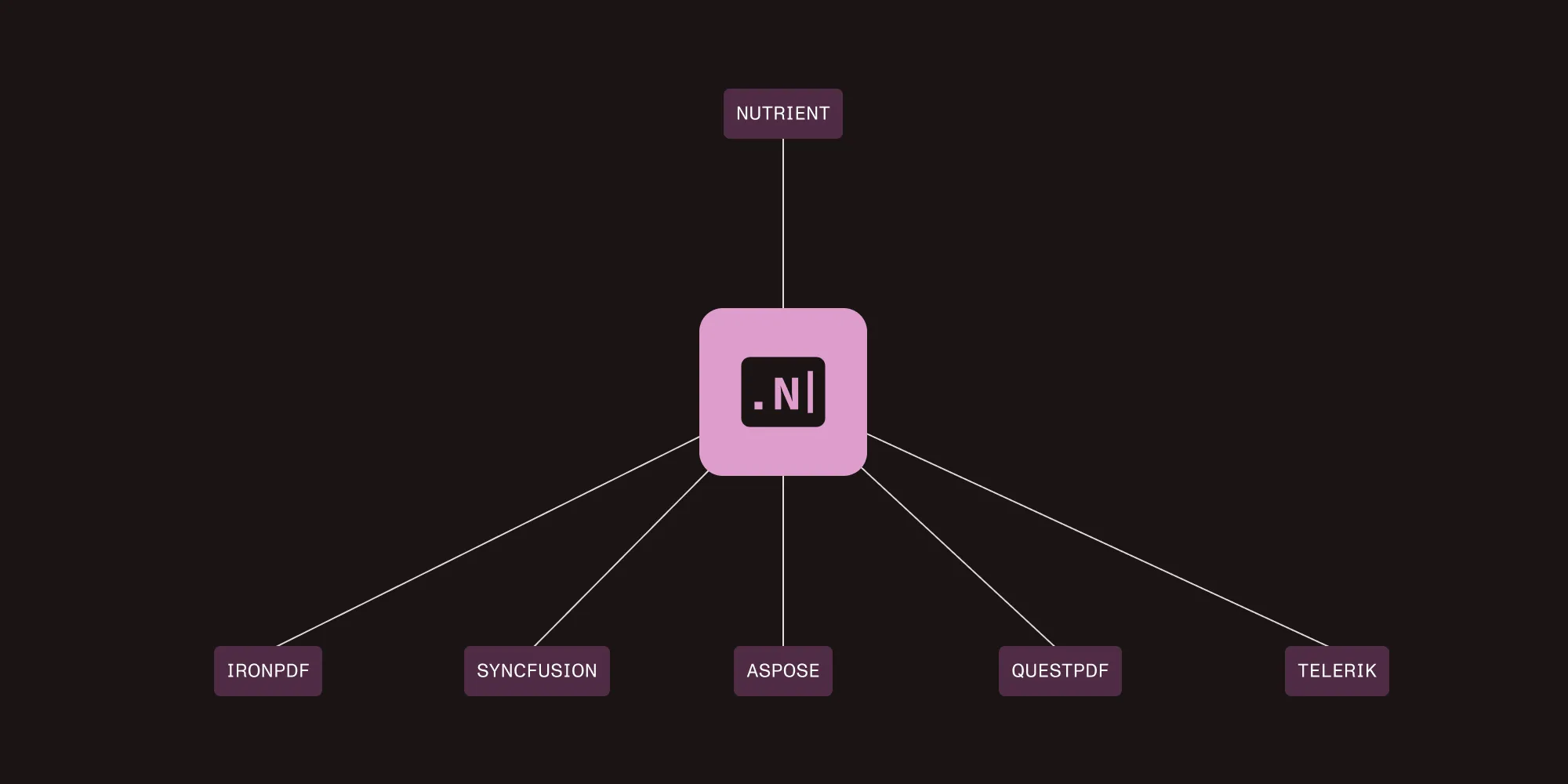
Choose a C# PDF library around the work your application needs: generating documents, editing existing PDFs, converting HTML, or processing scans. Compare Nutrient .NET SDK, QuestPDF, iText Core, IronPDF, Syncfusion PDF, Aspose.PDF, and PDFsharp against your documents and deployment environment. For PDF/UA, check the supported conformance version and validation workflow separately from basic PDF generation.
Nutrient publishes this comparison and offers one of the SDKs listed. This is a feature-selection guide, not a measured performance ranking.
Quick decision matrix
| If you need… | Primary pick | Also strong at |
|---|---|---|
| AI-powered OCR and production data extraction | Nutrient .NET SDK | Multiformat workflows (PDF, Office, CAD, DICOM), PDF/A and PDF/UA, redaction, forms |
| A modern C#-fluent API for PDF generation | QuestPDF | Document operations (merge/split/overlay), code review-friendly layouts |
| HTML-to-PDF with Chromium rendering | IronPDF | PDF/A/UA output options, server deployments (verify footprint and CVE updates) |
| Complete low-level PDF manipulation and compliance | iText Core | Advanced forms, signatures, PDF/A variants, PDF/UA |
| Enterprise suite with UI components | Syncfusion PDF | PDF/A (including A-4), PDF/UA, Blink-based HTML conversion |
| Broad format coverage and edge case handling | Aspose.PDF | Cross-format conversions (Word/Excel/HTML/EPUB), tricky/corrupted PDFs |
| Free and lightweight PDF generation | PDFsharp | Pair with MigraDoc for layouts; annotations/assembly; limited content edits |
What to look for in a C# PDF library
C# applications commonly require PDF processing for invoicing systems, document management platforms, and report generation. Maintaining a custom PDF generator also means maintaining its layout, font, and file-format handling.
Production requirements:
- Features that work — Reliable in production, not just marketing claims
- Performance under load — Reliable processing in high-concurrency scenarios
- Licensing — Check the terms for your deployment and usage.
- Documentation quality — Critical for implementation speed
- Cross-platform support — Development machines and modern .NET (8 and 10) on Linux containers
How to evaluate PDF/UA support in C#
PDF/UA support isn’t a single yes/no feature. Separate three requirements: creating tagged documents, converting existing files, and validating the result. Ask which PDF/UA version the library supports and whether that support applies to your input format and chosen API.
For Nutrient, start with the .NET PDF/UA overview. Then follow the guides for PDF-to-PDF/UA conversion and PDF/UA-1 validation. These are implementation resources for C# developers; the broader PDF accessibility solution describes the product options.
Test document language, reading order, headings, tables, and alternative text with representative files. Automated validation helps identify structural problems, but a successful conversion alone doesn’t establish that the document communicates its content accessibly.
Check deployment and licensing before choosing
Confirm operating system, .NET version, native dependencies, licensed components, and deployment terms for the exact package you plan to ship. For Nutrient, consult the system requirements. Benchmark your own page counts, concurrency, and memory use rather than treating feature breadth as a performance result.
Library breakdown: Seven C# PDF libraries
Here’s a closer look at the leading C# PDF libraries in 2026, including their key strengths, limitations, and best-fit scenarios.
1. Nutrient .NET SDK (formerly GdPicture.NET)
Commercial | Contact for pricing
Nutrient’s enterprise SDK, built on the GdPicture.NET foundation, processes 100+ formats, including PDF, Office documents, images, CAD, and DICOM. It also provides integrated AI for optical character recognition (OCR) and data extraction. See the full feature list.
Key strengths:
- AI OCR and extraction — Multilanguage OCR, key-value/table extraction, auto form fields
- Viewer and annotations — HTML5 viewer, search, bookmarks, comments, flattening
- Forms and redaction — Create, fill, edit, and flatten forms; manual/regex redaction
- Compliance — PDF/A (including A-4), PDF/UA, digital signatures (certificates, timestamps, SHA-256)
- Document operations and conversion — Merge, split, and overlay; convert to/from PDF/PDF-A/images with optimization
- Barcode, capture, print — 1D and 2D barcodes; TWAIN and WIA scanning; server and client printing
- Deployment — Check the system requirements for supported .NET versions, operating systems, and Windows-only features.
Limitations:
- The library’s broad range of capabilities can be excessive for projects that only require simple PDF generation.
Best for: Enterprise document workflows, AI-driven data extraction, multiformat processing pipelines, and applications that require strict compliance.
Nutrient .NET SDK: OCR PDF in C#
This example adds searchable text to an unencrypted scanned PDF. Follow the Nutrient .NET SDK setup guide for your platform’s native dependencies and a trial or commercial license that includes OCR. Create a .NET 8 console project and install the package used for this example:
dotnet new console --framework net8.0 --name PdfOcrDemocd PdfOcrDemodotnet add package GdPicture.API --version 14.4.9Set NUTRIENT_LICENSE_KEY in your environment. Locate the OCR dictionary directory containing eng.traineddata, as described in the OCR API reference. Replace Program.cs with the following code:
using System;using System.IO;using GdPicture14;
try{    if (args.Length != 3)        throw new ArgumentException("Usage: dotnet run -- <input.pdf> <output.pdf> <OCR-dictionary-directory>");
    var input = Path.GetFullPath(args[0]);    var output = Path.GetFullPath(args[1]);    var dictionaries = Path.GetFullPath(args[2]);
    if (!File.Exists(input))        throw new FileNotFoundException("Input PDF not found.", input);    if (string.Equals(input, output, StringComparison.OrdinalIgnoreCase))        throw new ArgumentException("Use a different path for the output PDF.");    if (!File.Exists(Path.Combine(dictionaries, "eng.traineddata")))        throw new FileNotFoundException("The OCR dictionary directory must contain eng.traineddata.");
    var key = Environment.GetEnvironmentVariable("NUTRIENT_LICENSE_KEY");    if (string.IsNullOrWhiteSpace(key))        throw new InvalidOperationException("Set NUTRIENT_LICENSE_KEY in your environment.");    if (!new LicenseManager().RegisterKEY(key))        throw new InvalidOperationException("The SDK license key could not be registered.");
    using var pdf = new GdPicturePDF();    Check(pdf.LoadFromFile(input), "Load PDF");    var pageCount = pdf.GetPageCount();    Check(pdf.GetStat(), "Read page count");    if (pageCount == 0)        throw new InvalidOperationException("The input PDF has no pages.");
    for (var page = 1; page <= pageCount; page++)    {        Check(pdf.SelectPage(page), $"Select page {page}");        Check(pdf.OcrPage("eng", dictionaries, "", 300), $"OCR page {page}");    }
    Check(pdf.SaveToFile(output), "Save PDF");    Console.WriteLine($"Created {output}");    return 0;}catch (Exception error){    Console.Error.WriteLine(error.Message);    return 1;}
static void Check(GdPictureStatus status, string operation){    if (status != GdPictureStatus.OK)        throw new InvalidOperationException($"{operation} failed: {status}");}
Run the program with your input PDF, a separate output path, and the dictionary directory. Replace the example dictionary path with your installation’s path:
dotnet run -- "source.pdf" "output.pdf" "/path/to/OCR"The program stops and reports the operation if loading, page selection, OCR, or saving fails. The using declaration disposes of the PDF object even on failure. Open the output PDF and check its searchable text against the scan before using it downstream.
2. QuestPDF
Community and paid licenses | Cross-platform
QuestPDF(opens in a new tab) is a modern PDF generation library with a fluent C# API designed for the .NET ecosystem. Its code-first approach eliminates the need for external templates, making all documents version-control friendly.
Key strengths:
- Native C# fluent API — Define document content and layout in C#.
- Documentation — Includes examples for document generation and layout.
- License options — Check the current QuestPDF license terms(opens in a new tab) for Community, Professional, and Enterprise eligibility.
Limitations:
- QuestPDF has limited content manipulation capabilities. It doesn’t support content-level edits or text extraction, although its document operations API covers merging, page selection, and overlays.
- Check the exact output requirements before choosing it: QuestPDF documents both PDF/A and PDF/UA settings for generated documents. See its document settings(opens in a new tab); generation support is separate from remediating an existing PDF.
Best for: Generating PDFs from scratch, creating reports and invoices, and producing structured documents with predictable layouts.
QuestPDF’s document operations API supports merging, page selection, and overlays, but not content-level edits or text extraction.
3. iText Core (now part of Apryse)
AGPL/commercial | Cross-platform
iText Core is a mature PDF library with a detailed, specification-focused API. It’s widely adopted in enterprise scenarios that require fine-grained control over PDF structure and workflows. It’s now part of Apryse (PDFTron).
Key strengths:
- Complete PDF manipulation — Broad API coverage for forms, signatures, encryption, text extraction, and document operations
- Extensive documentation and support — Long project history, commercial support options, and an active ecosystem
- Handles complex workflows — Supports secured PDFs, portfolios, and advanced merging and assembly
- Full compliance tooling — Supports multiple PDF/A variants, PDF/UA accessibility, and advanced security features
Limitations:
- The licensing is complex. The AGPL requires open source disclosure, and commercial licensing can be expensive.
- Its verbose API can make simple tasks require more boilerplate code and a steeper learning curve.
Best for: Complex PDF manipulation, enterprise forms processing, and projects that require comprehensive, low-level PDF features.
If your application needs OCR, evaluate Nutrient .NET SDK with representative documents and confirm the required license components. For hosted AI extraction into structured data, use the Data Extraction API getting-started guide.
4. IronPDF — HTML conversion specialist
Commercial | Cross-platform
IronPDF is a library specializing in HTML-to-PDF conversion using the Chromium engine. Test its rendering against your CSS, JavaScript, fonts, and pagination requirements.
Key strengths:
- Chromium-based rendering — This feature provides browser-grade HTML-to-PDF fidelity. According to the vendor documentation, it supports PDF/A (part 1b and part 2b) and PDF/UA-1 accessibility compliance.
- Straightforward API — The library provides a clean C# interface for HTML-to-PDF conversion.
- Cross-platform deployment — The library supports deployment on Windows, Linux, and macOS, and it’s compatible with Docker and cloud-based environments.
Limitations:
- IronPDF has limited PDF manipulation capabilities beyond HTML-to-PDF conversion. It supports merging, splitting, form filling, and adding headers and footers, but it lacks the low-level PDF editing of libraries like iText or Aspose.
Best for: Converting webpages, HTML reports, and other web content to PDF with accurate CSS rendering.
5. Syncfusion PDF — Enterprise workhorse
Commercial; community license for qualifying small teams | Cross-platform
Syncfusion PDF is part of the larger Essential Studio suite, which provides consistent API patterns across user interface controls and document processing components.
Key strengths:
- Full compliance support — Syncfusion provides full support for PDF/A (including A-4, A-4e, and A-4f) and PDF/UA accessibility standards, with documented examples for implementation.
- Integrated ecosystem — The library integrates with Syncfusion user interface components and supports HTML-to-PDF conversion using the Blink rendering engine.
Deployment check: Confirm which PDF, HTML conversion, and UI packages your application needs and review their licensing terms.
Best for: Enterprise applications, high-volume PDF processing, existing Syncfusion users, and comprehensive user interface component integration.
6. Aspose.PDF — Feature-complete but complex
Commercial | Cross-platform
Aspose.PDF provides APIs for PDF creation, manipulation, and format conversion. Check the specific input and output formats required by your workflow.
Key strengths:
- Format conversion — It converts between PDF and dozens of other formats.
- Edge case handling — The library can process problematic or corrupted PDF files that may cause other libraries to fail.
Limitations:
- Aspose.PDF has high licensing costs, which may be prohibitive for smaller organizations.
- Its complex API architecture requires verbose code and significant boilerplate for simple operations.
Best for: Complex enterprise scenarios, comprehensive PDF manipulation, handling edge cases, and organizations with larger budgets.
7. PDFsharp — Open source foundation
MIT license | Popular open source | Cross-platform
PDFsharp is a lightweight and completely free PDF generation library distributed under the MIT license. It provides a foundation for basic PDF needs without usage restrictions, revenue limits, or hidden costs.
Key strengths:
- Completely free MIT license — The library is distributed under the MIT license with no usage restrictions or revenue limits.
- MigraDoc integration — The library integrates with MigraDoc to provide advanced document layout, including automatic page breaks and structured document creation.
Limitations:
- PDFsharp has a basic feature set and lacks advanced capabilities such as optical character recognition, artificial intelligence processing, or comprehensive text extraction.
- Community resources include forums and documentation; professional support is also available(opens in a new tab). Check support terms for your project.
Best for: Budget-conscious projects, simple PDF generation, learning purposes, open source compliance requirements, and lightweight deployment needs.
Feature comparison of C# PDF libraries
Use the decision matrix above to build a shortlist. Then verify the exact operation in each vendor’s current documentation.
Evaluate advanced capabilities separately
For OCR, structured extraction, PDF/A, PDF/UA, and document comparison, check the specific API and licensed component rather than relying on a general feature checkmark. PDF/A describes archival conformance; PDF/UA concerns accessibility. Neither is a substitute for the other.
Use the Nutrient file-format list to confirm supported inputs and outputs. For HTML conversion specifically, read the C# HTML-to-PDF method guide and compare how each renderer handles your CSS, fonts, and page breaks.
Which C# PDF library should you actually use?
These recommendations match each C# PDF library to specific project needs, such as document generation, OCR, compliance, or budget.
Pick Nutrient .NET SDK when
- You require OCR for processing real-world scanned documents.
- AI-powered data extraction can help save significant development time.
- Your project demands accessibility compliance, such as for government contracts.
- You have a budget available for enterprise-level support.
- You’re processing complex forms or legal documents.
Pick IronPDF when
- Your primary requirement is HTML-to-PDF conversion.
- You want a solution that requires minimal configuration.
- Accurate rendering using the Chrome engine is necessary.
- You have a limited budget but still need commercial support.
Pick Syncfusion when
- You need reliable PDF generation for your application.
- You qualify for the free community license.
- Your project already uses Syncfusion UI components.
- You require processing of Office documents in addition to PDFs.
Pick Aspose.PDF when
- You need comprehensive PDF capabilities for your project.
- You’re performing complex manipulations such as form merging or page extraction.
- Your application must comply with strict standards, including PDF/A-3b.
- You have the budget available for a premium solution.
Pick QuestPDF when
- You’re building PDFs programmatically without using templates.
- Your organization qualifies for the appropriate QuestPDF license.
- You prefer a fluent API design for creating documents.
- Your documents follow a consistent and predictable structure.
Pick iText Core when
- You require comprehensive PDF manipulation capabilities.
- Your project involves complex form processing requirements.
- Your budget covers commercial licensing.
Pick PDFsharp when
- You have a tight budget and need a completely free solution.
- Your requirements are limited to simple PDF generation.
- You’re learning PDF concepts and development.
- Open source licensing is required for your project.
- You need a lightweight library for deployment in constrained environments.
Test a shortlist with your documents
Choose two or three libraries that meet your required operations and deployment constraints. Test output quality, error handling, runtime memory use, and the exact PDF/A or PDF/UA level you need. Keep the input files and configuration so the comparison can be repeated after upgrades.
Evaluate Nutrient .NET SDK with your documents, or discuss your requirements with our team.
FAQ
Start with the operations you need. Then check deployment support and licensing. Creating an invoice from data, converting HTML, editing an existing PDF, and processing a scan are different workloads. Test the candidates with representative files.
No. Check the library’s supported conformance version and the requirements for tagged content. Use a validation workflow and review reading order and content semantics. Nutrient’s PDF/UA guides cover conversion and PDF/UA-1 validation.
QuestPDF documents configuration settings for both standards. Consult its document settings(opens in a new tab) for the available options in your version, and validate your generated output.
Use the same inputs and deployment resources for each candidate. Record conversion time, peak memory, concurrency, failures, and output quality. This article doesn’t provide a reproducible benchmark or claim a measured performance winner.