Salesforce eSignatures: Generate, sign, and track documents in one flow

Table of contents
- Salesforce eSignatures deliver the most value when they’re part of a connected document workflow — from template to signature, without leaving Salesforce.
- Nutrient Documents for Salesforce connects template creation, document generation, recipient setup, field placement, and signature tracking in a single flow tied to the Opportunity record.
- Fewer handoffs mean less time switching between tools and a faster path from deal data to completed agreement.
For many sales teams, document work doesn’t slow down at the first draft. It slows down after that.
A quote gets generated, then exported. Someone makes changes outside Salesforce. The file is emailed around, uploaded to an external signing tool, and tracked manually until it comes back signed. What should be a straight path from approved deal terms to a signed document turns into a chain of disconnected steps.
That’s why Salesforce eSignatures matter most when they’re part of a broader document workflow. The real win isn’t just collecting a signature. It’s having the document generated from Salesforce data, edited inline, routed to the right signer, and tracked on the record — all without leaving Salesforce.
With Nutrient Documents for Salesforce, that workflow can stay connected from the beginning. Teams can create a reusable and editable template (or import one), generate a document from Opportunity data, configure an envelope, place signature fields, send the file for signature, and follow the status — all from the same Salesforce record.
Start with a reusable template
The fastest signing workflows usually begin before anyone clicks Send.
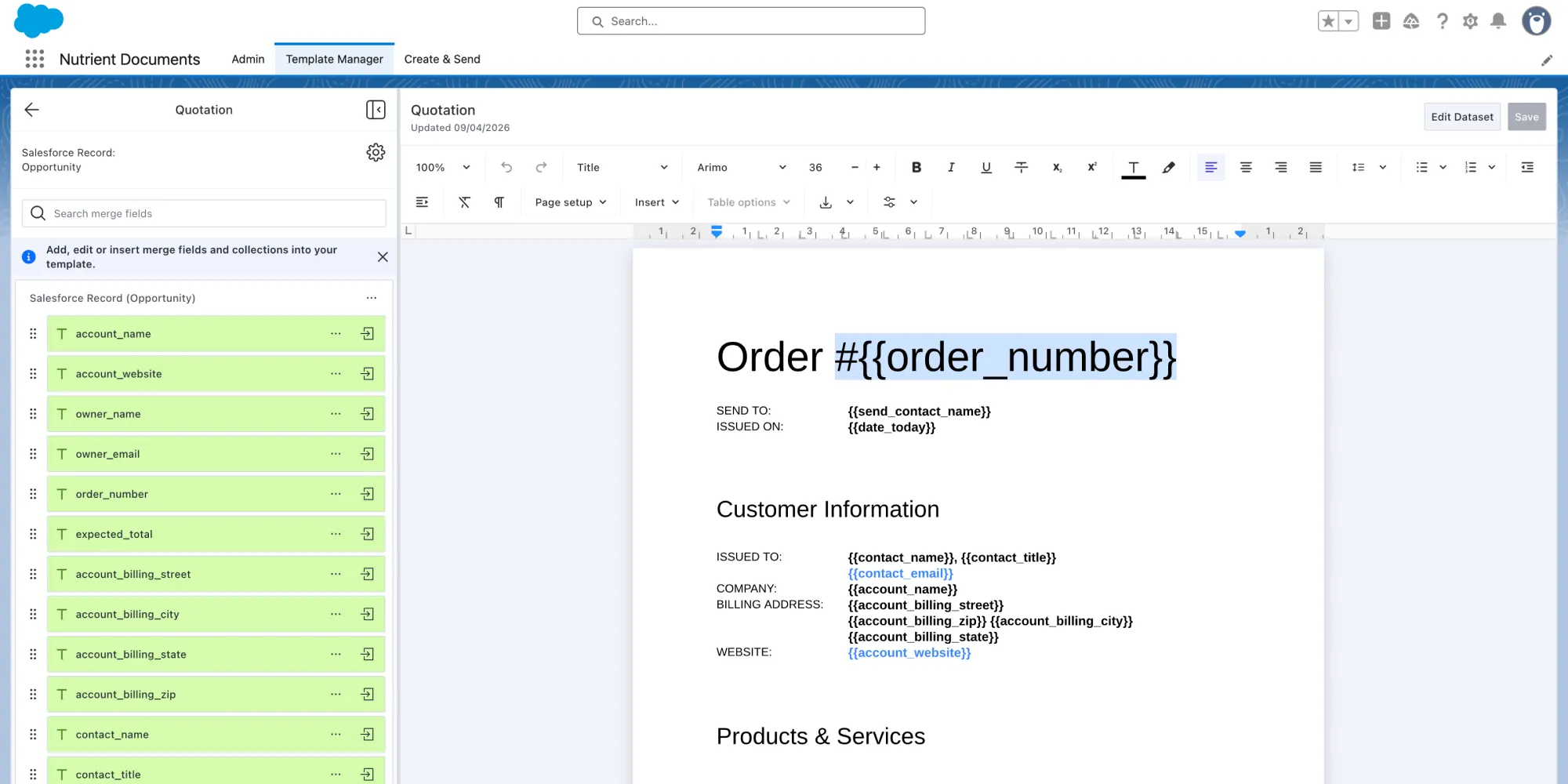
In Nutrient, templates live in Template Manager, and they’re tied to a specific Salesforce record type. Teams can create a new template in Salesforce or import an existing one, then build it out with merge fields, repeating collections, conditions, and dynamic inputs. This gives sales and operations teams a repeatable foundation instead of forcing them to rebuild quotes, proposals, or agreements from scratch every time.
That matters for more than speed; it also makes the workflow easier to maintain. And change happens all the time: Products change, pricing changes, approval language changes, and sales processes evolve. A reusable template makes it much easier to keep up. Instead of rebuilding documents every time the business shifts, teams can update the template and keep moving.
Generate the document from the Opportunity
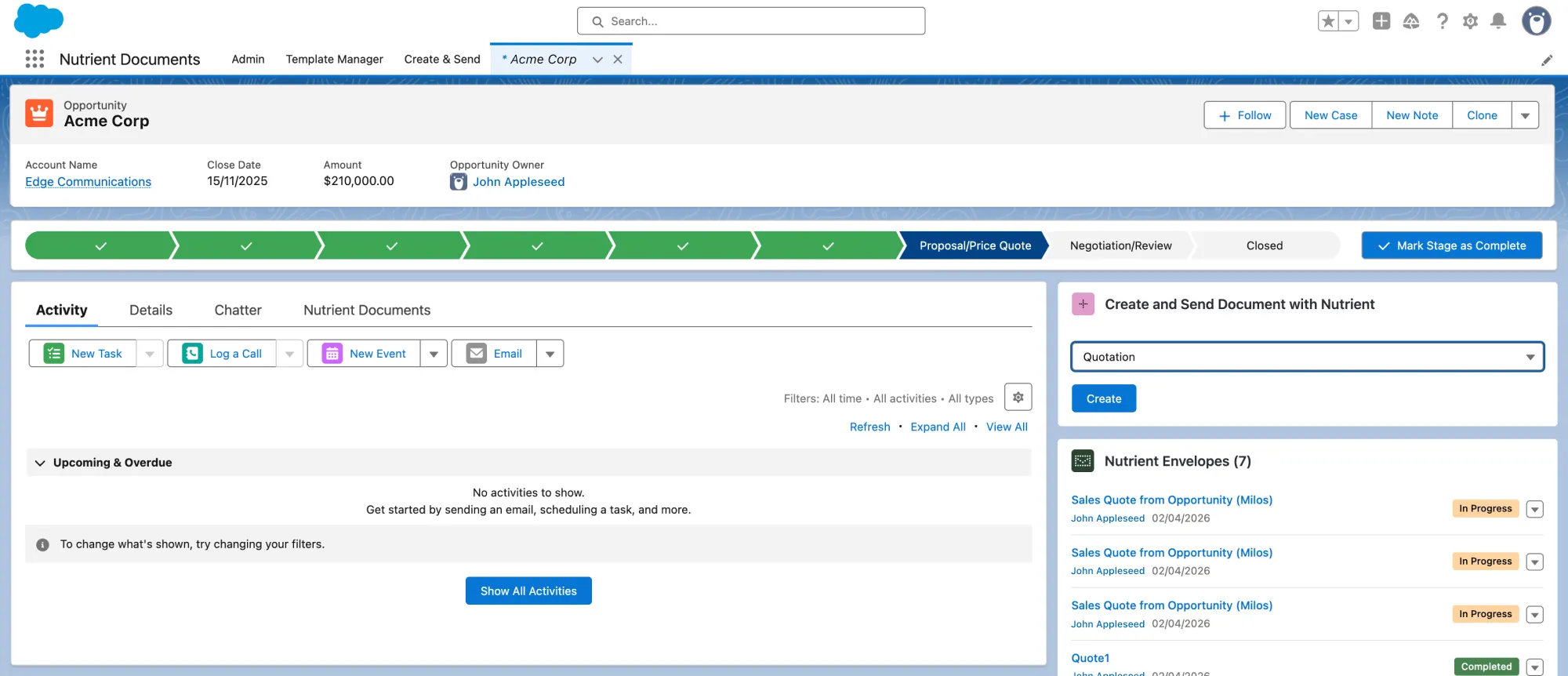
Once the template is ready, the next step is to make it available where sales teams already work.
Nutrient includes a template picker widget that can be added to a Salesforce record page, so users can pick a template and create a document directly from the Opportunity. That keeps document generation close to the deal itself, where the account, amount, owner, stage, and related records already live.
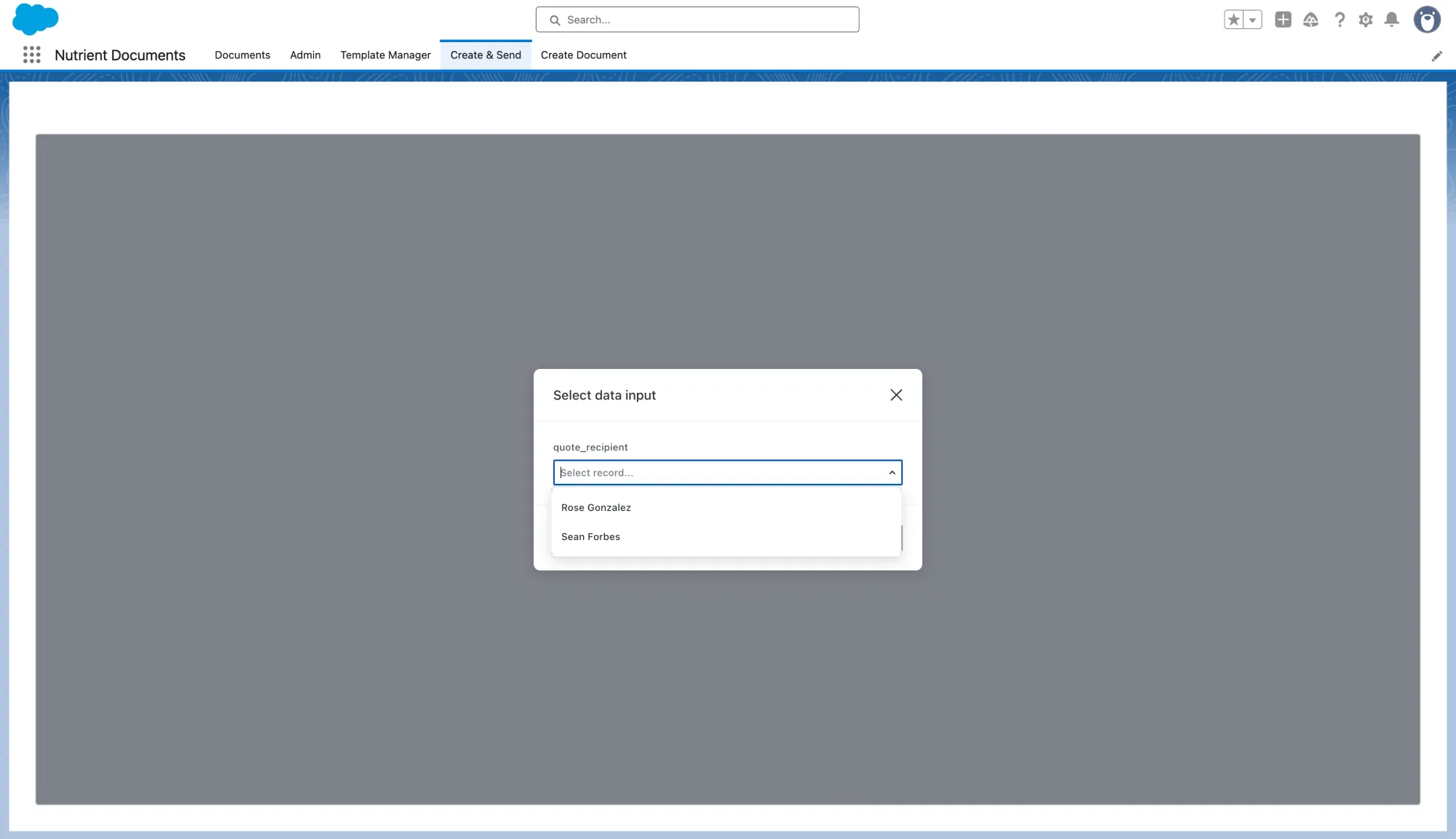
If the template uses dynamic inputs, users can also make deal-specific choices at runtime before the document is generated. That’s especially useful when the right recipient or related record depends on the situation. Instead of maintaining separate templates for small variations, teams can keep one core template and let the user choose the right context during document creation. The result is a workflow that stays flexible without becoming more difficult to manage.
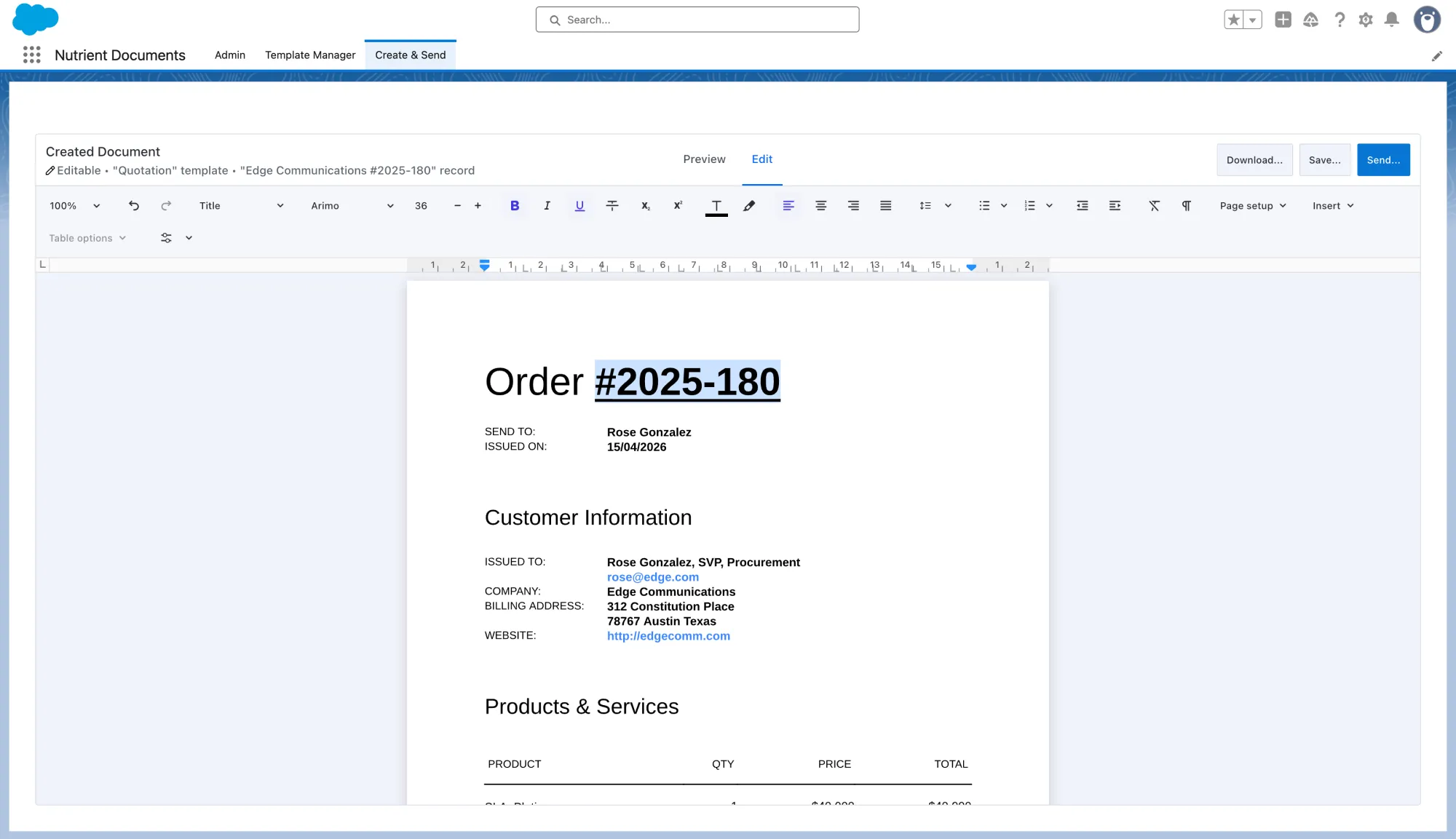
Once the document is created, users land in a preview and can make final adjustments if the template is editable. That’s an important step, because a strong Salesforce eSignature workflow isn’t just about sending faster; it’s about making sure the document is correct before it reaches the signer.
Move from document creation to eSignature setup
This is where the workflow becomes especially valuable.
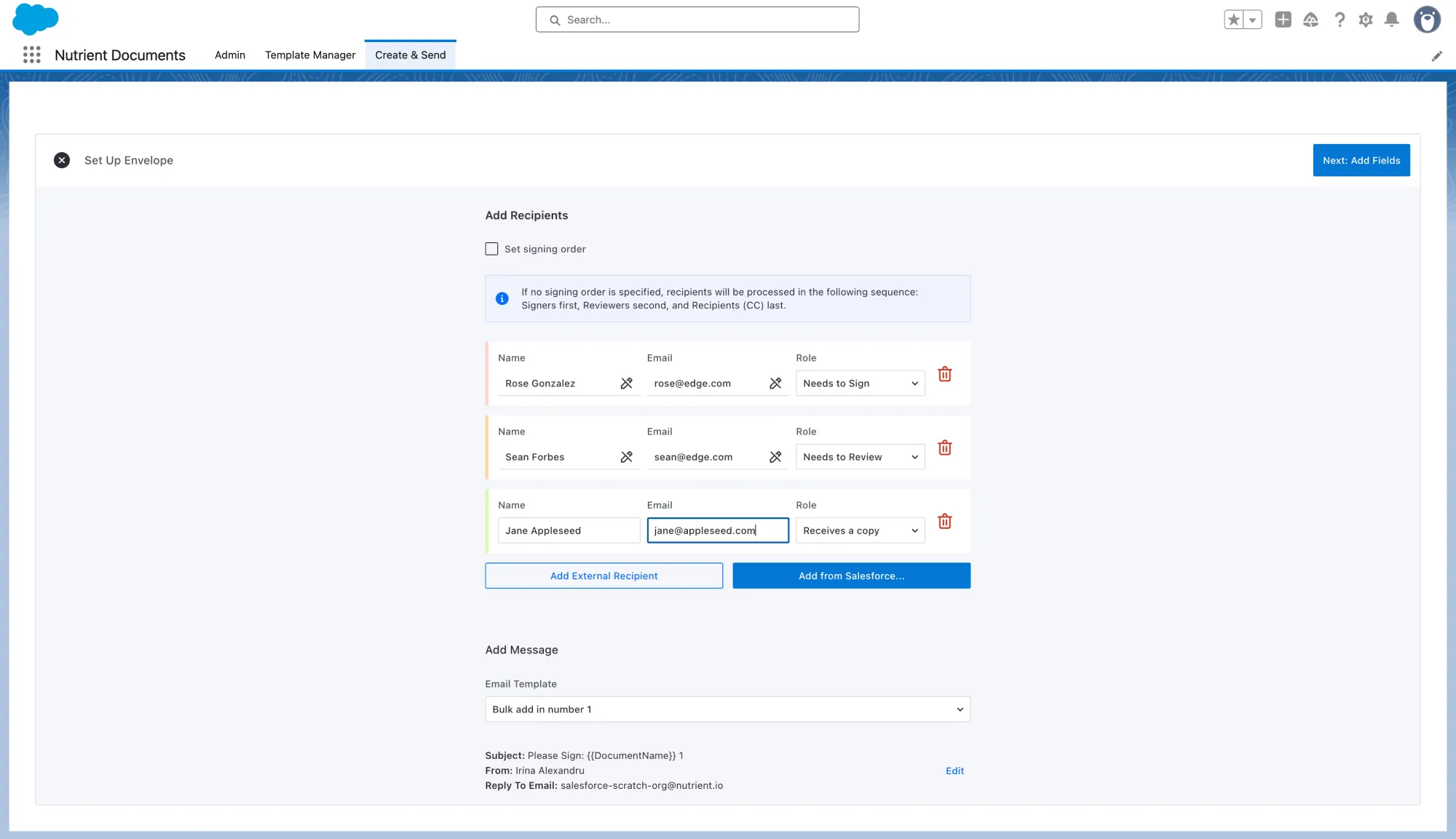
From the generated document, the sender can move directly into envelope setup instead of exporting the file and switching tools. There, they can add recipients; assign roles such as signer, reviewer, or copy recipient; and set a signing order when needed before sending the signing request.
That continuity matters. The handoff between document generation and Salesforce eSignatures isn’t a separate process layered on top; it’s part of the same flow. The sender isn’t rebuilding context in another system or reentering information that’s already tied to the document.
Place the signature fields
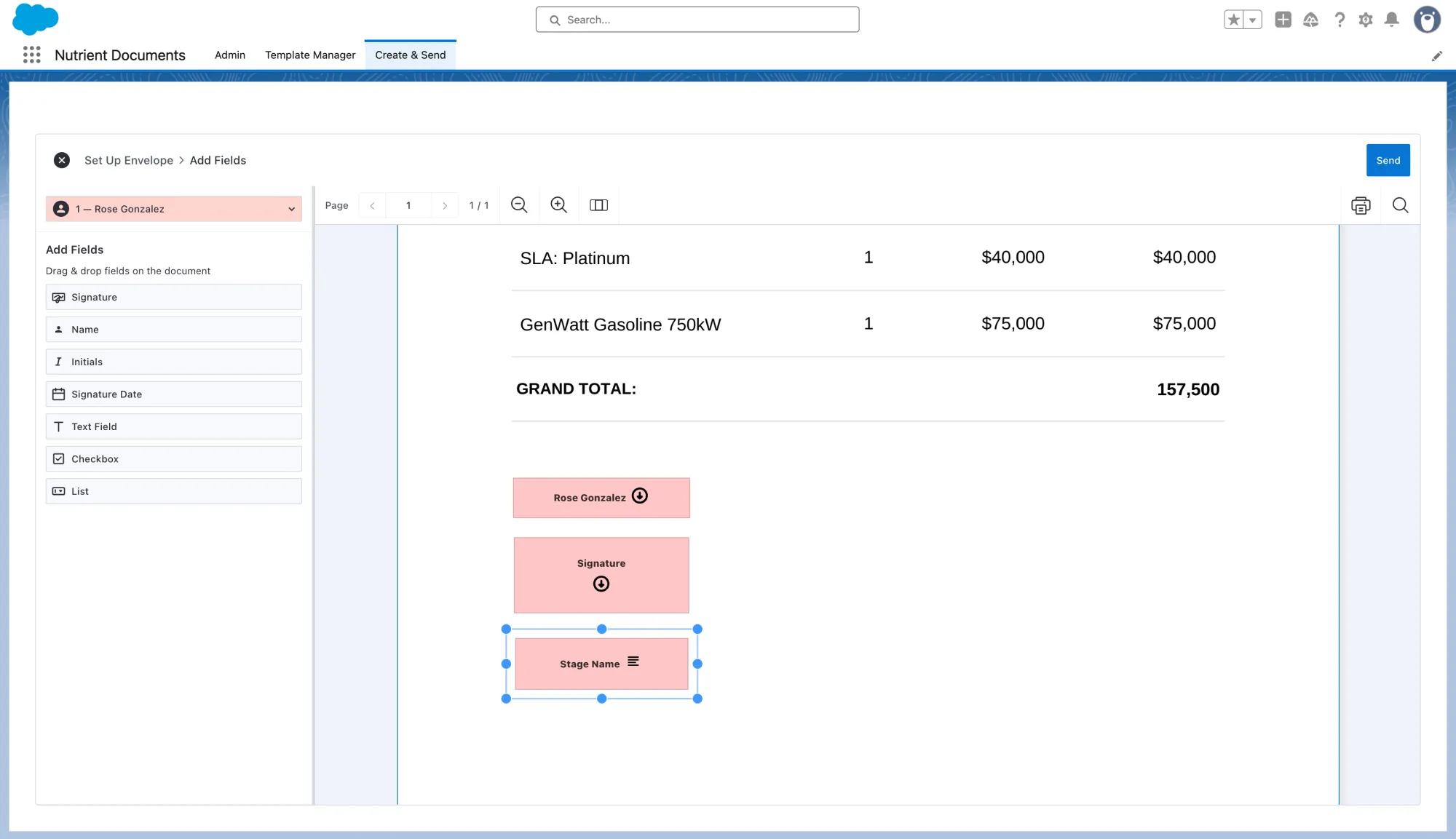
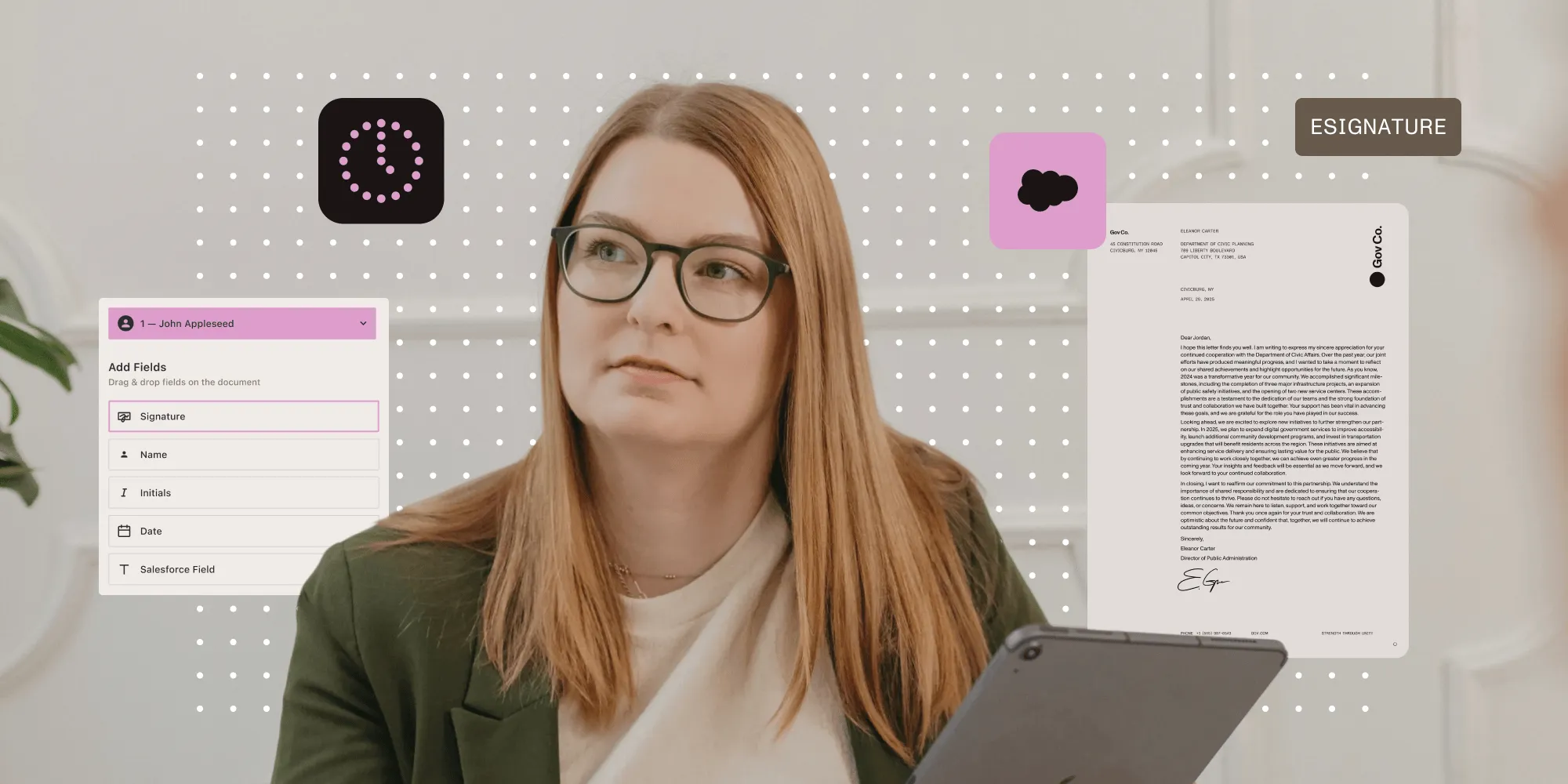
After the envelope is configured, the workflow moves into signing field placement. Signature fields, text fields, checkboxes, and list fields can be placed directly onto the document so the signer knows exactly what to complete and where. Teams can also include Salesforce data already tied to the record, such as Stage Name, so the final document reflects the deal context without manual reentry.
That makes the process feel much more direct than the traditional export-and-upload approach. Instead of sending a static file into a separate signing workflow, the sender is preparing the finished document for signature in context while looking at the exact document the recipient will receive.
Send the envelope and keep the workflow on the record
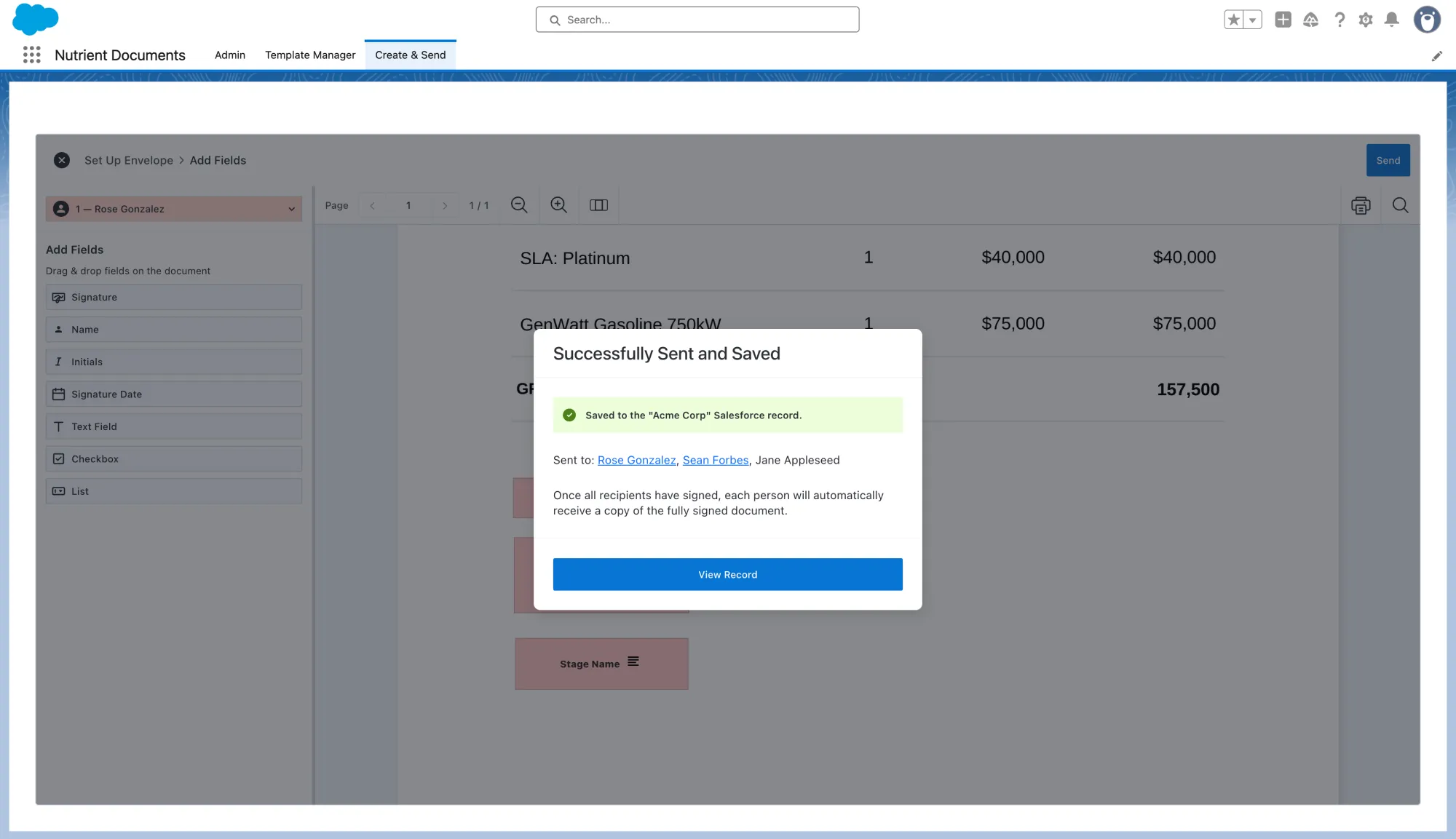
Once the fields are in place, the sender can send the envelope.
This is where the end-to-end story comes together. The success screen displays the document as Successfully Sent and Saved, confirms it was saved to the Salesforce record, and lists the selected recipient. The Opportunity then shows the envelope tracked on the record with an In Progress status.
That’s a meaningful advantage for Salesforce teams. The document starts as a template, becomes a generated record-based file, gets routed for signature, and remains visible on the Opportunity throughout the deal. This way, sales representatives don’t have to piece status together across inboxes, shared drives, and separate signature tools. They can stay in Salesforce and still see where the document stands.
Why this workflow matters
The value here isn’t just faster signatures. There are fewer handoffs.
When template creation, document generation, review, recipient setup, field placement, sending, and status tracking all happen in one connected flow, teams spend less time switching tools and less time cleaning up process gaps afterward. They also end up with a workflow that’s easy to standardize across sales, operations, and revenue teams.
It’s also easier to maintain over time. Templates can be updated as pricing models change, product bundles evolve, or approval requirements shift. Dynamic inputs can help teams keep one flexible template instead of multiplying versions. Conditions can keep documents adaptable without turning them into a maintenance burden. That combination makes the workflow practical not just for one document, but for the long run.
FAQ
Salesforce eSignatures let teams send documents for electronic signatures directly from Salesforce without switching to a separate signing tool. Instead of exporting a file, emailing it around, and uploading it into another platform, teams can keep the workflow connected to the same Salesforce record. In practice, that means generating documents from Salesforce data, reviewing them, assigning recipients, placing signature fields, sending them for signature, and tracking progress on the record.
To generate and sign documents in Salesforce, teams usually start with a reusable template tied to a Salesforce record type. From there, they generate the document using Opportunity or related record data, make any final edits, configure recipients, add signing fields, and send the file for eSignature. The advantage of this approach is that the full workflow stays connected, from document creation through signature tracking.
The best way to handle Salesforce document generation and eSignatures is to treat them as one connected workflow instead of two separate steps. Rather than generating a document in one system and sending it for signature in another, teams get better results when templates, data merge, review, recipient setup, field placement, sending, and status tracking all happen in the same process. That reduces manual work, cuts down on tool switching, and makes the workflow easier to standardize and maintain.
Yes, Salesforce can generate documents from Opportunity data when document generation is built into the workflow. Teams can use templates that pull in information from the Opportunity — including deal details and related records — to create quotes, proposals, and agreements directly from the record page. This helps keep document creation close to the deal and reduces the need for manual reentry.
Teams can send documents for signature without leaving Salesforce by moving directly from the generated document into envelope setup. From there, the sender can add recipients, assign roles, set a signing order, place signature and form fields, and send the document for signature from the same flow. This removes the usual export-and-upload step and keeps the document tied to the Salesforce record throughout the process.
Sales teams track eSignature status in Salesforce by keeping the envelope and document workflow tied to the original record. After the document is sent, status updates such as In Progress can be shown on the Opportunity, giving teams visibility into where the document stands without relying on inboxes, shared drives, or separate signing platforms. That makes it easier to follow deals from draft through signed agreement in one place.
Final thoughts
The best Salesforce eSignature workflow doesn’t begin at the signature box. It begins with a better document workflow upstream.
When teams can create reusable templates, generate documents from Opportunity data, make final edits, set up recipients, place signature fields, and send the file for signature without leaving Salesforce, the path from draft to signed document gets much shorter.
That’s the real value of moving from template to signature in one flow: less document friction, less context switching, and a faster route from deal data to completed agreement. With Nutrient Documents for Salesforce, teams can keep the entire process connected to the same Salesforce record from the first generated draft through signature status tracking. Learn more about Salesforce digital signing, or contact our Sales team to see Nutrient Documents for Salesforce in action.