Architecture diagram
When you edit a document — for example, by rotating all pages — Document Engine saves a new asset for that document and updates all relevant annotations.
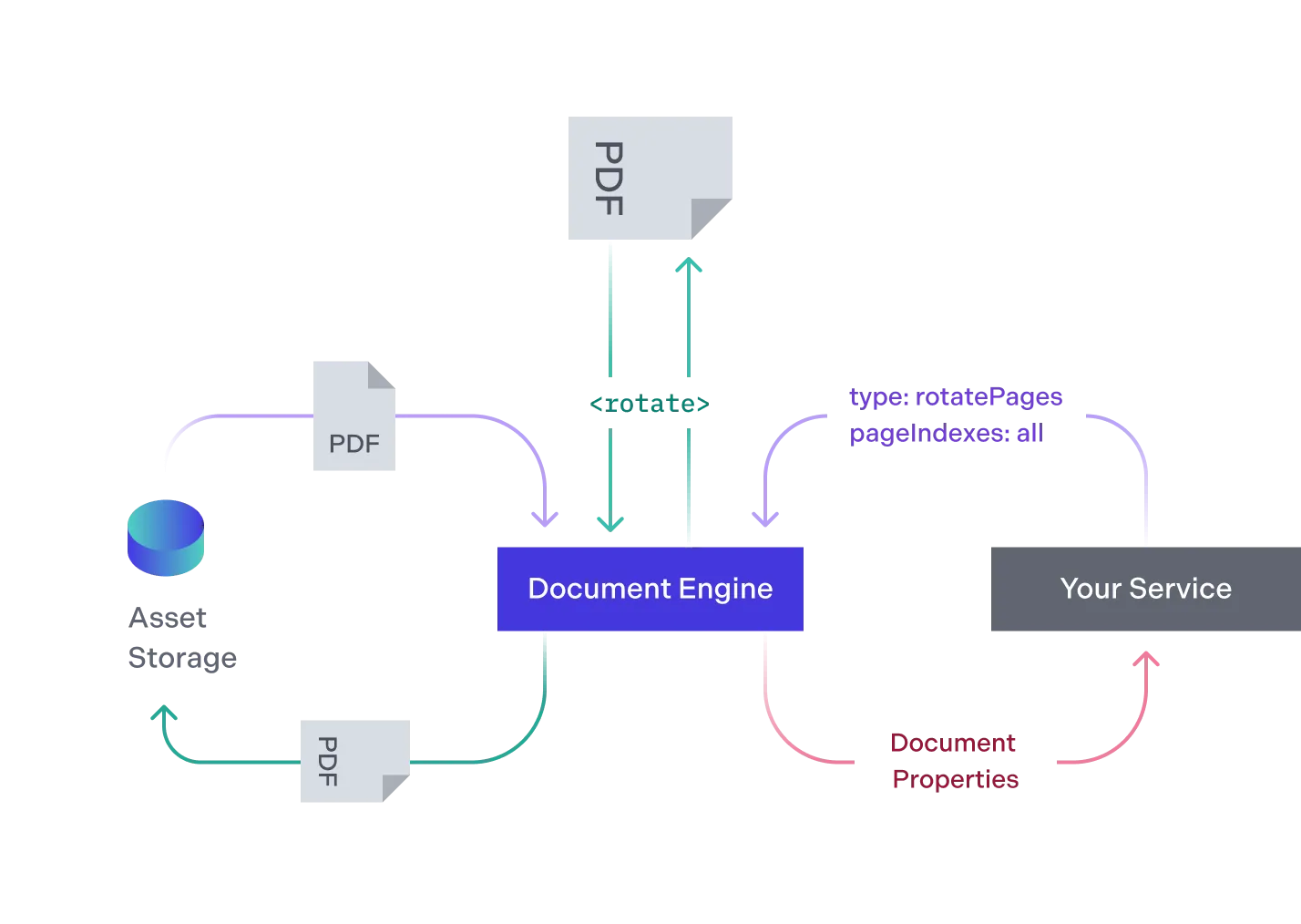
- Your service requests that the Document Engine rotates all pages of the document. Document Engine retrieves the document from the asset storage for processing.
- Document Engine transforms the document, rotating all of its pages.
- Document Engine persists the transformed document in the asset storage without deleting the original. It returns the new document’s properties to your service.