Built-in dashboard
Document Engine comes with an optional built-in dashboard that makes it easier to both see what’s going on in your production installation and improve your developer experience.
It’s available at /dashboard. If you’re testing Document Engine locally, follow the directions for setting up Document Engine and access the dashboard at http://localhost:5000/dashboard.
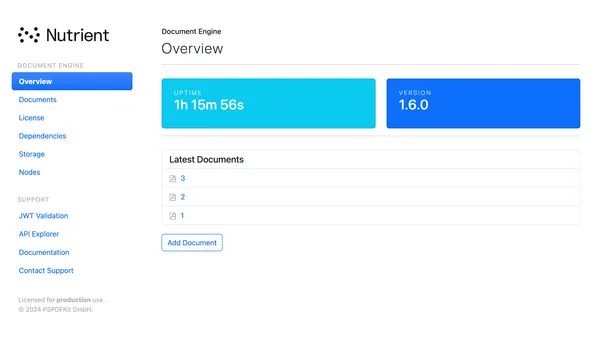
Use cases
The dashboard enables you to quickly:
- Inspect the runtime environment.
- Create new documents (useful while integrating Nutrient Web SDK into your application).
- Access a link to our current documentation and guides.
- Validate your generated JSON Web Tokens (JWTs).
For interacting with Document Engine programmatically, use the backend API.
Network requirements
The dashboard renders documents using the Nutrient Web SDK viewer. Document Engine fetches the viewer bundle from cdn.cloud.nutrient.io over HTTPS, caches it locally, and serves it to the browser from the Document Engine container. The outbound fetch is made by Document Engine, not by the user’s browser, so the egress requirement applies to Document Engine’s network rather than to end user networks.
If outbound access to cdn.cloud.nutrient.io is blocked, documents fail to render in the dashboard.
For deployments with no outbound internet access, including fully air-gapped environments, the supported path for viewing documents is a custom application built with Nutrient Web SDK that loads a self-hosted viewer bundle from your own server.
Authentication
The dashboard is secured using HTTP authentication. You can modify the username and password through Helm values:
dashboard.auth.usernamedashboard.auth.password
You can also pass the environment variables passed to the container directly:
DASHBOARD_USERNAMEDASHBOARD_PASSWORD
Disabling the dashboard
To disable the dashboard, leave the DASHBOARD_USERNAME and DASHBOARD_PASSWORD environment variables blank, or don’t set them.