Nutrient SDK product updates for Q3 2025

Table of contents
This quarter’s SDK updates push a shared goal forward — to make the world’s most capable document SDKs the easiest to build with. Every improvement removes friction, addresses complexity, and brings intelligence closer to where developers work. That means tighter platform integration, cleaner APIs, and tooling that anticipates edge cases before you hit them.
From AI-powered, multidocument context across iOS, Android, Flutter, and MAUI to native support for iOS 26’s Liquid Glass, Q3’s updates make it easier to build faster, smarter experiences — with fewer workarounds. Accessibility is built into the rendering and annotation layers, and not added after the fact. And refinements across every SDK remove the subtle blockers that quietly slow teams down.
This release focuses on three dimensions: intelligence, performance, and inclusivity — each deeply integrated across every SDK. Here’s what’s new:
- AI Assistant reaches feature parity across iOS, Android, and cross-platform SDKs
- iOS 26 support with full Liquid Glass design, delivered on day one
- Developer velocity improvements: type-safe APIs, Jetpack Compose, and modern concurrency support
- New self-serve plans (including a free tier) for DWS API — server-side rendering without the infrastructure burden
- Right-to-left language support in Web Viewer SDK opens Arabic and Hebrew markets
- Granular theme customization with WCAG 2.2-compliant high contrast modes
- Programmatic PDF editing in Web Viewer SDK with full style and layout fidelity
AI Assistant: Multidocument intelligence across every platform
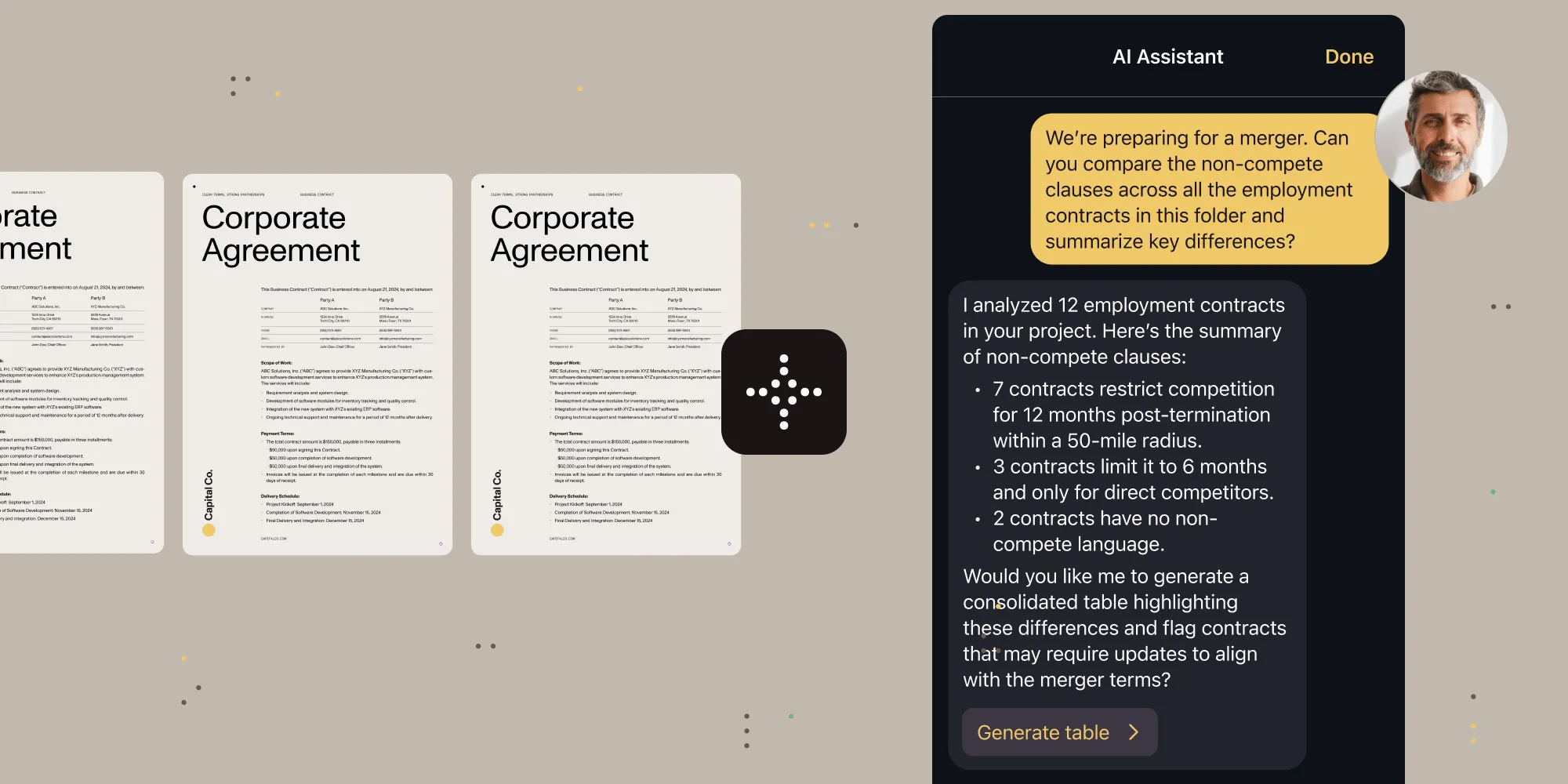
With Q3’s releases, AI Assistant achieves feature parity across iOS and Android with full multidocument support. Users can now query, compare, and synthesize across entire document collections — whether they’re reviewing contract variations, cross-referencing technical specifications, or analyzing financial reports.
What you get:
- iOS SDK — Native
AIAssistantViewfor SwiftUI with multidocument context, styling system viaaiAssistantStyle(_:), and document navigation throughonDocumentNavigationAction. - Android SDK — Multidocument support for both local and remote documents (Instant), which works seamlessly with the new
InstantDocumentViewcomposable. - Cross-platform parity — MAUI, Flutter, React Native, and .NET for Android now support the same AI capabilities as native SDKs.
- Flexible LLM integration — OpenAI, Azure AI, AWS Bedrock, or self-hosted models — your choice, your control.
The technical achievement here isn’t just adding bolt-on AI features; it’s maintaining performance while managing multiple document contexts, preserving privacy while enabling intelligence, and keeping developer APIs clean while the underlying complexity grows. Any toolkit can add a chat window. Building AI that understands document relationships while respecting platform constraints — that’s different.
Learn more about AI Assistant across all our platforms, or explore our AI integration guides.
iOS 26 and Liquid Glass: When preparation meets opportunity
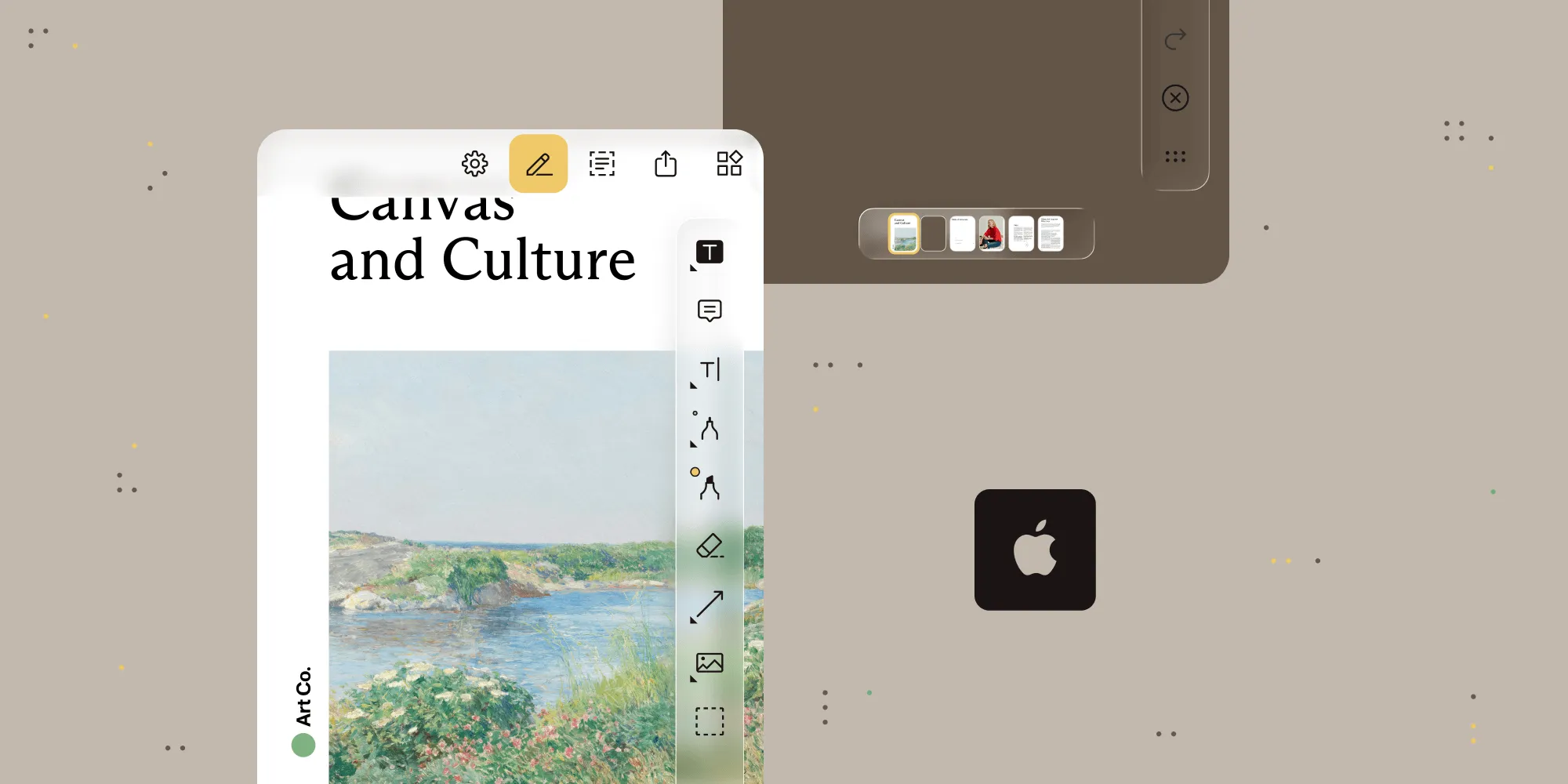
Apple’s iOS 26 introduced Liquid Glass — the most significant visual redesign since iOS 7’s flat design revolution. Nutrient iOS SDK 26 shipped with full Liquid Glass support on day one.
Our version jump from 14.x to 26 mirrors Apple’s numbering — a deliberate choice that signals alignment with platform evolution, not just compatibility. But here’s what matters more than the version number: compatibility across supported iOS versions. Your iOS 26 users get Liquid Glass. Your iOS 17 users get stability.
Technical highlights:
- Glass effects —
FlexibleToolbarandScrubberBarwith native glass backgrounds when appropriate. - Morphing animations — Smooth transitions between toolbar buttons and modal views.
- Edge effects — Soft edges for navigation, hard edges for tabs — matching iOS 26’s spatial model.
- Type-safe notifications — New Notification Center message APIs for Swift 6 concurrency.
- Adaptive user interface (UI) — Automatic adjustment between old and new designs based on system configuration.
Ready for iOS 26? Check out our iOS SDK documentation or see the iOS 26 migration guide.
Developer velocity: The compound effect of thoughtful APIs
Every quarter, we ship hundreds of refinements that each save seconds but, together, compound into weeks gained. Q3 pushed that further by fixing the small things that slow teams down and introducing foundations for what’s next.
For Web Viewer SDK, RTL support opens the door to new markets, while granular theming brings fine-grained branding control and built-in accessibility. On mobile, type-safe APIs and threading fixes remove the friction that hides in every release cycle. And in Document Engine, programmatic content (text) editing turns static files into adaptable ones.
Web SDK:
- UI customization slots for comment threads and sidebars — inject your components, maintain our stability
- Programmatic content (text) editing while preserving layout and font fidelity
- Initial right-to-left language support for Arabic and Hebrew
- Granular theme customization with system-aware accessibility
- Fixed TypeScript definitions for edge case configurations
- Removed
unsafe-evalCSP requirement (finally, stricter security policies) - Better error recovery for malformed documents
Learn more about the Web SDK updates.
iOS SDK:
- Type-safe, concurrency-safe notification APIs (goodbye string literals)
- Performance improvements for 100+ page documents (fixed threading deadlocks)
- Document page highlighting with
setPageIndexWithHighlights(_:highlights:)
Learn more about the iOS SDK updates.
Android SDK:
- Native Jetpack Compose with
InstantDocumentView - Enhanced stylus support with button controls for eraser and redaction
- Form field autocomplete via
OnTextFormElementSuggestionRequestListener - Improved save reliability with atomic write operation
Learn more about the Android SDK updates.
The pattern here is clear: We’re not just adding features. We’re removing friction. Every improved API, every performance optimization — they compound into developer velocity. And developer velocity compounds into business value.
Accessibility: From a compliance checkbox to competitive advantage

Q2 introduced our accessibility commitment with WCAG 2.2 support. Q3 proves we meant it.
Across every SDK, every platform, and every release, we shipped accessibility improvements. Because when accessibility is built into your architecture, it doesn’t require special handling; it just happens.
Consider PDF/UA improvements now shipped across our SDK product line. When adding or flattening annotations, SDKs now preserve accessibility tags automatically. No configuration required. No special API calls. Documents that were accessible stay accessible. Documents that weren’t get the foundation to become accessible.
Or look at Web Viewer SDK’s high contrast themes: They adapt to system preferences automatically. They maintain readability across all UI elements. They work with custom themes, and not against them.
This quarter’s accessibility improvements:
- Document Engine — Conversion to PDF/UA so you can automatically tag PDFs to make them accessible.
- Web SDK — Keyboard navigation improvements, ARIA label refinements, and focus management fixes.
- iOS SDK — Menu items use titles instead of images for better VoiceOver support.
- Android SDK — Improved color contrast in signature selection, and better focus indicators.
- Cross-platform — Consistent accessibility patterns across all SDKs and preserving accessibility tags when performing annotation operations.
Here’s what we’ve learned: Accessibility isn’t a feature you add. It’s a quality you maintain. Every new component, every API change, every UI update — they all need to preserve and enhance accessibility.
Android evolution: From mobile SDK to modern platform
Android development is undergoing a generational shift. Jetpack Compose is replacing XML layouts. Kotlin coroutines are replacing callbacks. Material Design 3 is replacing… well, everything that came before.
We’re embracing these changes as opportunities to deliver better developer experiences. The new InstantDocumentView composable brings native Compose support for server-side Document Engine processing. No interop layers or wrapper components. Just clean, declarative UI that follows Compose patterns:
@Composablefun DocumentScreen(documentId: String) { InstantDocumentView( documentId = documentId, configuration = rememberPdfConfiguration { // Your configuration here. } )}But modern Android support goes beyond UI frameworks. Q3 brought enhanced stylus support with natural eraser controls, form field autocomplete for better a better user experience (UX), and atomic write operations for data integrity. Each improvement reflects how Android development is maturing from mobile-first to productivity-first:
- Jetpack Compose — Native
InstantDocumentViewcomposable, with no bridge required. - Stylus support — Eraser tool via stylus button, pressure-sensitive redaction.
- Form autocomplete —
OnTextFormElementSuggestionRequestListenerfor intelligent suggestions. - Material Design 3 — Updated styling system with proper theme integration.
- Kotlin 2.10.2 — Latest language features and performance improvements.
Learn more about the Android SDK updates.
DWS Viewer API — Bridging browser and backend
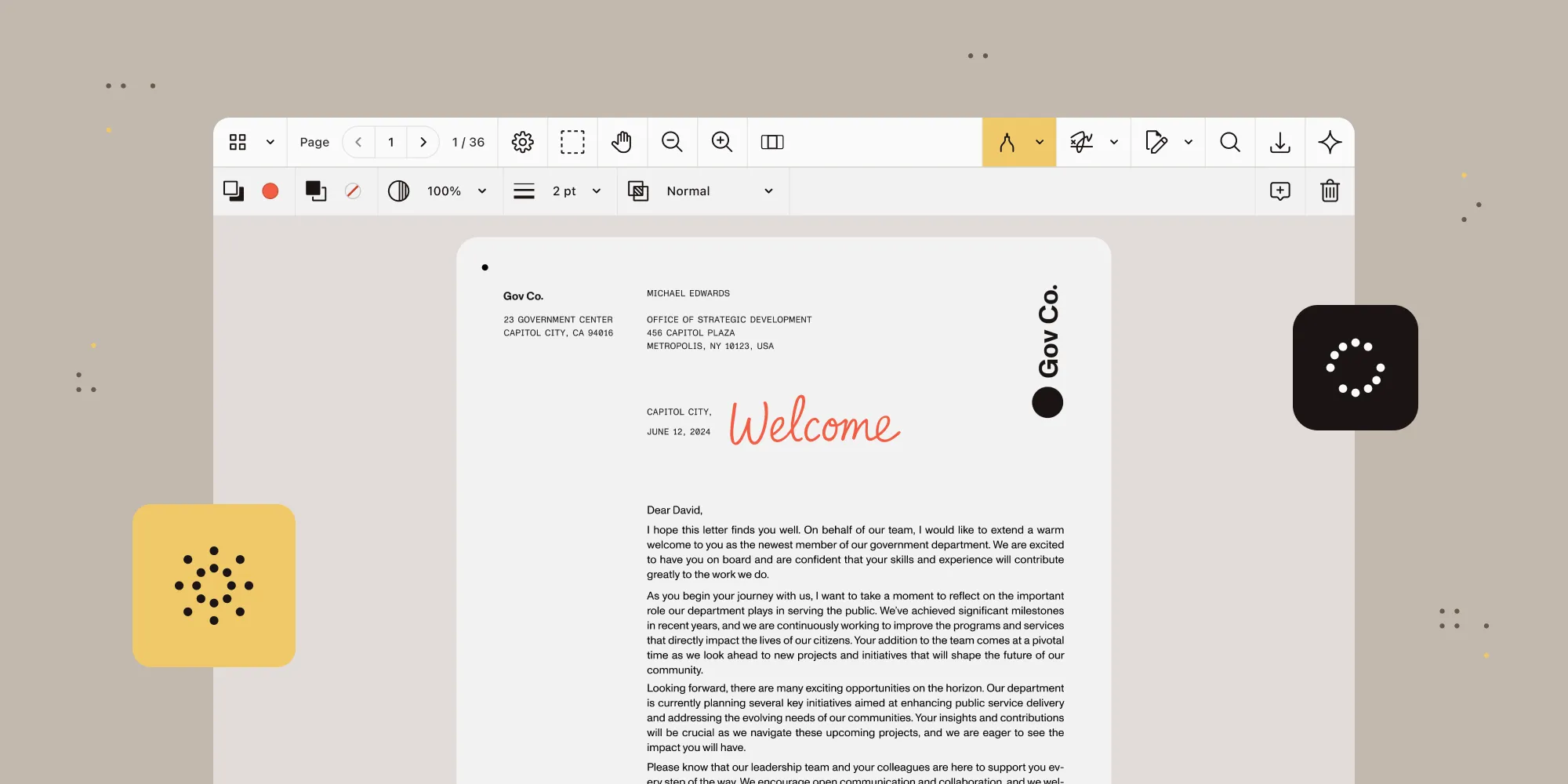
Every team building document experiences eventually asks the same question: Should we keep rendering and processing in the browser or move it to the backend? Until now, that choice came with friction — setup, operations, cost. Trying and especially owning backend PDF rendering wasn’t easy.
Document Web Services API changes that. This new SaaS further expands the Web SDK and Document Engine ecosystem, enabling web application developers to easily offload rendering and processing to the backend without thinking about infrastructure. Same Web SDK, same experience for the developer — just lighter on the client and ready for heavier workloads.
The new self-serve plans make that decision easy to test. Create an account, load your documents, and see how backend rendering behaves in your environment. No local setup or detailing with DevOps.
Review DWS API subscription plans to get started.
Why it matters
- Compare, don’t guess. Measure real-world performance differences between client-side and backend rendering using your own PDFs.
- Lighter clients, predictable performance. Offload the heavy lifting to the backend while keeping your existing Web Viewer SDK UI.
- Simple entry point. Test server-side rendering and processing safely before moving to a full backend Document Engine operation should you need it.
Note: Quotas and limits apply. For larger businesses (more than 20 employees or more than $1 million in annual revenue) our Sales team can provide custom plans to ensure sufficient capacity for the best user experience. For the most demanding use cases or strict compliance requirements, Managed Document Engine allows bespoke isolated configuration (still managed by Nutrient), and Document Engine is, as always, available for self-hosted operations. All these solutions are compatible and share the same Document Engine API.
For most developers, DWS Viewer API is the easiest way to experience backend rendering before committing to infrastructure. It also works as the easiest and fastest pass for a production-grade viewing and editing experience for any web application.
Try all of these updates, and more!
Ready to experience these improvements firsthand? Start your trial to explore our latest features. Want to see how other teams are using these capabilities? Join our Discord community(opens in a new tab) where developers share patterns, solutions, and feedback.