Using modern PDF compression to reduce data footprint

February 2, 2022
Table of contents

With the most recent version of Autobahn, as of publishing this article, we have introduced a brand-new compression method to Autobahn that many of our users are already making full use of. You will also be able to find a video of this being demonstrated at the bottom.
To start, I will take a new job and select the new compression step.
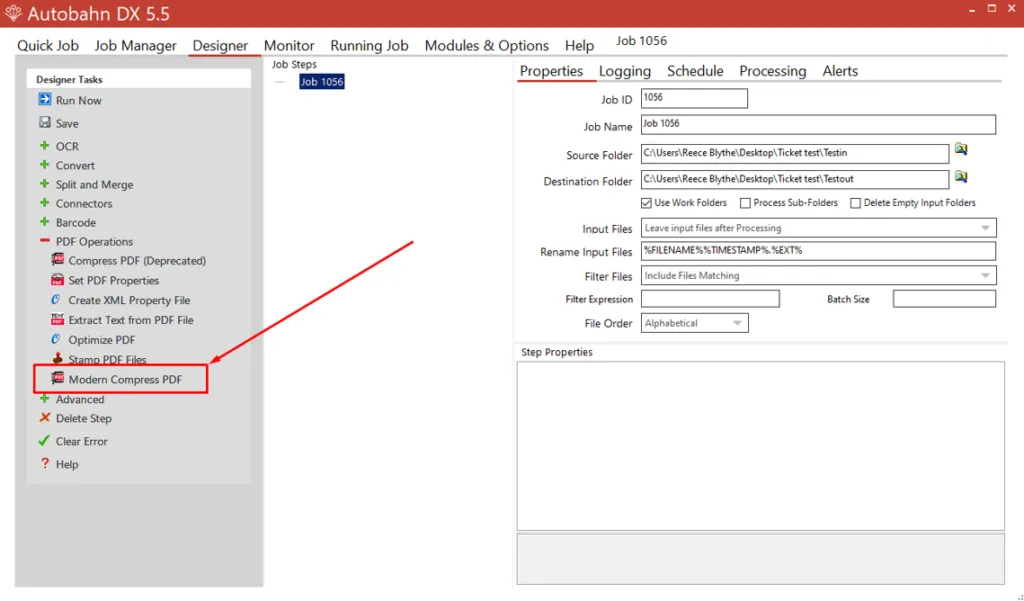
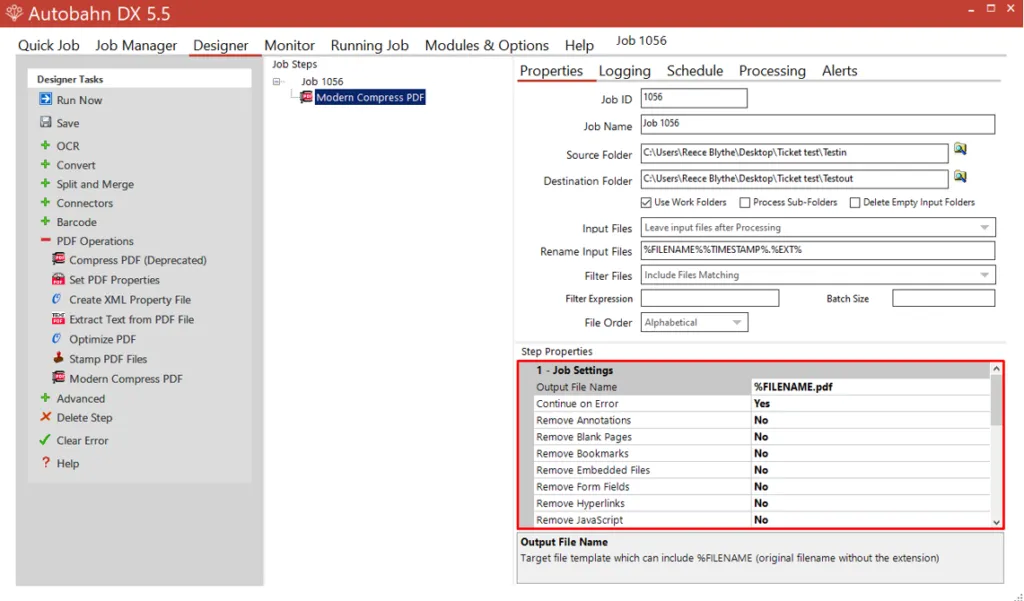
Once added, I will select it to see the options. In this case however, I will not change any settings and leave them as default.
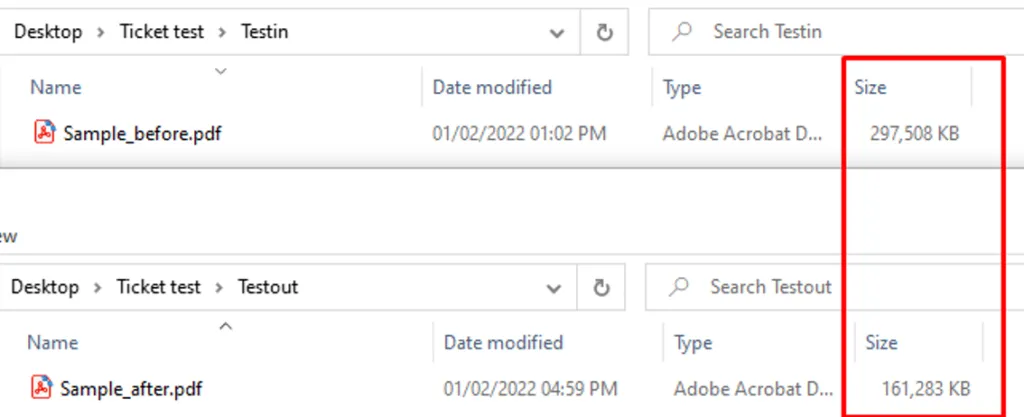
After running the job, I managed to save a large amount of space. Please see the comparison below.
Thank you for reading.
https://www.youtube.com/watch?v=K1z36IIW7gA