




View, measure, and convert CAD files in your application

A CAD SDK for developers: Render DWG and DXF drawings in the browser, add precise distance and area measurement tools, and convert CAD files to PDF — across web, server, desktop, and scripting environments. No AutoCAD installation required.

What do you want to do with CAD files?

View CAD in the browser

Render DWG and DXF drawings in a web viewer — no desktop CAD software or browser plugins required.

Measure drawings

Add distance, perimeter, and area measurement tools with calibrated, real-world scale for engineering and construction drawings.

Convert DWG and DXF to PDF

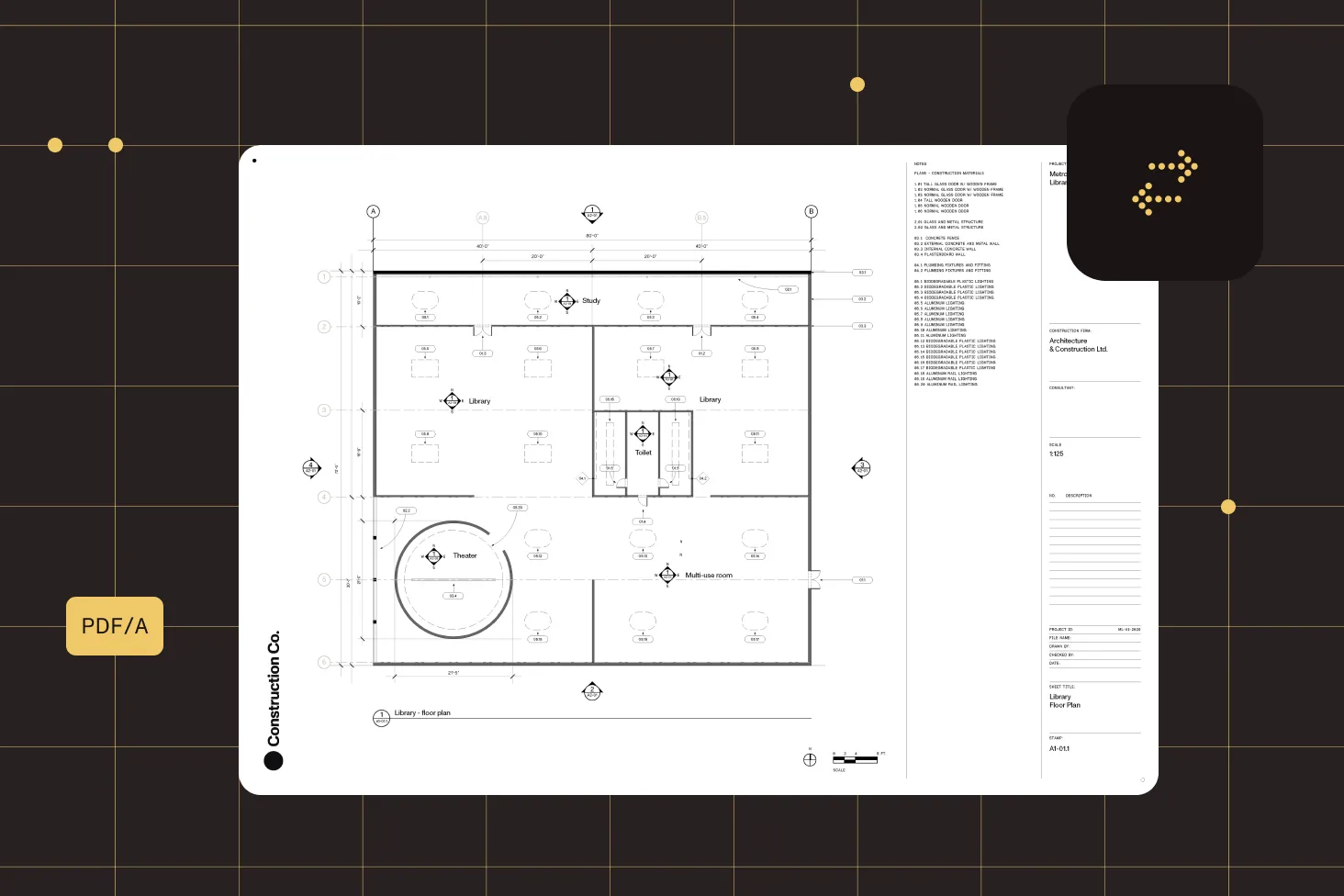
Turn CAD files into PDF or PDF/A for sharing, archiving, and document workflows — in a single API call.

Automate at scale

Run CAD conversion server-side through a REST API or cloud processing API for high-volume, headless workflows.

How we help


WEB CAD VIEWER

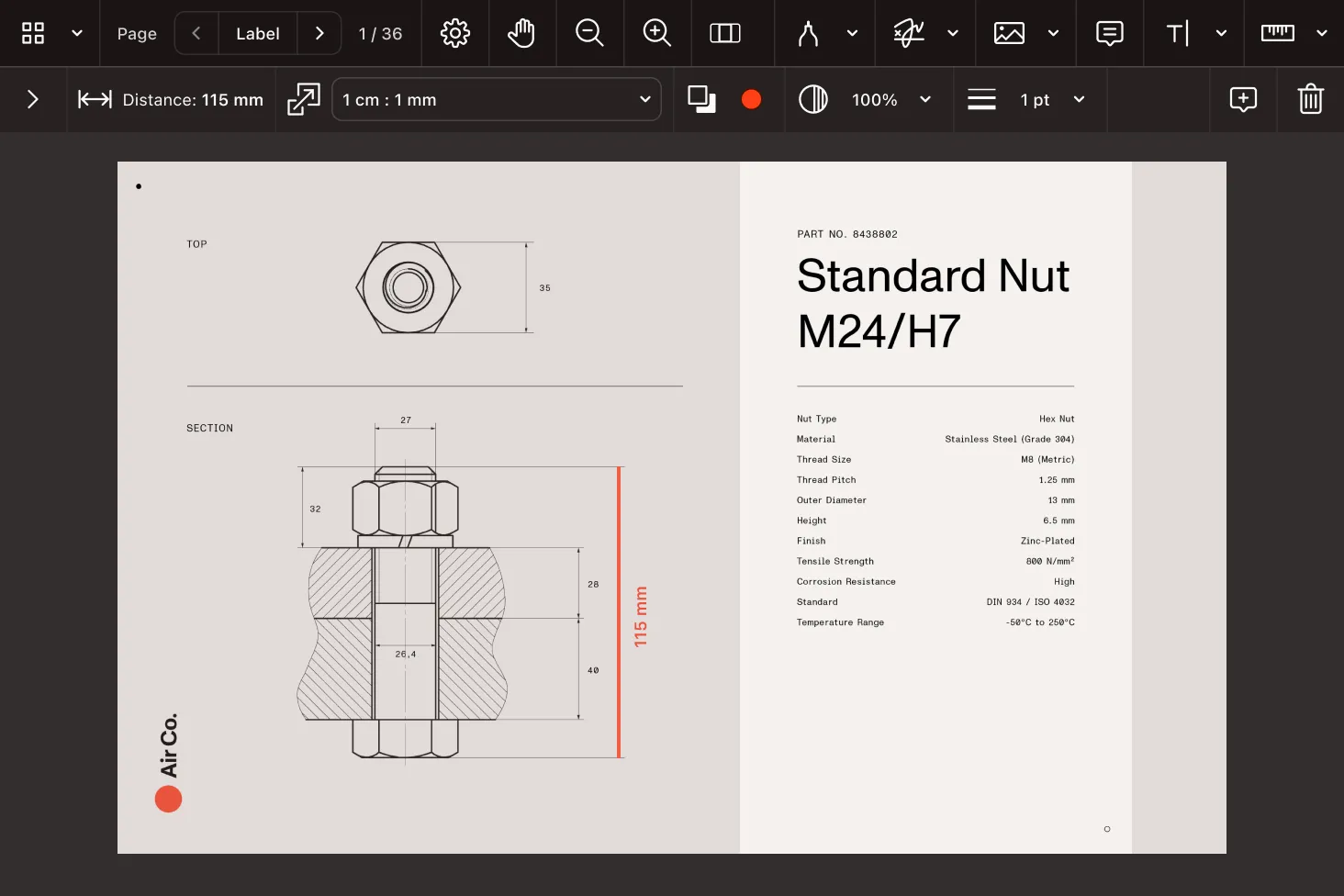
View and measure CAD drawings in the browser

Display DWG and DXF drawings directly in a JavaScript/HTML5 viewer. Document Engine converts the CAD file to PDF, and the Web SDK renders it for viewing, annotation, and precise measurement — no plugins and no desktop CAD tools.

Comprehensive measurement capabilities
HTML5 rendering

Render technical drawings client-side in any modern browser — no ActiveX, Flash, or native CAD viewer required.


Distance and area tools

Measure distance, perimeter, polygon area, ellipse area, and rectangle area with built-in, customizable tools.


Calibrated scale

Calibrate a page-to-real-world scale from a known distance; scale and precision persist within the document.


Annotate and review

Mark up drawings with annotations and comments for collaborative review across engineering and construction teams.

CAD CONVERSION

Convert DWG and DXF to PDF on any stack

Convert AutoCAD Drawing (DWG) and Drawing Exchange Format (DXF) files to PDF or PDF/A. The same conversion engine is available as a server REST API, a desktop and server .NET library, and Python and Java SDKs — so CAD output fits wherever your pipeline runs.

Convert CAD to PDF
DWG and DXF input

Convert DXF and native binary DWG, including the AC1032 format used by AutoCAD 2018 and later.


PDF and PDF/A output

Produce standard PDF or archival PDF/A, with control over the conformance level in the .NET SDK.


Single-call API

Open a CAD file and export it to PDF in one call — Nutrient handles vector rendering, layers, and line weights.


Server and desktop

Run conversion headless on the server via Document Engine, or in desktop and server apps with the .NET, Python, and Java SDKs.

COMPARE

CAD support across platforms

Choose where CAD viewing and conversion runs in your architecture. The Java SDK offers the same conversion capabilities as Python.

Document Engine
.NET
Python & Java
Web
Input formats
DWG, DXF
DWG (AC1032/AutoCAD 2018+), DXF
DWG, DXF
DWG, DXF (via Document Engine)
Primary capability
Headless CAD-to-PDF conversion over REST
CAD-to-PDF and PDF/A with conformance control
CAD-to-PDF in a single API call
View, annotate, and measure CAD in the browser
Output
PDF (and other output types)
PDF, PDF/A
PDF
Rendered in-browser view
How it works
POST the CAD file to the /api/build endpoint
GdPictureDocumentConverter load and save
Document.export_as_pdf after opening the file
Document Engine converts, the Web SDK renders
Deployment
Self-hosted server/container
Desktop and server (.NET)
Server, scripts, and pipelines
Browser frontend and backend
Ideal use
Centralized, high-volume CAD conversion
Windows desktop and server apps; archival PDF/A
Automation, batch jobs, and data pipelines
Engineering and construction review in the browser

Used by Lufthansa, Disney, Autodesk, UBS, Dropbox, IBM
Lufthansa
Disney
Autodesk
UBS
Dropbox
IBM


Frequently asked questions

What CAD file formats does the SDK support?

Nutrient supports AutoCAD Drawing (DWG) and Drawing Exchange Format (DXF) files. DWG support includes the AC1032 native binary format used by AutoCAD 2018 and later. CAD files can be converted to PDF or PDF/A, or rendered for viewing in the browser.

Can I view CAD files in a web browser?

Yes. Document Engine converts a DWG or DXF file to PDF, and Nutrient Web SDK renders it in a JavaScript/HTML5 viewer — no browser plugins or desktop CAD software required. Users can pan, zoom, annotate, and measure the drawing directly in the browser.

Can I measure distances and areas on CAD drawings?

Yes. The Web SDK includes measurement tools for distance, perimeter, polygon area, ellipse area, and rectangle area. You can calibrate a real-world scale from a known distance, and the scale and precision settings are saved within the document and persist across sessions and devices.

Which platforms support CAD?

CAD-to-PDF conversion is available on Document Engine (server REST API), the .NET SDK (C#/VB.NET), and the Python and Java SDKs — which share the same conversion capabilities. Browser viewing, annotation, and measurement are provided by the Web SDK together with Document Engine.

Do I need AutoCAD installed to convert CAD files?

No. Nutrient renders and converts DWG and DXF files on its own — you don’t need AutoCAD or any other desktop CAD application installed. This makes it suitable for headless server environments, containers, and CI/CD pipelines.

Can I convert CAD files to PDF/A for archiving?

Yes. The .NET SDK converts DWG and DXF to PDF/A and lets you select the conformance level you require, which is useful for long-term archiving and compliance workflows. Standard PDF output is available across all supported platforms.

How do I convert CAD files at scale?

For centralized, high-volume conversion, send CAD files to Document Engine’s /api/build endpoint, or use the cloud-hosted DWS Processor API to convert without managing infrastructure. Both run headless and are built for batch and automated workflows.

Is there a free trial?

Yes. Start a free trial to evaluate CAD viewing, measurement, and conversion across supported platforms. For pricing or a production license, contact Sales.


Insights from our team

EXPLORE BLOG

FOR DEVELOPERS

Power your app with our CAD SDK in minutes


CAD SDK and library

Nutrient provides a CAD SDK for viewing, measuring, and converting technical drawings inside your own applications. Render DWG and DXF in the browser, add precise measurement tools, and convert CAD files to PDF — without depending on AutoCAD or desktop CAD software.

What can a CAD SDK do?

A CAD SDK lets developers work with engineering drawings programmatically across viewing, measurement, and conversion.

  • Render DWG and DXF drawings in a JavaScript/HTML5 viewer.
  • Measure distance, perimeter, and area with calibrated scale.
  • Convert CAD files to PDF and archival PDF/A.
  • Annotate and review drawings collaboratively.
  • Automate conversion server-side or in the cloud.
How to choose a CAD library

When selecting a CAD library, weigh where it runs and which capabilities you need.

  • Deployment — Browser viewing, a server REST API, a desktop/server library, or scripting (Python/Java).
  • Formats — Confirm DWG (including recent AutoCAD versions) and DXF support.
  • Measurement — Look for calibrated, real-world scale and multiple measurement tools.
  • No CAD dependency — Conversion shouldn’t require AutoCAD to be installed.
CAD viewing and measurement on the web

Nutrient renders CAD drawings in the browser through Document Engine conversion and the Web SDK viewer, giving end users a fast, plugin-free way to view and measure DWG and DXF files. Distance, perimeter, and area tools support calibrated scale for accurate readings on architectural and engineering drawings.

CAD conversion across platforms

Convert DWG and DXF to PDF wherever your pipeline runs.

  • Document Engine — Server REST API for centralized, high-volume conversion.
  • .NET (C#) — Desktop and server conversion with PDF/A conformance control.
  • Python and Java — Single-call conversion for automation, batch jobs, and pipelines.
  • DWS Processor API — Cloud conversion with no infrastructure to manage.
Why developers choose Nutrient for CAD

Instead of stitching together a desktop CAD dependency for conversion and a separate web viewer, Nutrient provides CAD viewing, measurement, and conversion across web, server, desktop, and scripting from one vendor. The same drawings can be rendered in the browser, measured with calibrated tools, and archived as PDF/A — backed by complete documentation, code samples, and developer support.