Python PDF library comparison (2026): 7 libraries for developers

Table of contents
Extraction, merging, OCR, forms, and signatures in a single SDK - install with pip.
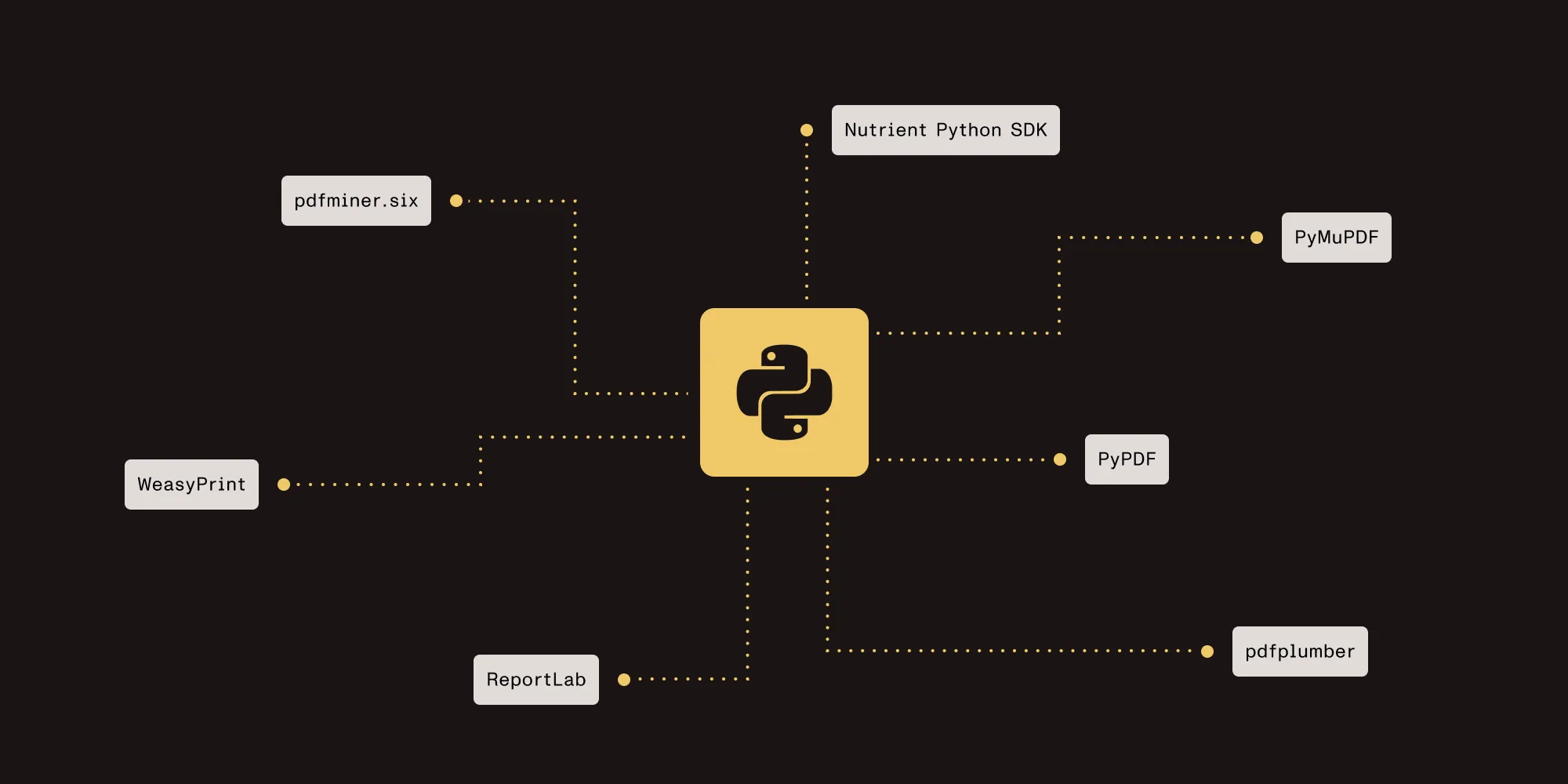
Seven Python PDF libraries for different use cases:
- Read, merge, and split PDFs → PyPDF
- Fast text extraction and rendering → PyMuPDF
- Extract tables as structured data → pdfplumber
- Generate PDFs with complex layouts → ReportLab
- Convert HTML/CSS to PDF → WeasyPrint
- Low-level character extraction → pdfminer.six
- Full lifecycle: conversion, OCR, signatures, forms → Nutrient Python SDK
Key finding: Nutrient Python SDK is the only library on this list that handles conversion, merging, OCR, forms, digital signatures, and redaction in a single package. Try Nutrient free with your documents →
Looking specifically for PDF generation? See our top 10 Python PDF generator libraries for a generation-focused comparison.
Quick decision matrix
| If you need… | Primary pick | Also strong at |
|---|---|---|
| Reading, merging, and splitting PDFs | PyPDF | Metadata editing, page rotation, encryption/decryption |
| Fast text extraction and PDF rendering | PyMuPDF | Image extraction, page rendering to images, annotation reading |
| Extracting tables from PDFs | pdfplumber | Visual debugging, character-level text data, bounding box access |
| Creating PDFs with charts and custom layouts | ReportLab | Graphics, custom fonts, document templates |
| Converting HTML/CSS to PDF | WeasyPrint | CSS3 support, SVG rendering, multilingual text |
| Low-level text mining and analysis | pdfminer.six | Layout analysis, character positioning, font metadata |
| Full lifecycle: OCR, forms, signatures | Nutrient Python SDK | Document conversion, merging across formats, redaction |
What to look for in a Python PDF library
Python is widely used for document automation — processing invoices, generating reports, extracting data from contracts, and building document workflows. But no single open source library covers the full lifecycle — from text extraction and merging, to forms and digital signatures — so most developers combine multiple libraries for a complete solution.
When evaluating a Python PDF library, consider:
- Task coverage — Does it handle your primary use case (reading, writing, extraction, or all three)?
- Dependencies — Pure Python vs. C extensions vs. system-level binaries. This affects deployment complexity.
- License — AGPL requires source disclosure for server-side use. MIT and BSD do not.
- Performance — Character-level extraction is slower than page-level text. Rendering PDFs to images requires C bindings.
- Maintenance — Active development, recent releases, and responsive issue tracking.
The seven libraries below cover the most common Python PDF tasks.
1. PyPDF — Reading, writing, and merging
BSD-3 license | Pure Python | No C dependencies
PyPDF(opens in a new tab) is the most widely used Python library for basic PDF manipulation. It handles reading, writing, merging, splitting, and metadata editing without C extensions or system dependencies. The pure-Python implementation deploys in any environment, including serverless functions and containers.
Key strengths
- Merge and split — Combine multiple PDFs or extract specific page ranges
- Text extraction — Extract text from digital PDFs (not scanned images)
- Metadata editing — Read and write document properties like title, author, and keywords
- Encryption and decryption — Add or remove password protection from PDFs
- Zero dependencies — No system libraries to install and no compilation step
Installation
pip install pypdfCode example: Merge two PDFs and extract text
from pypdf import PdfReader, PdfWriter
# Merge two PDFs.writer = PdfWriter()for pdf_path in ["report.pdf", "appendix.pdf"]:    reader = PdfReader(pdf_path)    for page in reader.pages:        writer.add_page(page)
with open("merged.pdf", "wb") as output:    writer.write(output)
# Extract text from the merged PDF.reader = PdfReader("merged.pdf")for i, page in enumerate(reader.pages):    text = page.extract_text()    print(f"--- Page {i + 1} ---")    print(text)
Limitations
- Text extraction quality depends on how the PDF was created. Complex layouts, multicolumn text, and non-standard encodings can produce garbled output.
- No OCR support, so scanned PDFs return empty text.
- No rendering, meaning it cannot convert PDF pages to images.
- Basic AcroForm filling is supported, but not XFA forms or digital signatures.
Best for: Merging, splitting, and basic text extraction from well-structured digital PDFs with zero external dependencies. For a step-by-step walkthrough, see our guide on how to merge PDFs using Python.
2. PyMuPDF (fitz) — Fast extraction and rendering
AGPL-3.0 license | C bindings (MuPDF) | High performance
PyMuPDF(opens in a new tab) wraps the MuPDF rendering engine, providing fast text extraction, page rendering, image extraction, and annotation reading. It outperforms pure-Python alternatives for text extraction and is the standard choice for rendering PDF pages as images.
Key strengths
- Fast text extraction — Extracts text with positional data (coordinates, font information)
- PDF rendering — Convert pages to PNG/JPEG images at configurable DPI
- Image extraction — Pull embedded images from PDF pages
- Annotation reading — Access highlights, comments, and other markup
- Broad format support — Also reads EPUB, XPS, and several image formats
Installation
pip install pymupdfCode example: Extract text with positional data
import pymupdf
doc = pymupdf.open("document.pdf")
for page_num, page in enumerate(doc):    # Get text blocks with position information.    blocks = page.get_text("blocks")    print(f"--- Page {page_num + 1} ---")    for block in blocks:        x0, y0, x1, y1, text, block_no, block_type = block        if block_type == 0:  # Text block.            print(f"  [{x0:.0f}, {y0:.0f}] {text.strip()}")
doc.close()
Limitations
- AGPL license — Server-side use requires either open-sourcing your code or purchasing a commercial license from Artifex.
- C bindings increase deployment complexity compared to pure-Python libraries.
- It can create new PDFs, but its creation tools are more limited than ReportLab’s.
Best for: High-speed text extraction with layout data, rendering PDF pages to images, and extracting embedded images. Choose PyMuPDF when performance matters and the AGPL license is acceptable.
3. pdfplumber — Table extraction and data mining
MIT license | Built on pdfminer.six | Pure Python
pdfplumber(opens in a new tab) extracts tables and structured data from PDFs. It builds on pdfminer.six to provide table detection and extraction, visual debugging tools, and character-level layout data.
Key strengths
- Table extraction — Detects and extracts tables as lists of rows and columns, ready for pandas or CSV export
- Visual debugging — Render pages with detected table boundaries and text characters overlaid for inspection
- Character-level data — Access every character with its position, font, and size
- Bounding box cropping — Crop a page region and extract only the content within it
Installation
pip install pdfplumberCode example: Extract a table as structured data
import pdfplumber
with pdfplumber.open("invoice.pdf") as pdf:    for page in pdf.pages:        tables = page.extract_tables()        for table_index, table in enumerate(tables):            print(f"Table {table_index + 1}:")            for row in table:                print(row)            print()
Limitations
- Slower than PyMuPDF for plain text extraction since it processes at the character level.
- Table detection relies on visible lines or consistent spacing. PDFs with irregular layouts may require manual tuning of extraction settings.
- No OCR — works only with digital (not scanned) PDFs.
- No PDF writing, merging, or form filling capabilities.
Best for: Extracting tables and structured data from invoices, financial reports, and government documents. Works well when you need to convert PDF tables into dataframes or CSV files.
4. ReportLab — PDF creation and complex layouts
BSD license (open source) / Commercial edition available
ReportLab(opens in a new tab) is the most established Python library for creating PDFs from scratch. It provides a canvas-based drawing API; a layout engine (Platypus); and built-in support for charts, graphics, and custom fonts.
Key strengths
- PDF creation — Build documents programmatically with text, images, tables, and vector graphics
- Chart generation — Create bar charts, line charts, pie charts, and custom visualizations
- Layout engine (Platypus) — Automatic page breaks, headers/footers, and multicolumn layouts
- Custom fonts and graphics — TrueType/OpenType font support and a rich drawing API for shapes, lines, and curves
- Template system — Define reusable page templates for consistent styling
Installation
pip install reportlabCode example: Generate a simple invoice
from reportlab.lib.pagesizes import letterfrom reportlab.lib import colorsfrom reportlab.platypus import SimpleDocTemplate, Table, TableStyle, Paragraphfrom reportlab.lib.styles import getSampleStyleSheet
doc = SimpleDocTemplate("invoice.pdf", pagesize=letter)styles = getSampleStyleSheet()elements = []
# Add a title.elements.append(Paragraph("Invoice #1042", styles["Title"]))elements.append(Paragraph("Acme Corp — February 2026", styles["Normal"]))
# Create an invoice table.data = [    ["Item", "Qty", "Unit Price", "Total"],    ["Widget A", "10", "$25.00", "$250.00"],    ["Widget B", "5", "$40.00", "$200.00"],    ["Service Fee", "1", "$50.00", "$50.00"],    ["", "", "Grand Total", "$500.00"],]
table = Table(data, colWidths=[200, 60, 100, 100])table.setStyle(TableStyle([    ("BACKGROUND", (0, 0), (-1, 0), colors.grey),    ("TEXTCOLOR", (0, 0), (-1, 0), colors.whitesmoke),    ("GRID", (0, 0), (-1, -1), 0.5, colors.black),    ("FONTNAME", (0, 0), (-1, 0), "Helvetica-Bold"),    ("FONTNAME", (2, -1), (3, -1), "Helvetica-Bold"),]))
elements.append(table)doc.build(elements)
Limitations
- Creation only — ReportLab creates PDFs but cannot read, parse, or extract text from existing ones.
- The canvas API requires significant effort for complex layouts.
- The open source edition lacks some features available in the commercial version (e.g. advanced charting, RML templates).
Best for: Generating invoices, reports, certificates, and other structured documents from data when you need full control over layout.
Nutrient Python SDK handles the full lifecycle — conversion, merging, OCR, forms, and digital signatures.
5. WeasyPrint — HTML/CSS to PDF
BSD-3 license | CSS3 support | System dependencies required
WeasyPrint(opens in a new tab) converts HTML and CSS into print-ready PDFs. It renders flexbox, grid, media queries, and custom fonts, producing output that closely matches browser rendering.
Key strengths
- CSS rendering — Supports CSS3, including flexbox, grid, media queries, and paged media
- Custom fonts — Embed web fonts and system fonts in the generated PDF
- SVG support — Renders inline and linked SVG graphics without rasterization
- Multilingual — Handles right-to-left and non-Latin scripts via Unicode support
Installation
pip install weasyprintWeasyPrint requires Pango as a system library for text rendering. On Ubuntu/Debian:
sudo apt-get install libpango-1.0-0 libpangoft2-1.0-0 libharfbuzz-subset0Code example: Convert styled HTML to PDF
from weasyprint import HTML
html_content = """<!DOCTYPE html><html><head>    <style>        body { font-family: Helvetica, sans-serif; margin: 2cm; }        h1 { color: #2c3e50; border-bottom: 2px solid #3498db; }        table { width: 100%; border-collapse: collapse; margin-top: 1em; }        th, td { border: 1px solid #ddd; padding: 8px; text-align: left; }        th { background-color: #3498db; color: white; }    </style></head><body>    <h1>Monthly Report</h1>    <table>        <tr><th>Metric</th><th>Value</th></tr>        <tr><td>Revenue</td><td>$12,500</td></tr>        <tr><td>Users</td><td>3,420</td></tr>    </table></body></html>"""
HTML(string=html_content).write_pdf("report.pdf")
Limitations
- Requires Pango as a system-level library, which complicates deployment in minimal containers and serverless environments.
- Rendering speed is slower than Chromium-based tools for JavaScript-heavy pages (WeasyPrint doesn’t execute JavaScript).
- No PDF reading, extraction, or manipulation — creation only.
Best for: Converting HTML templates, reports, and invoices to PDF when you need accurate CSS3 rendering and don’t require JavaScript execution. For a detailed tutorial, see our guide on how to generate PDF reports from HTML in Python.
6. pdfminer.six — Low-level text extraction
MIT license | Pure Python | Maintained community fork
pdfminer.six(opens in a new tab) is the maintained Python 3 fork of the original pdfminer library. It provides low-level access to PDF content — character positions, font metadata, layout analysis, and text encoding — suited for text mining and document analysis.
Key strengths
- Character-level extraction — Access each character with its position, font name, font size, and color
- Layout analysis — Detect text columns, paragraphs, and reading order from a PDF’s internal structure
- Font metadata — Read font names, sizes, and encoding information for every text element
- Pure Python — No C extensions or system dependencies
Installation
pip install pdfminer.sixCode example: Character-level extraction with positions
from pdfminer.high_level import extract_pagesfrom pdfminer.layout import LTTextContainer, LTChar
for page_layout in extract_pages("document.pdf"):    for element in page_layout:        if isinstance(element, LTTextContainer):            for text_line in element:                for character in text_line:                    if isinstance(character, LTChar):                        print(                            f"'{character.get_text()}' "                            f"font={character.fontname} "                            f"size={character.size:.1f} "                            f"pos=({character.x0:.0f}, {character.y0:.0f})"                        )
Limitations
- Significantly slower than PyMuPDF for bulk text extraction due to character-level processing.
- No PDF writing, merging, or creation capabilities.
- No table detection — for tables, use pdfplumber (which builds on pdfminer.six internally).
- Image extraction requires the optional
imageextra (pip install 'pdfminer.six[image]'). No PDF rendering.
Best for: Text mining, document analysis, and NLP preprocessing where you need character-level positional data, font metadata, or layout structure analysis.
7. Nutrient Python SDK — Full lifecycle, production workflows
Commercial | Contact for pricing
Nutrient Python SDK is a commercial library covering conversion, merging, editing, OCR, forms, digital signatures, redaction, and data extraction. It handles 100+ file formats and supports server-side batch processing.
See the full feature list and Python guides. For background on the SDK’s architecture and design goals, read our blog introducing Nutrient Python SDK.
Key strengths
- Document conversion — Bidirectional conversion between PDF, Word, Excel, PowerPoint, HTML, Markdown, and images with layout preservation. Includes PDF-to-HTML conversion for web publishing workflows
- PDF manipulation — Merge, split, rotate, and edit PDFs programmatically
- OCR and text extraction — Convert scanned documents to searchable PDFs in 100+ languages
- Forms and data collection — Create fillable forms, extract submitted data, and automate batch form filling
- Digital signatures — Apply certificate-based signatures for legal compliance
- Redaction — Permanently remove sensitive content from the document structure (not just visual masking)
- Data extraction — Extract structured key-value data from invoices, receipts, and forms to JSON
Installation
pip install nutrient-sdkCode example: Convert a Word document to PDF
from nutrient_sdk import Document
with Document.open("input.docx") as document:    document.export_as_pdf("output.pdf")
Code example: Merge documents across formats
from nutrient_sdk import Document, PdfEditor, PdfExporter
with Document.open("report.docx") as document:    editor = PdfEditor.edit(document)    with Document.open("appendix.pdf") as appendix:        editor.append_document(appendix)    editor.save()    document.export("combined.pdf", PdfExporter())
Code example: Convert a PDF to HTML
from nutrient_sdk import Document
with Document.open("input.pdf") as document:    document.export_as_html("output.html")
Code example: Apply a digital signature
from nutrient_sdk import PdfSigner, DigitalSignatureOptions
with PdfSigner() as signer:    options = DigitalSignatureOptions()    options.certificate_path = "certificate.pfx"    options.certificate_password = "cert-password"    options.signer_name = "Jane Doe"    options.reason = "Contract Approval"
    signer.sign("contract.pdf", "signed_contract.pdf", options)
Limitations
- Commercial license — requires a paid subscription, unnecessary for simple scripts or one-off tasks.
- Larger install size than pure-Python alternatives due to its bundled native engine.
- Newer to the Python ecosystem than PyPDF and PyMuPDF — smaller community footprint.
Best for: Production document workflows that need conversion, OCR, forms, signatures, and redaction in one SDK instead of maintaining multiple open source library integrations.
Test Nutrient Python SDK with your documents and see how it handles your use cases.
Feature comparison of Python PDF libraries
These tables compare all seven libraries across core operations, advanced capabilities, and licensing.
Core PDF operations
| Feature | PyPDF | PyMuPDF | pdfplumber | ReportLab | WeasyPrint | pdfminer.six | Nutrient SDK |
|---|---|---|---|---|---|---|---|
| Read/parse PDFs | ✅ | ✅ | ✅ | ❌ | ❌ | ✅ | ✅ |
| Create PDFs | ✅ | ✅ Basic | ❌ | ✅ | ✅ | ❌ | ✅ |
| Merge/split | ✅ | ✅ | ❌ | ❌ | ❌ | ❌ | ✅ |
| Text extraction | ✅ | ✅ | ✅ | ❌ | ❌ | ✅ | ✅ |
| Table extraction | ❌ | ❌ | ✅ | ❌ | ❌ | ❌ | ✅ |
| Form filling | ✅ Basic | ✅ | ❌ | ❌ | ❌ | ❌ | ✅ |
| Digital signatures | ❌ | ❌ | ❌ | ❌ | ❌ | ❌ | ✅ |
Advanced capabilities
| Feature | PyPDF | PyMuPDF | pdfplumber | ReportLab | WeasyPrint | pdfminer.six | Nutrient SDK |
|---|---|---|---|---|---|---|---|
| OCR | ❌ | ❌ | ❌ | ❌ | ❌ | ❌ | ✅ 100+ languages |
| Document conversion | ❌ | ❌ | ❌ | ❌ | HTML only | ❌ | ✅ 100+ formats |
| Render pages to images | ❌ | ✅ | ❌ | ❌ | ❌ | ❌ | ✅ |
| Redaction | ❌ | ✅ Basic | ❌ | ❌ | ❌ | ❌ | ✅ Structural |
| Encryption/decryption | ✅ | ✅ | ❌ | ✅ | ❌ | ❌ | ✅ |
| Data extraction (JSON) | ❌ | ❌ | ❌ | ❌ | ❌ | ❌ | ✅ Key-value |
| Annotation support | ❌ | ✅ Read/write | ❌ | ❌ | ❌ | ❌ | ✅ Read/write |
Licensing and deployment
| Attribute | PyPDF | PyMuPDF | pdfplumber | ReportLab | WeasyPrint | pdfminer.six | Nutrient SDK |
|---|---|---|---|---|---|---|---|
| License | BSD-3 | AGPL-3.0 | MIT | BSD / Commercial | BSD-3 | MIT | Commercial |
| Pure Python | ✅ | ❌ (C) | ✅ | ✅ | ❌ (system) | ✅ | ❌ (native) |
| Pip installable | ✅ | ✅ | ✅ | ✅ | ✅ | ✅ | ✅ |
| Active in 2026 | ✅ | ✅ | ✅ | ✅ | ✅ | ✅ | ✅ |
| Commercial use | ✅ Free | ❌ AGPL/paid | ✅ Free | ✅ Free / paid | ✅ Free | ✅ Free | Paid |
Conclusion
Most Python PDF workflows combine two or three open source libraries — one for reading, one for writing, and another for extraction. This works for prototypes but creates maintenance overhead in production.
For simpler tasks, the open source libraries work well: PyPDF for merging, PyMuPDF for fast extraction, pdfplumber for tables, and ReportLab or WeasyPrint for creation. For production systems that need conversion, OCR, forms, and digital signatures, Nutrient Python SDK covers the full lifecycle in one package.
Start your free trial with your actual documents, or contact our team about your specific requirements.
Related reading
- Extract text from a PDF with PyMuPDF — A focused walkthrough of the fastest extraction option covered above
- Extract text from a PDF using Python — The same task with PyPDF, including encrypted files
- How to extract text from a PDF using JavaScript — The equivalent approach for browser and Node.js projects
FAQ
PyPDF is the most popular free option for reading, merging, and splitting PDFs. It’s pure Python with no dependencies. For faster text extraction, PyMuPDF performs better but uses an AGPL license that requires open-sourcing your code or buying a commercial license.
Yes. pdfplumber is specifically designed for table extraction. It detects table structures and returns rows and columns as Python lists, which you can convert to pandas DataFrames or export as CSV. For PDFs without visible table borders, you may need to adjust the extraction settings. See our guide on extracting text from PDFs using Python for more approaches.
Nutrient Python SDK provides direct Word-to-PDF conversion with layout preservation. The conversion handles fonts, tables, images, and multicolumn layouts. For details, see our guide on how to convert DOCX to PDF using Python.
PyPDF provides basic text extraction that works well with simple, well-structured PDFs. PyMuPDF is significantly faster and includes positional data (coordinates, fonts) for each text block. pdfminer.six offers the most granular access — individual character positions, font names, and sizes — but is the slowest of the three. Choose based on whether you prioritize speed (PyMuPDF), detail (pdfminer.six), or simplicity (PyPDF).
Nutrient Python SDK is the only library in this comparison that handles all three. It provides OCR in 100+ languages, fillable form creation and data extraction, and certificate-based digital signatures, plus conversion, merging, and redaction. For a cloud-based alternative, Nutrient API offers similar capabilities as a REST API. Start a free trial to test these features with your documents.
It depends on the scope. For merging, PyPDF is reliable and well-tested. For table extraction, pdfplumber is the standard. For workflows that span multiple tasks — conversion, OCR, forms, signatures, and redaction — Nutrient Python SDK consolidates these into a single package designed for server-side batch processing.