The Web SDK is now headless — For your design system and for AI agents


Table of contents
- Nutrient Web SDK is now headless in two senses: Bring your own UI, or use no UI at all. No new product, no license change, no extra cost — it’s in the SDK as of this release.
- A complete slot system makes every UI component addressable — toolbars, annotations, signatures, the content editor, comparison, measurements, search, every modal and panel. Hide it, customize part of it, or replace it entirely. Previously, only the comment thread and sidebar were slot-addressable.
- Slot names and parameter shapes are a versioned public contract, so customizations don’t break silently on upgrade the way CSS class overrides do. Migration is incremental, and nothing here breaks existing integrations.
- The public API now covers every capability the viewer has — annotations, ink, text markup, page editing, signature capture, navigation. If the UI can do it, the API can do it, with no private methods.
- One line —
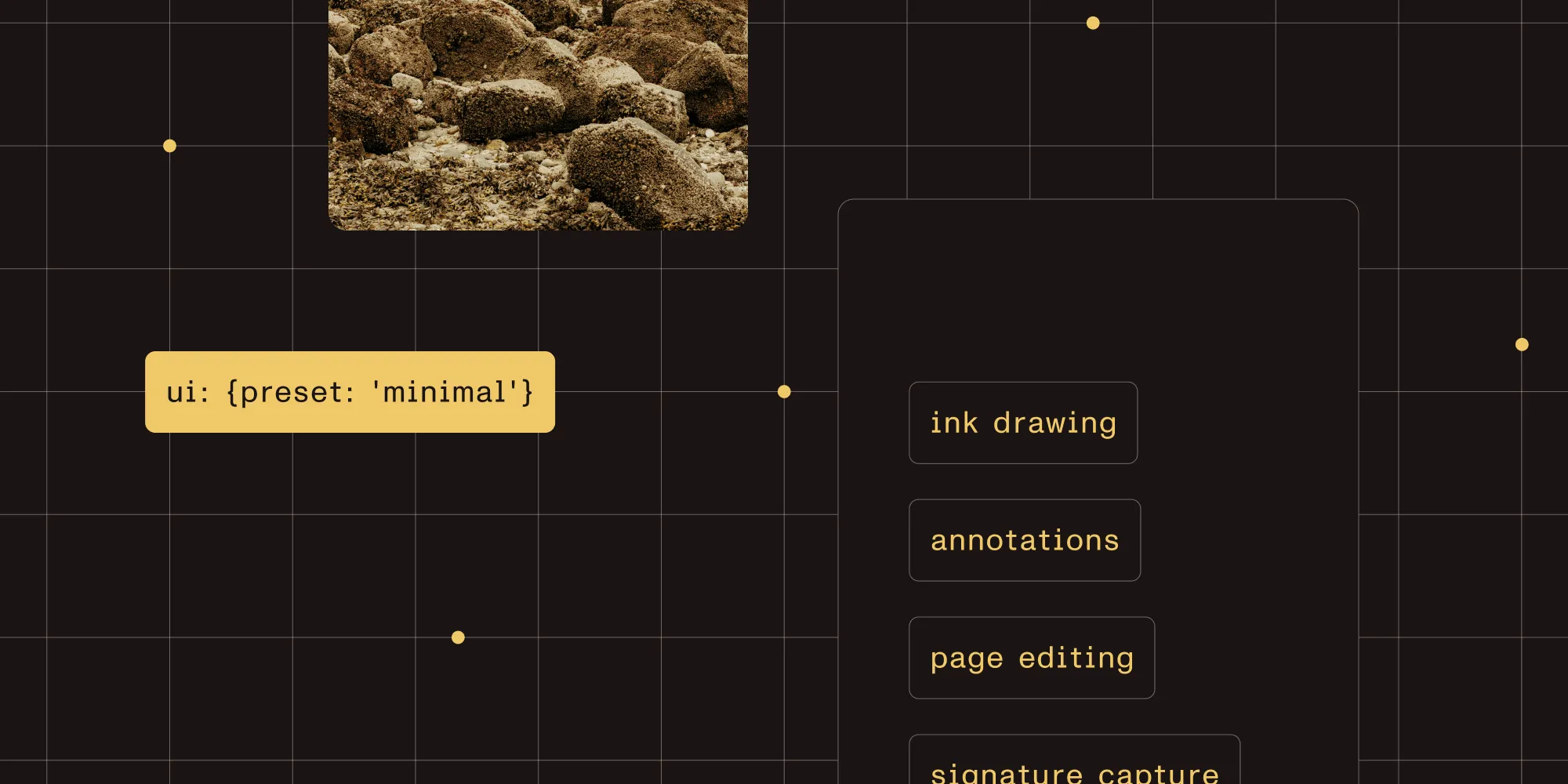
ui: { preset: "minimal" }— strips all chrome to a bare canvas you build on top of. - A new internal benchmark, agent experience (AX), measures whether a large language model (LLM) given only our public types and documentation can complete real customer tasks — checked by compilation, static API analysis, and live browser execution on every release.
For most of software’s history, the product was the interface.
The value you bought lived on the screen: the dashboards, the buttons, and the panels someone learned and used every day. The interface was where the work happened, and familiarity with it was the real lock-in. The engine underneath mattered, but it wasn’t the thing people thought they were paying for.
That assumption is quietly coming apart. More and more, the thing using your software isn’t a person at a screen. It’s an agent. And an agent has no use for an interface. It doesn’t want buttons to click or panels to learn. It wants to know what’s possible and act on it directly.
Which leaves anyone who builds software with an uncomfortable question: Take the interface away, and what are you actually left with? And is what’s left any good?
The uncomfortable question, for a document SDK
For a document SDK like Nutrient Web SDK, the interface is the viewer: the toolbar, the sidebar, the signature dialog, the annotation popovers. Take it away, and what should remain is an engine that renders documents and an API that can do everything the viewer could.
Here’s the catch. Almost every SDK claims to have that API. Far fewer actually do. In practice, the API is a subset of the UI. There are things you can only do by clicking — behaviors wired to a toolbar button and reachable no other way. As long as a human was doing the clicking, nobody noticed. But an agent notices immediately.
We spent an iteration making sure that gap didn’t exist in our SDK. And the deeper we went, the clearer it became that “headless,” the word everyone reaches for here, was quietly carrying two different jobs.
Two kinds of customers had been asking us for the same thing from opposite directions. Frontend teams wanted to keep our engine and bring their own look. Agents wanted the engine with no look at all. One group is replacing the interface and the other is removing it, but underneath, they’re saying the same thing: The UI can’t be the only way in. That’s what headless really means for us, and it has two halves. They’re easiest to understand one at a time, so let’s start with the half the industry already agrees on.
What frontend developers mean by headless
Ask a frontend engineer what headless means and you’ll get a clean answer: A headless library ships behavior, not styling. Buttons that toggle, dropdowns that open, and forms that validate, with no opinion about how any of it looks. The team using it brings its own design. Think of libraries like Headless UI or Radix: all the hard parts, none of the visual decisions.
For our SDK, that translates to a clear boundary. We keep doing the heavy lifting: the document canvas — page layout, scroll, zoom, no opinionated chrome — and the annotation rendering for every shape, ink stroke, highlight, stamp, and signature. You decide what it looks like. We render the document, and you own the interface around it.
The alternative, when an SDK doesn’t draw that boundary, is familiar. You fight its styling with CSS overrides: hunting for internal class names, patching styles that were never meant to be touched, and rediscovering what broke the next time the SDK updates. The budget line for that work is usually called technical debt; in practice, it’s a maintenance commitment with no end date. A real headless boundary is what removes it.
What headless means for our product
That’s the table-stakes definition. The one that matters in a world of agents goes further.
For us, headless means every capability the viewer has is reachable through the public API. Anything our UI can do, a customer (or their agent) can do without our UI. We don’t decide the workflows. Customers and their agents compose whatever flow they need on top of the primitives we expose.
The bar is deliberately strict: Nothing in the UI is reachable only through the UI. No magic. No gaps. No bounded set of flows you have to stay inside. When you reach that bar, something changes about what the product even is. It stops being a script you follow and becomes a vocabulary you compose with.
Two definitions, two audiences, one SDK:
| Frontend headless | Agentic headless | |
|---|---|---|
| The user | A developer with their own design system | An agent or app acting on a document |
| What it means | Behavior without styling | Every capability reachable through the API |
| What we provide | Slots and presets to replace our chrome | A public method for everything the viewer can do |
| The result | It feels native to your product | The product is a vocabulary, not a script |
Customers want the product in many shapes
The reason both definitions matter is that no two integrations want the same thing. Over and over, customers ask for the product in a different shape:
- Just the canvas, and nothing else.
- Our viewer, with a few parts swapped for their own.
- No viewer at all, built entirely on top of our APIs.
- And most often, somewhere in between — keep this, replace that, fold the rest into surfaces they already own.
That spread is only widening. As teams hand more of their work to agents, more of them land on the “build on the API” and “let an agent drive it” end of the range. A headless SDK that only does the frontend half forces that crowd to fight the framework. One that only does the API half leaves the design-system crowd hacking our CSS. We didn’t want anyone writing workarounds, so we built both halves.
What we shipped: Two surfaces
Everything above came down to two concrete surfaces. Both ship inside the Web SDK as of this release — no new product, no license tier, no procurement step. If you already have a license, you already have them.
Surface one: Slots and presets
The first surface is visual: We turned the viewer into a set of slots.
Before this work, exactly two components could be customized through slots: the comment thread and the sidebar. Everything else was take it or leave it. Now the entire viewer is slot-addressable: the toolbars, annotations, signatures, the content editor, document comparison, measurements, search, the password prompt, every modal, every panel.
Each slot gives you three choices: Hide it, customize part of it, or replace it entirely with your own component. Slots are grouped by feature (annotations.actions, signatures.create, measurements.calibration) rather than by how they happen to be drawn, so your code doesn’t break when a popover becomes a panel later.
That stability is the point. Slot names and their parameter shapes are a versioned public contract: Parameters extend over time; they don’t break underneath you. CSS overrides target identifiers we never promised to keep, so you find out they changed in QA, not in the changelog. Migrating from overrides to slots is incremental — find the slot that matches what you’re patching, replace it, and move on — and nothing in this release breaks an existing integration.
Want to start from nothing? There’s a preset for that:
// Start from a blank canvas. The page renders, nothing else does.NutrientViewer.load({ document: "/my-file.pdf", ui: { preset: "minimal" },});Then bring back only what you want, as your own UI:
NutrientViewer.load({ document: "/my-file.pdf", ui: { preset: "minimal", tools: { main: (getInstance) => ({ render: () => { const button = document.createElement("button"); button.textContent = "Zoom in"; button.onclick = () => getInstance()?.setViewState((vs) => vs.zoomBy(1.25)); return button; }, }), }, },});That’s the frontend definition, delivered: our engine, your interface. It runs along a spectrum, all sharing one API: the full default viewer, preset: "minimal" for a canvas you build on top of, and headless: true to load the SDK with no UI mounted at all.
Surface two: An API for everything the UI can do
The second surface is behavioral, and it’s the one that makes the agentic definition real.
A slot lets you replace a piece of UI. But a custom button is useless if the action behind it was only ever wired to our own toolbar. So we went through the viewer and closed the gaps. Every annotation area got a real public API, plus the everyday operations that should have been there from the start.
That meant proper programmatic coverage for ink, for text markup (highlight, strikeout, underline, squiggly), for text annotations, and for links. It reached past annotations, too: page editing (insert, delete, rotate, reorder), signature capture you can wire to your own pad, and bookmarks and navigation that drive the document the way the built-in sidebar does. And it meant operations that work across any annotation type, not just one: a type-agnostic clipboard (copy, cut, paste, duplicate) and programmatic selection with selection-driven actions.
The rule we held to is simple: If the UI can do it, the API can do it. An agent can open a document, select content, redact it, drop a signature, and export it without ever touching a toolbar, because none of those steps were ever locked behind one. Same primitives, different consumer. One investment, both audiences.
The slot system and the expanded API are the same bet seen from two angles. Replace the UI, or remove it entirely. Either way, the capability is still there.
How this differs from “composable” elsewhere
Composable document UIs aren’t new; most PDF SDKs ship some version of the idea. The difference is how far each surface actually goes, and whether the two halves were built to work together.
| What “composable” usually means in a PDF SDK | What we shipped |
|---|---|
| CSS variables for color and font | A slot system covering every component — toolbar, modal, panel, popup, sidebar |
| Show/hide toggles for a fixed set of components | Per-slot choice of hide, partial, or full replacement |
| Partial programmatic access to viewing state | Every operation in the UI is in the API — no private methods |
| Overrides aimed at internal class names that move between releases | Slot names and parameter shapes as a versioned public contract |
| “Agent-friendly” as a claim | AX: compile + static analysis + browser execution, every release |
A slot system without a complete API leaves a gap: Your custom toolbar looks right but can’t trigger half of what the built-in one could. A complete API without stable slot contracts works today and breaks quietly on the next update. The two only pay off together, which is why we shipped them together.
Don’t take our word for it
“Every capability is in the API” is the kind of claim every SDK makes. Here’s ours being tested: Hand an LLM nothing but the public types and documentation, show it an interface, and ask it to rebuild that UI from a blank canvas using only the new slots and APIs. It did — down to individual components we used to own, swapped for its own versions, with no access to our internals.
One impressive run isn’t evidence, though. So we turned the test into infrastructure.
AX: The agent experience
We call it AX, for agent experience. It’s the same idea as UX, except the user is an AI agent.
The setup is deliberately honest. Give an LLM only what a real customer’s agent would actually have — our public types, our documentation, and our guides — hand it a real task, and grade the result on four questions:
- Did it compile?
- Did the APIs it called actually exist?
- Did the result work in a real browser?
- Was the code put together correctly?
Those four questions are a real pipeline, not a vibe check: TypeScript compilation against the public declarations, static analysis to catch any method the model hallucinated, end-to-end execution in a real browser, and an optional LLM-as-judge for whether the code is idiomatic. Each task comes back as a scorecard — hallucination rate, consistency across repeated runs, run-to-run comparability — so we can tell whether a documentation or API change actually moved the number before it ships.
The tasks span four tiers, from a single API call to a full multicomponent workflow. Some we wrote by hand to guard new APIs against regressions. Others come straight from the real problems customers bring to our Support team, so we measure against what people genuinely struggle with, and not what we imagine they do.
The payoff is that the answer to “Is our SDK agent-friendly?” stops being an opinion and becomes a number we can track, with the framework pointing at exactly which API, documentation, or guide to fix next. As far as we know, no one else in our space measures the agent-readability of their API surface at all. That’s an edge, and it compounds: Every gap we find and close makes the next agent’s job easier.
Where the value moves
For a long time, the interface was the moat. It was what made software sticky, what people were trained on, and what they didn’t want to leave. Agents dissolve that kind of stickiness. They carry no habits and have no screen to miss.
What they don’t dissolve is depth. An agent still needs an engine that can actually do the work and an API complete and legible enough to drive it without guessing. If anything, it matters more now — the agent has nothing else to lean on. No tooltips, no half-read documentation, no support representative to ask. Just the surface you chose to expose.
So the differentiator quietly shifts. It stops being how polished the toolbar is and becomes how much of the product an agent can actually reach and use. That’s a different competition, and it’s the one we’re building for.
Toward an AI-first Nutrient
None of this is a one-off feature. It’s a statement about where we’re headed.
Nutrient is becoming AI-first, and that means serving two kinds of user at once: the agents that drive documents with no screen to look at, and the humans who still review, edit, sign, and approve the high-stakes work no one is going to hand off blindly. Making the Web SDK headless in both senses — bring-your-own-UI for the people in the loop and no-UI-required for the agents — is the groundwork both depend on. It’s what lets customers move document workflows onto agents without waiting for us to design a UI for every flow they can dream up. Those flows were never ours to define. They’re a vocabulary now, and our customers — and their agents — get to decide what to build with it.
If you want to see the surfaces up close, the UI customization guide covers slots and presets, the slots reference lists every slot name and its shape, and the headless guide covers the programmatic API.
Questions we get asked
Every document operation — annotations, page editing, signatures, ink, navigation — is reachable from code, with no dependence on a built-in UI. In Nutrient Web SDK, you enter that mode with ui: { preset: "minimal" }, which strips all chrome to a bare document canvas. From there, you drive everything through the public instance API. There’s no capability a toolbar button has that the API doesn’t.
CSS overrides target internal class names we don’t commit to preserving, so they break silently on upgrade. Slot names and their parameter shapes are a versioned public contract that extends rather than breaks. Slots are DOM-based and framework-agnostic; each can be hidden, partially customized, or fully replaced, and the slot callback hands you a live accessor to the SDK instance — no private APIs.
No. The slot system and the expanded API are additive. Existing integrations keep working unchanged, and you can move from CSS overrides to slots one component at a time.
Yes. Both surfaces are part of the Web SDK as of this release — no separate package, no license upgrade, no procurement step.
That’s the point of the work. Every viewer capability is on the public API with complete TypeScript declarations, so an agent given only the public types and our documentation can compose a working flow without hallucinating methods. We check that property on every release with AX (agent experience): LLM-generated code run through compilation, static API analysis, and live browser execution.
The interface was the product. Now it’s optional — and what’s left is the part we always cared about most: an engine that does the work, and an API that doesn’t hide any of it.
Strip the UI away and see for yourself.
Load the SDK headless — no UI, full API