Nutrient Flutter SDK
Need pricing or implementation help? Talk to Sales.
PDF ANNOTATIONS IN FLUTTER
// Add a highlight annotation programmatically.final highlight = HighlightAnnotation( pageIndex: 0, rects: [Rect.fromLTWH(50, 50, 200, 20)], color: Colors.yellow, opacity: 0.5,);await controller.addAnnotation(highlight);// Add an ink (drawing) annotation.final ink = InkAnnotation( pageIndex: 0, lines: [ [Point(100, 100), Point(200, 200), Point(300, 150)], ], lineWidth: 3, color: Colors.blue,);await controller.addAnnotation(ink);// Add a sticky note annotation.final note = NoteAnnotation( pageIndex: 0, boundingBox: Rect.fromLTWH(50, 50, 32, 32), contents: 'Please review this section.', color: Colors.orange, icon: NoteAnnotationIcon.comment,);await controller.addAnnotation(note);USE CASES
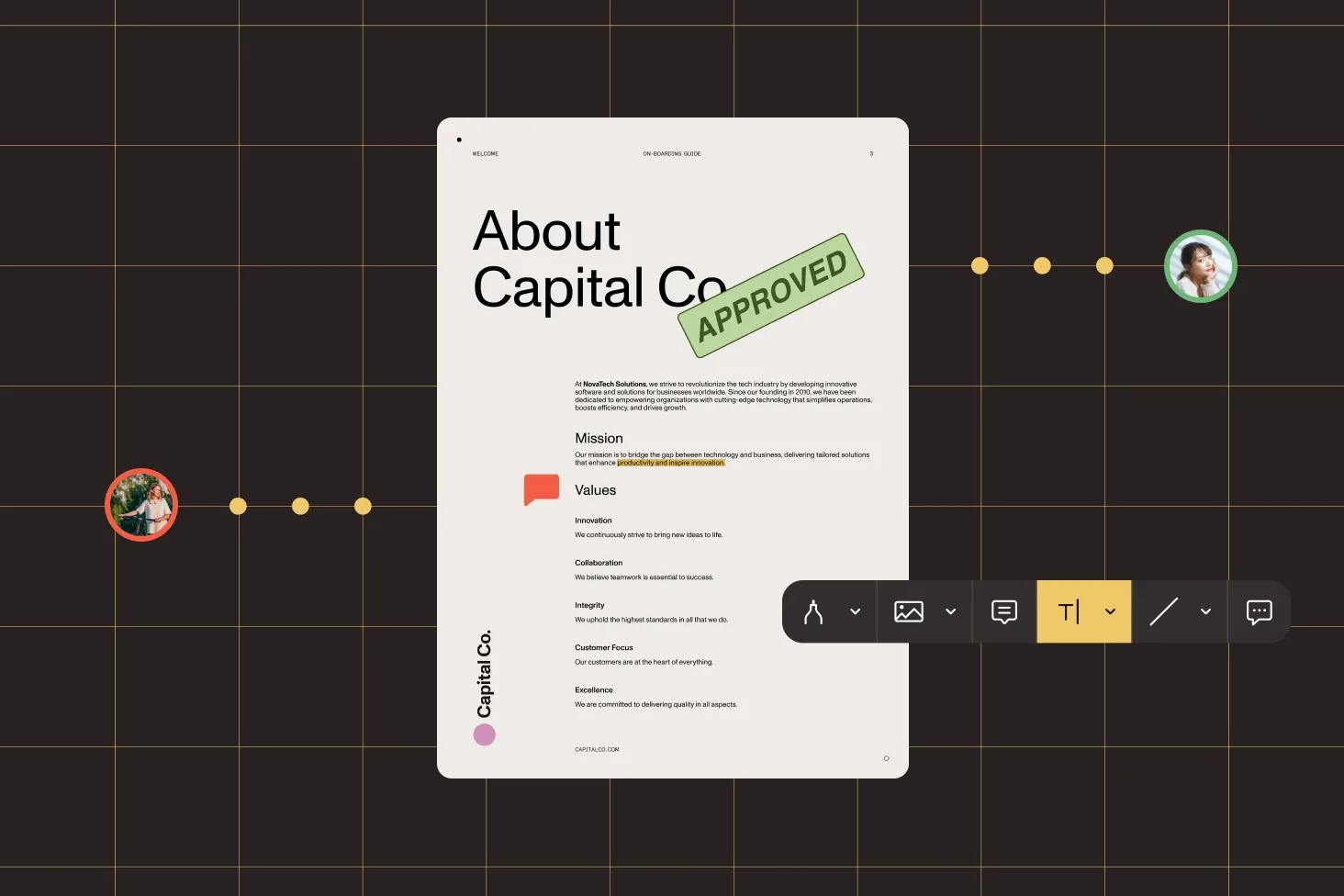
Users need to highlight passages, add sticky notes, and draw on PDFs. The SDK provides 17+ annotation types with a ready-made toolbar — or the ability to create annotations programmatically from Dart code.
Annotations created in Flutter need to appear on web or other native clients. Export as Instant JSON for cross-platform synchronization, or use XFDF for Adobe Acrobat compatibility on iOS.
The SDK supports annotations on image documents (PNG, JPG, TIFF) in addition to PDFs. Annotation data is stored as XMP metadata embedded in the image file.
Import annotations from Instant JSON payloads returned by your server. Useful for loading review comments, preplaced stamps, or approval signatures before a user opens the document.
Add annotations through the built-in toolbar or programmatically. Update properties like color, opacity, line width, and bounding box with immutable update methods.
hidden, locked, readOnly, print Move annotation data between platforms using Instant JSON (all platforms) or XFDF (iOS). Import from server payloads or export for external processing.
Control how annotations are persisted. Autosave on background events, save manually, flatten into page content, embed permanently, or remove entirely.
Configure which annotation tools appear in the toolbar. Group annotation types and set preset configurations for colors, sizes, and styles per annotation type.
ADVANCED CAPABILITIES
The SDK handles more than adding markup. Control annotation flags, set author names, update properties with immutable methods, annotate image files, and manage save behavior — all from a single Dart API that works across iOS, Android, and web.
Control visibility and behavior per annotation with flags: hidden, print, locked, lockedContents, and readOnly. Set them programmatically when creating or updating annotations.
Annotate PNG, JPG, and TIFF files in addition to PDFs. Annotation data is stored as XMP metadata embedded in the image file.
Update annotation properties using immutable withX() methods that return a new annotation instance. Pass the updated annotation back to the controller to apply changes.
Set the author name on annotations programmatically. Useful for multiuser review workflows where you need to track who created each annotation.
Enable annotation editing in your configuration. Then either let users create annotations through the built-in toolbar, or add them programmatically by constructing annotation objects and passing them to the controller. The SDK supports 17+ types, including highlights, ink, shapes, notes, stamps, and images. See the programmatic annotations guide.
The SDK supports highlight, underline, strikeout, squiggly, ink (drawing), free text, note (sticky notes), stamp, image, rectangle, ellipse, line, polygon, and link annotations. Each type has a corresponding Dart class with type-specific properties. See the annotation types guide.
Use Instant JSON to export annotations on all platforms — it produces a compact payload with built-in diff support, ideal for cross-platform synchronization. On iOS, you can also export as XFDF, which is an ISO standard format compatible with Adobe Acrobat. See the Instant JSON guide.
Use the process annotations method with the flatten mode. This burns annotations into the page content permanently — they become part of the PDF and can no longer be edited. Other modes include embed (permanent but separate), remove (delete all), and print. See the flatten guide.
Yes. The SDK supports annotations on image documents in addition to PDFs. Annotation data is stored as XMP metadata embedded in the image file. The same annotation types and programmatic API work on image documents. See the image annotations guide.
Autosave triggers when the app goes to the background, when configuration changes occur, when the view is covered by another screen, and after digital signing. You can disable autosave and control saving manually for review-then-save workflows. See the autosave guide.
Configure the annotation toolbar grouping to control which tools appear and how they’re organized. Set preset configurations per annotation type to define default colors, line widths, and styles. See the annotation toolbar guide.
Yes. Annotation creation, editing, and removal work on all three platforms through the same Dart API. Instant JSON import/export works on all platforms. XFDF import/export is currently available on iOS. See the annotations overview.
FREE TRIAL
Add PDF annotations to your Flutter app in minutes — 17+ types, built-in toolbar, and programmatic API. No payment information required.
Also available for
More Flutter SDK capabilities




