Nutrient Python SDK
Generate PDFs programmatically in Python
- Generate documents and reports from Word, PowerPoint, or Excel templates with a JSON data model
- Preserve fonts, styles, and layout — no manual XML handling
- Export to PDF or accessible PDF/UA (ISO 14289)
- Server-ready — runs on Linux, Docker, and CI/CD pipelines
Need pricing or implementation help? Talk to Sales.
PDF GENERATION IN PYTHON
from nutrient_sdk import Documentfrom nutrient_sdk import WordEditorfrom nutrient_sdk import NutrientException
def main(): try: with Document.open("input_template.docx") as document: editor = WordEditor.edit(document)
with open("input_template_model.json", "r") as f: model = f.read()
editor.apply_template_model(model) editor.save_with_model_as("output.docx") print("Successfully generated document from template") except NutrientException as e: print(f"Error: {e}")
if __name__ == "__main__": main()from nutrient_sdk import Documentfrom nutrient_sdk import WordEditorfrom nutrient_sdk import PdfConformancefrom nutrient_sdk import NutrientException
def main(): try: with Document.open("input_template.docx") as document: editor = WordEditor.edit(document)
with open("input_template_model.json", "r") as f: model = f.read()
editor.apply_template_model(model) editor.save() editor.close()
# Configure PDF/UA conformance for accessible output. pdf_settings = document.settings.pdf_settings pdf_settings.conformance = PdfConformance.PDF_UA_1
document.export_as_pdf("output.pdf") print("Successfully generated accessible PDF from template") except NutrientException as e: print(f"Error: {e}")
if __name__ == "__main__": main() Lufthansa
Disney
Autodesk
UBS
Dropbox
IBM
Lufthansa
Disney
Autodesk
UBS
Dropbox
IBM
Template-based PDF generation for Python
Generate from templates
Separate content from design. Define a Word template once and produce documents from it programmatically.
Merge JSON data
Apply a JSON data model to a template to replace placeholders with real values in a single call.
Preserve formatting
Styles and layout are kept intact during processing — no manual XML manipulation or style handling required.
Accessible PDF/UA output
Export generated documents as PDF/UA conforming to the ISO 14289 accessibility standard.
Comprehensive PDF generation capabilities
Word template generation
Open a Word template, apply a JSON data model, and replace every placeholder with real data in one call.
- Fill DOCX placeholders from a JSON model
- Save as a processed Word document or PDF
- No Word internals or XML handling required
PowerPoint and Excel template generation
Apply the same JSON data model workflow to PPTX and XLSX templates. Then export directly to accessible PDF/UA.
- Fill PPTX or XLSX placeholders from a JSON model
- Save as a processed presentation, workbook, or PDF
- Configure PDF/UA conformance before export
Accessible PDF/UA output
Generate from a template and export an accessible PDF that meets the ISO 14289 (PDF/UA) standard.
- Configure PDF/UA conformance on export
- Automatic accessibility tagging
- Compliant invoices, legal, and educational documents
Reports and data-driven documents
Drive document content from a data model to produce reports and personalized documents consistently and in volume.
- Generate reports, invoices, and contracts
- Consistent output, fewer manual errors
- Dynamic content based on your data
Format-preserving export
Keep the template’s styles and layout intact while exporting the processed document to PDF.
- Preserve fonts, styles, and layout
- Export processed templates to PDF
- Single API from template to output
Built for document automation
Template generation is a four-step flow — open the template, create an editor, apply the data model, and save or export. The SDK handles document internals so you can focus on your business logic.
Template inputs
Word (DOCX) JSON data model Placeholders Output formats
DOCX PDF PDF/UA Python API
Document WordEditor apply_template_model export_as_pdf HOW TEMPLATE GENERATION WORKS
From template to PDF in four steps
Open a Word template, create an editor, apply a JSON data model to fill the placeholders, and save or export the result. PDF/UA conformance is a single configuration step before export, so accessible output is part of the same flow.
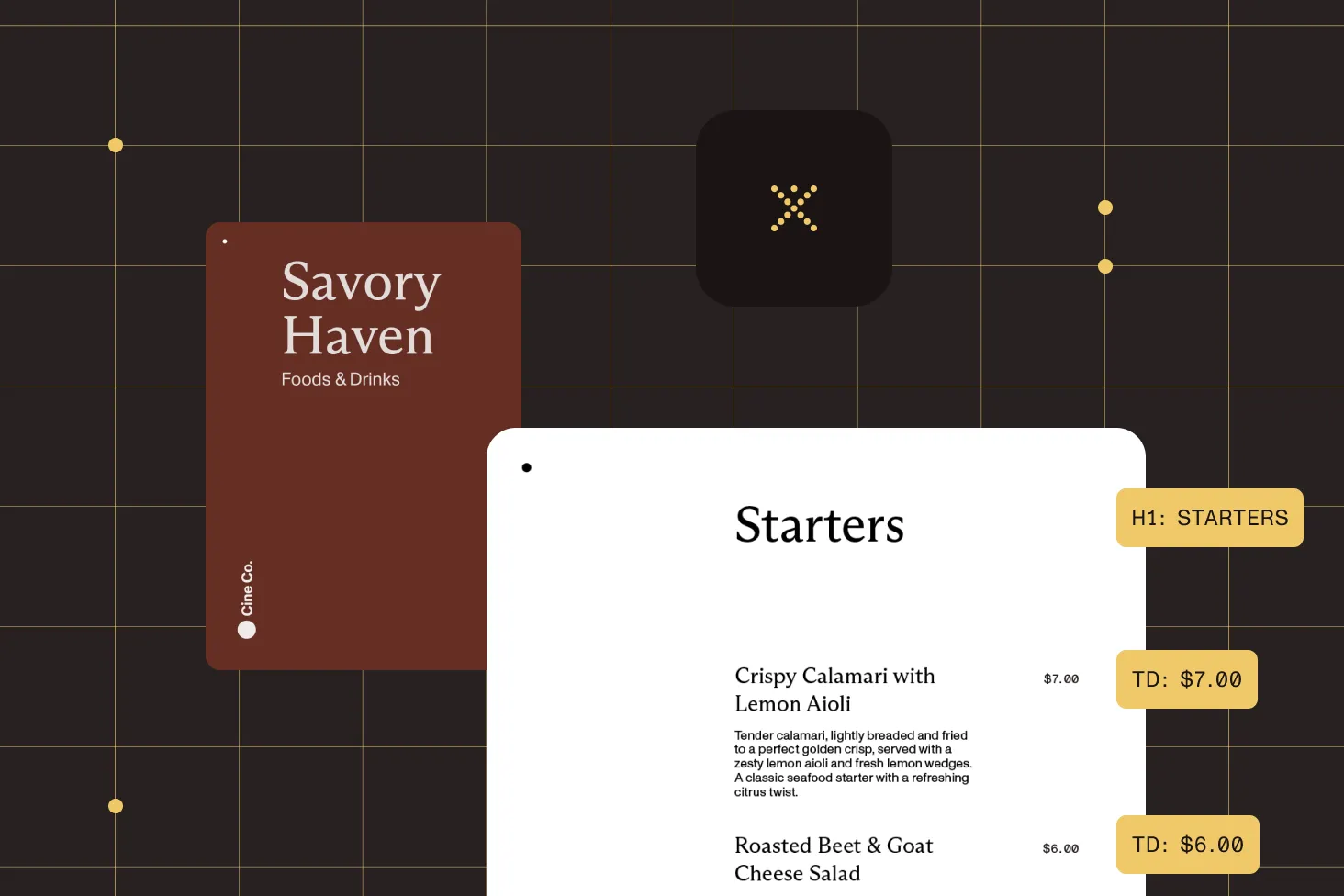
Open the template
Load a Word template with a context manager so the document is closed and resources are released automatically.
Apply the data model
Pass a JSON model to the editor to replace every placeholder with real data while preserving formatting.
Save or export
Save the processed Word document, or export it directly to PDF from the same API.
Conform to PDF/UA
Set PDF/UA conformance before export to produce an accessible PDF that meets ISO 14289.
Frequently asked questions
How do I generate a PDF programmatically in Python?
Open a Word template, create a WordEditor, and call
apply_template_model() with a JSON data model to fill
the placeholders. You can then save the result as a Word document
or export it to PDF — generating the document programmatically with
no manual layout work. The
Word template generation guide
walks through a complete example.
How do I create a PDF report in Python?
Design the report layout once as a Word template. Then supply
the figures and text as a JSON data model. Calling
apply_template_model() merges the data into the template,
and you export the finished report as a PDF. Because the content comes
from data, you can regenerate reports on a schedule or per request,
with consistent formatting every time.
What template formats are supported?
Generation is driven by Word (DOCX) templates combined with a JSON data model. The data model supplies the values that replace the placeholders in the template, so you maintain the design in Word and the content in your data.
Can I generate accessible PDF/UA documents?
Yes. After applying the template model, set the PDF conformance to PDF/UA before exporting. The output meets the ISO 14289 accessibility standard with the appropriate tagging applied automatically. See the Word template to PDF/UA guide for more information.
Does template generation preserve formatting?
Yes. The SDK preserves the template’s styles and layout while replacing placeholders with your data. You don’t need to parse Word internals, manage XML structures, or handle style preservation yourself — the API does it behind the scenes.
Can I output a Word document instead of a PDF?
Yes. After applying the data model, you can save a processed Word (DOCX) document or export the same processed document to PDF. Both outputs come from the same template-processing flow.
What use cases is this best suited for?
Template-based generation fits data-driven document workflows — invoices, contracts, statements, letters, and personalized educational or legal materials. Defining the design once and generating from a data model keeps output consistent and reduces manual errors at scale.
How does licensing work for the Python SDK?
The SDK uses a per-server licensing model based on the number of servers or containers running the SDK, not per document or per user. A single license allows unlimited document processing on that server and covers development, staging, and production environments. You can start with a free trial that includes full functionality to evaluate generation in your environment.
Explore more
Also available for
More Python SDK capabilities