Nutrient Python SDK
Add digital signatures to PDFs in Python
- Apply invisible and visible digital signatures with PKCS#12 certificates
- Customize visible signatures with auto text, images, or styled text
- Add PAdES-T trusted timestamps and choose SHA-256 or SHA-512 hashing
- Cryptographic integrity with built-in verification and tamper detection
Need pricing or implementation help? Talk to Sales.
PDF SIGNING IN PYTHON
from nutrient_sdk import Document, Signaturefrom nutrient_sdk import DigitalSignatureOptions
with Signature() as signer, Document.open("input.pdf") as document: options = DigitalSignatureOptions() options.certificate_path = "certificate.pfx" options.certificate_password = "<password>" options.signer_name = "John Doe" options.reason = "Document Approval" options.location = "New York"
signer.sign(document, "output_signed_invisible.pdf", options)from nutrient_sdk import Document, PdfEditor, Signaturefrom nutrient_sdk import DigitalSignatureOptions, SignatureAppearance
# 1. Add a signature field.with Document.open("input.pdf") as document: editor = PdfEditor.edit(document) page = editor.page_collection.first editor.form_field_collection.add_signature_field( name="ApprovalSignature", page=page, x=100.0, y=700.0, width=200.0, height=50.0 ) editor.save_as("with_field.pdf") editor.close()
# 2. Sign the field with a generated appearance.with Signature() as signer, Document.open("with_field.pdf") as document: options = DigitalSignatureOptions() options.certificate_path = "certificate.pfx" options.certificate_password = "<password>" options.signer_name = "John Doe" options.reason = "Final Approval"
appearance = SignatureAppearance() appearance.use_auto_generated_text = True appearance.show_validation_mark = True
signer.sign_field(document, "signed.pdf", "ApprovalSignature", options, appearance)from nutrient_sdk import Document, Signaturefrom nutrient_sdk import DigitalSignatureOptions, TimestampConfigurationfrom nutrient_sdk import SignatureHashAlgorithm
with Signature() as signer, Document.open("input.pdf") as document: options = DigitalSignatureOptions() options.certificate_path = "certificate.pfx" options.certificate_password = "<password>" options.signer_name = "Legal Department" options.reason = "Contract Execution" options.hash_algorithm = SignatureHashAlgorithm.SHA512
timestamp = TimestampConfiguration() timestamp.server_url = "http://timestamp.digicert.com" options.timestamp = timestamp
signer.sign(document, "output_signed_timestamped.pdf", options) Lufthansa
Disney
Autodesk
UBS
Dropbox
IBM
Lufthansa
Disney
Autodesk
UBS
Dropbox
IBM
A complete PDF signing library for Python
Invisible signatures
Embed a cryptographic signature into the PDF structure without changing how the document looks.
Visible signatures
Render a signature on the page with auto-generated text, a handwritten image, or custom styled text.
Timestamps and PAdES-T
Add RFC 3161 trusted timestamps for long-term validation, and select SHA-256 or SHA-512 hashing.
Verification and integrity
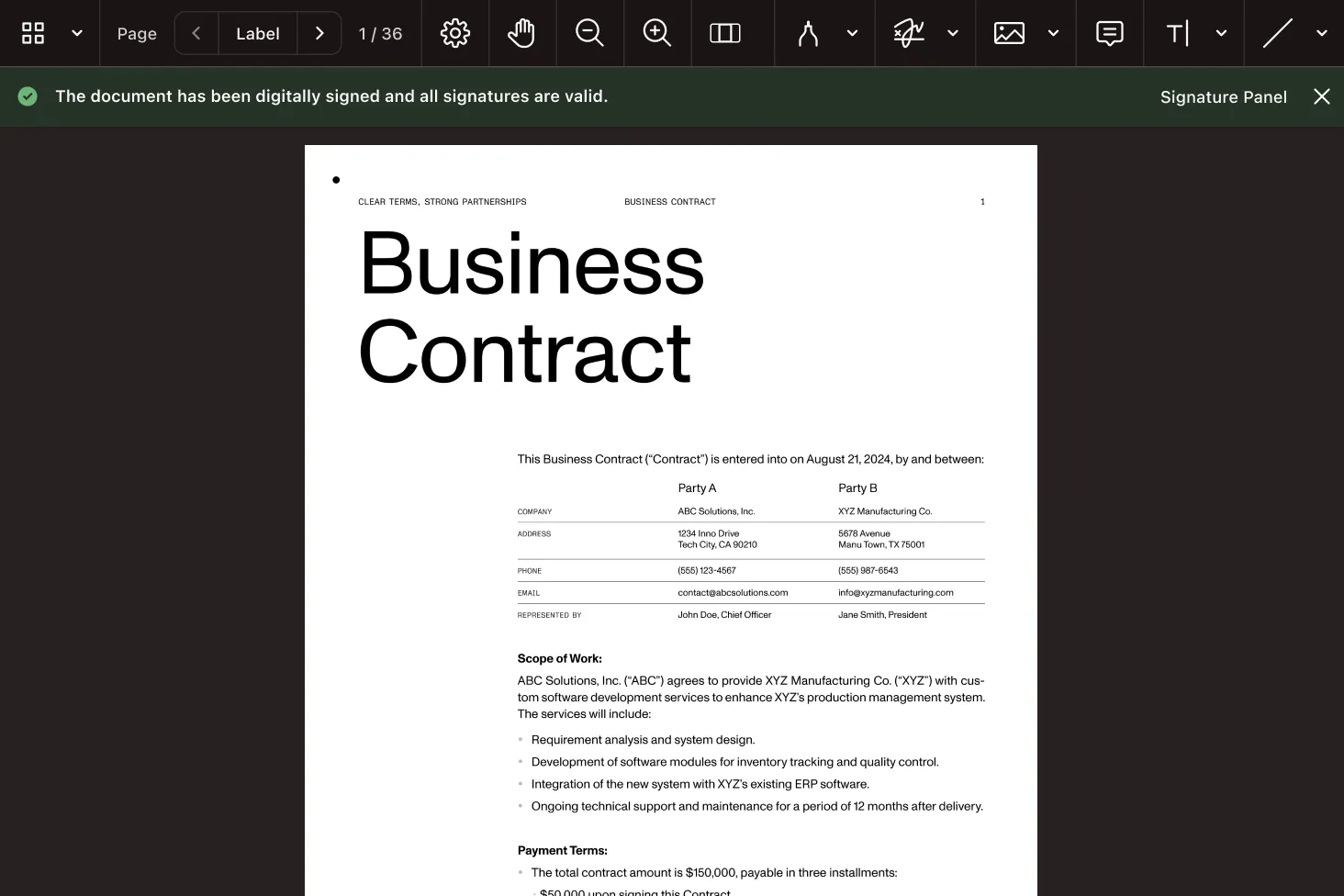
Signatures verify in standard PDF viewers, and any change after signing triggers a tamper warning.
PDF signing capabilities for Python
Invisible digital signatures
Sign a document cryptographically without adding any visible element to the page.
- PKCS#12 certificate signing
- Signer name, reason, location, contact
- Ideal for automated signing pipelines
Visible signatures
Add a signature field and render its appearance from metadata, an image, or custom text.
- Auto-generated text from signer metadata
- Image-based or custom multiline text
- Font, size, and ARGB color control
Timestamps and SHA-512
Produce PAdES-T signatures with trusted timestamps and stronger hashing for compliance.
- RFC 3161 trusted timestamps (PAdES-T)
- SHA-256 or SHA-512 hash algorithms
- Long-term validation after certificate expiry
Electronic signatures
Apply a visual-only signature when certificate-based validation isn’t required.
- Image rendered into a signature field
- No certificate needed (visual only)
- For internal, low-assurance workflows
Cryptographic signing, handled for you
The SDK handles PKCS#12 certificate parsing, private key extraction, hash computation, byte-range calculations, and signature embedding — so you configure signer metadata and appearance, not low-level cryptography.
Signature types
Invisible Visible Electronic PAdES-T Cryptography
PKCS#12 SHA-256 SHA-512 RFC 3161 Python API
Signature DigitalSignatureOptions sign sign_field HOW SIGNING WORKS
Configure, sign, and verify
Open the PDF, point the signer at a PKCS#12 certificate, and choose invisible signing or a visible signature field with an appearance. Add a timestamp and hash policy when compliance requires it. The signed document then verifies in any standard PDF viewer.
Load the certificate
Point DigitalSignatureOptions at a PKCS#12 (.pfx) certificate and set signer name, reason, and location.
Sign invisibly or visibly
Call sign() for an invisible signature, or add a signature field and call sign_field() with an appearance.
Add timestamp and hash policy
Attach an RFC 3161 timestamp for PAdES-T and select SHA-512 when a stronger hash is required.
Verify and detect tampering
Signatures appear in PDF viewer signature panels; edits after signing trigger a tamper warning.
Frequently asked questions
How do I sign a PDF in Python?
Open the PDF, create a Signature instance, and configure
DigitalSignatureOptions with a PKCS#12 certificate and
signer metadata. Call sign() for an invisible signature,
or add a signature field and call
sign_field() for a visible one. See the
invisible signature guide for more information.
How do I add a digital signature in Python?
Digital signatures use a PKCS#12 (.pfx)
certificate. Set
certificate_path and
certificate_password on
DigitalSignatureOptions, add signer details, and
sign. The SDK loads the private key, computes the hash, and
embeds the signature and certificate chain into the PDF.
What’s the difference between visible and invisible signatures?
An invisible signature embeds cryptographic proof into the PDF structure without changing how the page looks — ideal for automated workflows. A visible signature renders an appearance (generated text, an image, or custom text) inside a signature field on the page, combining visual signoff with the same cryptographic integrity.
Can I add a trusted timestamp (PAdES-T)?
Yes. Configure a TimestampConfiguration with the TSA
server_url and assign it to
options.timestamp. The SDK uses the RFC 3161
protocol to obtain a trusted timestamp, producing a PAdES-T
signature that supports long-term validation after the signing
certificate expires. See the
advanced signatures guide for more information.
Which hash algorithms are supported?
Signatures use SHA-256 by default. To require a stronger hash,
set hash_algorithm to
SignatureHashAlgorithm.SHA512 — useful for government
compliance and high-security environments.
What’s the difference between digital and electronic signatures?
A digital signature is backed by a certificate and
provides cryptographic verification and tamper detection. An
electronic (visual-only) signature renders an image
into a signature field without a certificate — pass
None for the options to sign_field().
Use it for internal workflows where certificate-based validation
isn’t required.
How are signatures verified?
Signed PDFs verify in standard viewers — Adobe Reader, Preview, and browser PDF viewers — through their signature panels, which show the signer, signing time, certificate details, and status. If the document is modified after signing, viewers display a tamper warning.
Is there a free trial?
Yes. Get started with a free trial of the Python SDK. Then contact Sales for pricing or a production license.
Explore more
Also available for
More Python SDK capabilities