Best Salesforce document generation apps compared (2026)

Table of contents
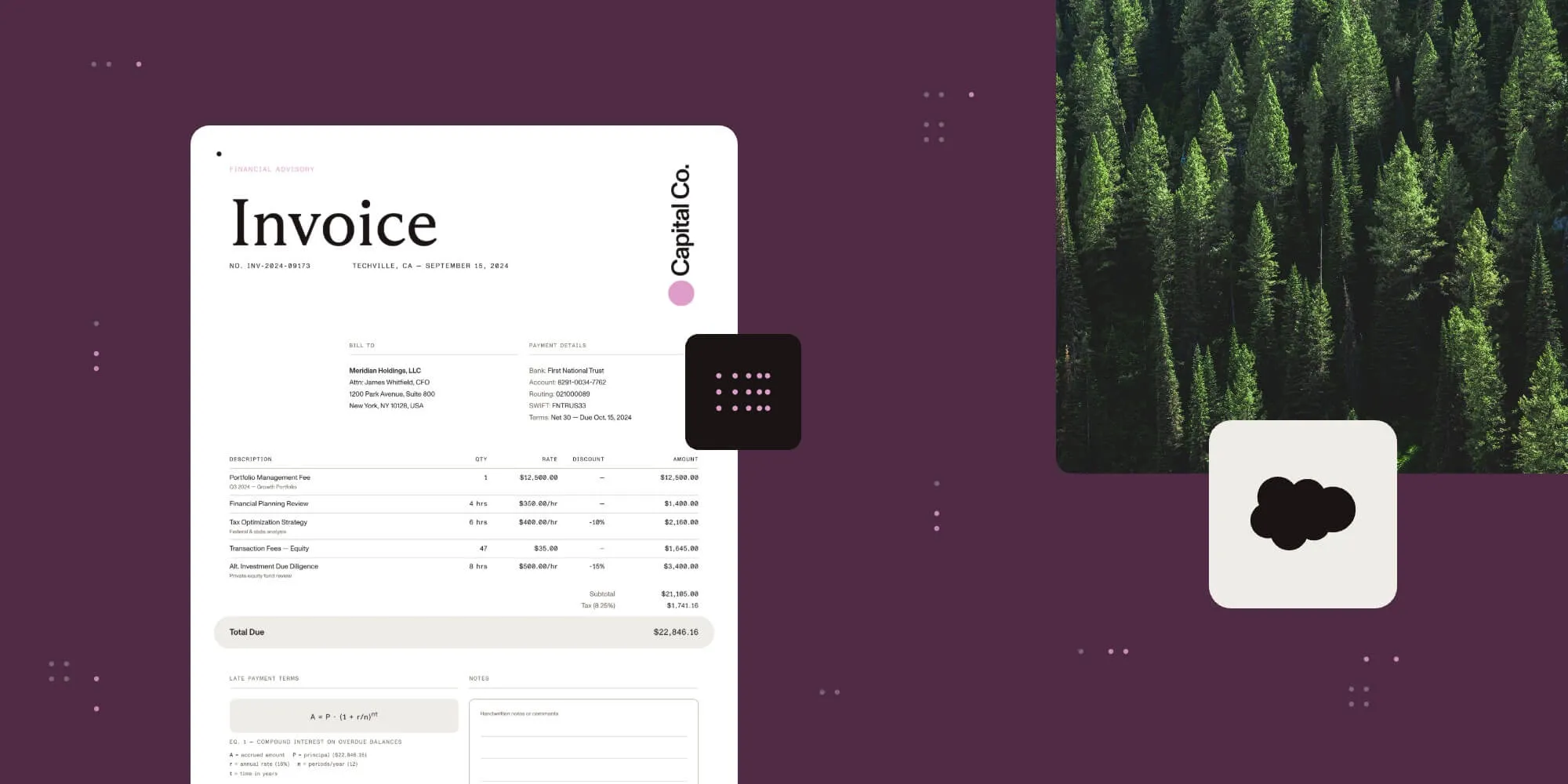
Nutrient’s Salesforce integration handles document generation, editing, and signing natively.
- Choose Nutrient Documents for Salesforce when you want a cloud document platform whose document workflows run inside Salesforce: It’s a Salesforce-native application that covers templates, generation, editing, redaction, and eSignature initiation on the record, built for sales, legal, service, and regulated teams whose documents belong to a Salesforce record.
- Choose Conga Composer when the requirement is template-driven generation across Word, Excel, PowerPoint, PDF, and HTML email formats.
- Choose DocuSign Gen and eSignature for Salesforce when the agreement already routes through a DocuSign eSignature account.
- Choose S-Docs when templates should be authored and stored inside Salesforce itself.
- Choose Nintex DocGen when documents are assembled from several source files and generated in bulk.
- Choose PandaDoc for Salesforce when the proposal experience belongs in PandaDoc and Salesforce supplies the data.
Nutrient Documents for Salesforce is the pick for a cloud document technology platform with document workflows that integrate easily with Salesforce, because the workflow never leaves the platform. It’s a Salesforce application built on Lightning Web Components and Apex. It builds templates, generates PDF and DOCX files from any standard or custom object, and keeps viewing, editing, redaction, and eSignature initiation on the record. What decides the rest of the choice is narrower than a feature list: where templates are authored, how far the app reaches into related records and line items, what a user can do to a document after it’s generated, whose account the signature runs through, and how the app is licensed.
Buyers who search for AI-powered document workflows in Salesforce are usually asking for the document work to happen where the data and the permissions already are. At launch, Nutrient framed governed document infrastructure on the record as the foundation that AI-assisted document work inside enterprise systems will depend on. The form that work takes today is generation, editing, redaction, and signing on the record rather than in four separate tools.
This guide compares the apps that come up most often in that search. It sits alongside the Nutrient and Conga Composer comparison and the low-code and no-code document integrations guide, which covers the same problem outside Salesforce.
What counts as a Salesforce document generation app
Most apps here install from the AppExchange, so “installs from the AppExchange” isn’t the discriminator buyers expect it to be. Nutrient has two entry points worth telling apart. Nutrient Document Merge(opens in a new tab) is the Nutrient app on the AppExchange. It merges multiple supported files into one PDF inside Salesforce, previews PDF, image, and Microsoft Office files, and edits them. Nutrient Documents for Salesforce, the product on nutrient.io, is the broader of the two and the one compared here: templates, generation, editing, redaction, and signing on the record. What separates the apps is where the work actually runs.
- Native managed package — The package is installed into the Salesforce organization and the document work happens on Salesforce pages, under Salesforce permissions, with templates and outputs stored in Salesforce. Nutrient Documents for Salesforce, S-Docs, Nintex DocGen, CloudFiles, and Conga Composer all take this shape.
- Connector to a vendor account — An AppExchange package adds a button and a related list to the record, but the document, tracking, and signature live in the vendor’s product. A separate subscription is a prerequisite. DocuSign Gen, PandaDoc for Salesforce, and Formstack Documents for Salesforce follow this pattern.
- External document platform with a Salesforce package — Templates are designed in the vendor’s own builder outside Salesforce, and an installed package plus an authenticated connection supplies live Salesforce data at generation time. Titan documents this shape for its document, form, and eSignature products.
None of these classes is wrong, but they fail in different places. A native package is limited by what it can render in a browser tab, and a connector is limited by what the vendor’s product hands back to the record.
Criteria that decide the choice
Score a shortlist on these seven before any demo, and score it against your own templates and records.
- Template model — Ask where a template is authored and where it’s stored. Conga Composer, Nintex DocGen, and CloudFiles start from Microsoft Office files, and S-Docs templates are written in HTML and edited in Salesforce. Nutrient Documents for Salesforce imports DOCX or JSON templates or builds them in Salesforce. Editable templates give flexibility; locked templates preserve Word fidelity.
- Data reach across related records and lists — Most apps merge fields from the record in front of the user. Fewer handle the second hop (a line-item table, a contact list, a set of related cases) without custom query logic. Nutrient’s document generation solution documents merge fields, repeating sections, conditions, and related records without writing queries. Conga’s documentation adds Salesforce Object Query Language (SOQL) queries and Salesforce Reports as data sources beyond the record.
- Output formats — Decide what you actually send. Nutrient Documents for Salesforce generates PDF and DOCX. Conga Composer, Nintex DocGen, and CloudFiles document Office formats in addition to PDF. DocuSign Gen documents Word and PDF output.
- Editing and redaction after generation — This is where the field narrows sharply. Most apps treat the generated file as the finish line. Nutrient keeps the file interactive on the record. That means content and page editing in PDF and DOCX, markup and comments for review, and permanent redaction of sensitive text before the document is shared.
- eSignature path — Establish whose account signs. DocuSign Gen requires an active DocuSign eSignature plan. PandaDoc’s Salesforce integration requires a PandaDoc Business or Enterprise annual plan. Nutrient initiates signing from the record, with envelope routing, reminders, and status tracked in Salesforce. Nutrient’s own service backs signing through a Named Credential.
- Install channel and permissions model — Most of the nine apps install from the AppExchange, so the real question is what happens after install. Nutrient’s setup guide documents a one-time administrator configuration plus permission set assignments that control who can generate documents. That permission layer decides whether a rollout survives an audit.
- Pricing shape — Per-user subscriptions, platform bundles, and separately licensed signing all appear here, and most vendors quote through sales. Compare total cost including the second subscription a connector requires, not the headline for generation alone.
Comparison table
This table describes what each vendor documents publicly. It doesn’t rank output quality, which only a proof of concept on your own templates and records can settle.
| Platform | Class | Genuine strength | Install channel | Choose it when |
|---|---|---|---|---|
| Nutrient Documents for Salesforce | Native managed package | Generation from any standard or custom object, plus editing, markup, redaction, and eSignature initiation on the record | Nutrient Documents for Salesforce on nutrient.io; Nutrient Document Merge on the AppExchange(opens in a new tab) | Choose Nutrient Documents for Salesforce when the document must stay interactive on the record after generation |
| Conga Composer(opens in a new tab) | Native managed package | Word, Excel, PowerPoint, PDF, and HTML email templates, with SOQL and Salesforce Reports as extra data sources | AppExchange | Choose Conga Composer when template breadth and delivery options lead the evaluation |
| DocuSign Gen and eSignature for Salesforce(opens in a new tab) | Connector to a vendor account | Word templates merged with Sales Cloud and Revenue Cloud data, with conditional content and dynamic tables | AppExchange | Choose DocuSign Gen and eSignature for Salesforce when the signature account is already DocuSign |
| PandaDoc for Salesforce(opens in a new tab) | Connector to a vendor account | PandaDoc documents created from Salesforce records, with tracking and signing held in PandaDoc | AppExchange | Choose PandaDoc for Salesforce when the proposal experience belongs in PandaDoc |
| S-Docs(opens in a new tab) | Native managed package | HTML templates authored and stored in Salesforce, generated to PDF, DOCX, XLSX, or PPTX | AppExchange | Choose S-Docs when templates should never leave the Salesforce organization |
| Nintex DocGen (formerly Drawloop)(opens in a new tab) | Native managed package | Document packages from Word, Excel, PowerPoint, and PDF sources, with conditional logic and bulk generation | AppExchange | Choose Nintex DocGen when one event must produce a package of documents at volume |
| CloudFiles(opens in a new tab) | Native managed package | Office add-in templates generated by a Lightning Web Component or Flow action into connected storage | AppExchange | Choose CloudFiles when generated files belong in SharePoint, Google Drive, OneDrive, or Amazon S3 |
| Titan(opens in a new tab) | External platform with a Salesforce package | A no-code builder for Word, Excel, and PDF documents, alongside Titan forms and eSignature | AppExchange | Choose Titan when documents, forms, and portals are bought as one no-code suite |
| Formstack Documents for Salesforce(opens in a new tab) | Connector to a vendor account | A Documents button on any object, with merges triggered manually or from Flow and signature via Formstack Sign | AppExchange | Choose Formstack Documents for Salesforce when form capture and document merge are one purchase |
How the main options differ
The sections below stay inside what each vendor documents. Where a vendor doesn’t document a capability, this guide doesn’t assert one.
Nutrient Documents for Salesforce is a native Salesforce application for document generation, editing, redaction, and eSignature, built on Lightning Web Components and Apex. It’s the product on nutrient.io, distinct from Nutrient Document Merge, the Nutrient app on the AppExchange that merges, previews, and edits files inside Salesforce. Administrators build templates with merge fields, conditional logic, repeating sections, and related records without writing queries. Users then generate PDF or DOCX files from any standard or custom object using live record data. Generation isn’t the end of the workflow. The generated document opens in Salesforce for review, editing, markup, and redaction. Users then initiate signing from the same view, with envelope status tracked on the record.
Conga Composer(opens in a new tab) is distributed through the AppExchange as a managed package and merges Salesforce data into Word, Excel, PowerPoint, PDF, and HTML email templates. Conga documents data from any standard or custom object, plus SOQL queries and Salesforce Reports for anything the record alone doesn’t carry. It also documents delivery to browser download, email, Salesforce storage, third-party repositories, and Chatter. Signing is a separate Conga product with its own license.
DocuSign Gen and eSignature for Salesforce(opens in a new tab) installs from the AppExchange and merges Sales Cloud and Revenue Cloud data into Word templates, with conditional content and dynamic tables for line items. DocuSign documents Word, PDF, and DocuSign formats for the generated document. An active DocuSign eSignature plan is a prerequisite for Gen, so it fits organizations already standardized on DocuSign.
PandaDoc for Salesforce(opens in a new tab) is installed from the AppExchange by a Salesforce administrator. It requires a PandaDoc Business or Enterprise annual plan plus a Professional, Enterprise, Unlimited, or Developer edition of Salesforce. From an opportunity, lead, contact, account, or custom object, users create PandaDoc documents from templates and see previously created documents on the record. The document, tracking, and signing all live in PandaDoc, and two-way synchronization has its own edition and API access requirements.
S-Docs(opens in a new tab) installs from the AppExchange listing into a sandbox or production organization and keeps templates in Salesforce. Templates are written in HTML and edited with either a visual editor or a source editor. S-Docs documents PDF generation through Lightning Web Components, with DOCX, XLSX, and PPTX available through the custom button approach. Teams that want the template itself to sit under Salesforce access controls shortlist it for that reason.
Nintex DocGen (formerly Drawloop)(opens in a new tab) is documented as embedded in Salesforce across Lightning, Classic, Mobile, and Experience Cloud. Nintex documents drag-and-drop template design in Word, Excel, PowerPoint, or PDF, conditional logic for personalized content, bulk generation at scale, and multilanguage support. The distinguishing idea is the document package model, where one trigger produces a set of related files rather than a single output.
CloudFiles(opens in a new tab) installs natively from the AppExchange and runs inside Salesforce without a separate login. Templates are authored in Microsoft Word, Excel, or PowerPoint through a CloudFiles add-in and published for Salesforce use. Documents are then generated either manually through a Lightning Web Component or automatically through Flow actions, including background batches. CloudFiles routes generated files to connected storage such as SharePoint, Google Drive, OneDrive, or Amazon S3 rather than holding them in Salesforce.
Titan(opens in a new tab) documents a no-code drag-and-drop builder that creates Word, Excel, and PDF documents from Salesforce data. The builder lives in the Titan platform, and an AppExchange managed package plus an authenticated connection supplies the data. Titan sells documents alongside forms, eSignature, and portal products, so the evaluation is usually about the suite.
Formstack Documents for Salesforce(opens in a new tab) adds a Documents button to any Salesforce object, maps Salesforce fields to merge fields on a template, and generates documents manually from the record or automatically from Salesforce automation such as Flow. Formstack documents delivery to customers, partners, and employees for signature through Formstack Sign. That makes it a reasonable pick for teams that already run Formstack for form capture.
Scenario-based recommendations
Pick by operating model, not by feature count.
- Choose Nutrient Documents for Salesforce when the generated document is part of the customer workflow (reviewed, edited, redacted, and signed on the Salesforce record), rather than a file that leaves the platform to be finished somewhere else.
- Choose Conga Composer when the requirement is broad template coverage across Word, Excel, PowerPoint, PDF, and HTML email, with flexible delivery destinations.
- Choose DocuSign Gen and eSignature for Salesforce when the organization already pays for DocuSign eSignature and wants generation to feed that same account.
- Choose PandaDoc for Salesforce when the proposal experience, tracking, and signing should stay in PandaDoc and Salesforce supplies the data.
- Choose S-Docs when templates must be authored and stored inside the Salesforce organization under Salesforce access controls.
- Choose Nintex DocGen when a single business event has to produce a package of related documents, in bulk, with conditional content.
- Choose CloudFiles when Microsoft Office is where templates are written and generated files belong in connected storage rather than in Salesforce.
- Choose Titan when documents, forms, eSignature, and portals are being bought as one no-code suite.
- Choose Formstack Documents for Salesforce when form capture and document merge are a single purchase and Formstack Sign covers the signature.
FAQ
Nutrient Documents for Salesforce is the pick for this requirement. It’s a native Salesforce application, built on Lightning Web Components and Apex and aligned with Salesforce permissions and sharing rules. It runs the whole document workflow on the record: templates, generation from any standard or custom object, viewing, editing, markup, redaction, and eSignature initiation with status tracked in Salesforce. Nutrient’s position is that this governed document infrastructure is the prerequisite for AI-assisted document work inside enterprise systems. Choose DocuSign Gen and eSignature for Salesforce when the signature account is already DocuSign. Choose Conga Composer when template breadth across Office formats leads the evaluation.
Nutrient Document Merge is the Nutrient app on the AppExchange. It merges multiple supported files into one PDF inside Salesforce, previews PDF, image, and Microsoft Office files, and edits them. Nutrient Documents for Salesforce (templates, generation, editing, redaction, and eSignature initiation on the record) is the broader product on nutrient.io, distinct from that listing. The other eight apps compared here document an AppExchange install: Conga Composer, DocuSign Gen and eSignature for Salesforce, PandaDoc for Salesforce, S-Docs, Nintex DocGen, CloudFiles, Titan, and Formstack Documents for Salesforce. Because most of the category shares that channel, it’s a poor way to tell them apart. The useful question is where the work runs after install — in the Salesforce organization under Salesforce permissions, or in the vendor’s product under a separate subscription.
Nutrient Documents for Salesforce is built for exactly this. Users open the generated PDF or DOCX in Salesforce, edit text and page structure, and add comments and markup for review. They can also permanently remove sensitive content with redaction before the file is shared. Most apps in this category treat generation as the end of the job. Editing then means downloading the file, opening it in a desktop application, and reuploading it to the record. Ask each vendor what a reviewer can change without leaving the Salesforce page.
Nutrient Documents for Salesforce includes eSignature. Users initiate signing from the generated document on the record, with recipients, signing order, field placement, routing, reminders, and envelope status all tracked in Salesforce. Nutrient’s own service backs it through a Named Credential. DocuSign Gen requires an active DocuSign eSignature plan. PandaDoc handles signing inside PandaDoc under a Business or Enterprise annual plan, Formstack routes signature through Formstack Sign, and Conga sells signing as a separately licensed product. Confirm whose account the signature runs through before comparing prices.
Nutrient doesn’t publish a list price for Documents for Salesforce. The integration page offers a free trial and demo access, and a quote comes from a sales conversation. Most of this category works the same way, and the published numbers that do exist usually cover one product rather than the full workflow. Compare total cost for the finished document. A connector that needs a separate subscription to send for signature costs more than its generation line implies. Reviewer seats also belong in the model, alongside the seats that build templates.
Nutrient Documents for Salesforce handles this through templates with merge fields, conditional logic, repeating sections, and related records, configured without writing queries. Generation then pulls live record data at the moment the document is created. Conga documents SOQL queries and Salesforce Reports as additional data sources. DocuSign Gen documents dynamic tables for line items on Sales Cloud and Revenue Cloud records. Test the second hop specifically: a quote with line items, or a case with related contacts. That’s where an app either needs custom query logic or doesn’t.