Is my PDF valid? How to check structure and conformance

Table of contents
A valid PDF has more than a .pdf filename: its internal structure must be readable. It may also need to meet a specific standard such as PDF/A. Use a structural checker such as qpdf to investigate file errors, and a conformance validator such as veraPDF for PDF/A or PDF/UA. An encrypted PDF isn’t inherently corrupt, and a file that opens in a viewer hasn’t necessarily passed full validation.
To check whether your PDF is valid, first decide what you need to verify. A file can open successfully in a viewer and still fail a structural check or a PDF/A conformance test. A password-protected file can be structurally valid even when your application can’t read its pages.
This guide separates those checks, shows how to investigate an invalid PDF format error, and explains what Nutrient iOS SDK’s isValid property tells your application.
What makes a PDF valid?
PDF validation can answer three different questions:
| Check | What it tells you | Example tool |
|---|---|---|
| File structure | Whether the parser can read the document’s objects, references, and streams | qpdf |
| Standards conformance | Whether the document meets a chosen profile, such as PDF/A-2b | veraPDF or a PDF/A validation API |
| Application readiness | Whether a particular SDK can access and use the document now | Nutrient iOS SDK’s Document.isValid |
These results aren’t interchangeable. For example, an application readiness check can fail because a valid PDF is locked. A PDF/A validator, by contrast, can reject a readable PDF because it lacks required embedded fonts.
How can a PDF become invalid?
An interrupted download or incomplete upload can truncate a PDF, and an editor can write incorrect object references or stream lengths. A server can also return an HTML error page with a .pdf filename, leaving you with a file that was never a PDF.
Encryption is different: It’s a supported PDF feature, rather than evidence of corruption. A reader may need the correct password before it can inspect the protected document. Encryption also affects conformance — PDF/A(opens in a new tab) doesn’t permit it.
Understanding PDF file structure
A PDF contains a version header, a body of objects, cross-reference information, and trailer information that identifies the document’s root. The startxref value points to the cross-reference section, and %%EOF marks the end of a revision. See our PDF syntax guide for an example.
The header alone doesn’t prove validity. Neither does searching for %%EOF: PDFs can contain multiple revisions because an incremental update appends new or changed objects and another cross-reference section. Content after an earlier end-of-file marker can therefore be legitimate.
Use a parser to inspect the structure rather than editing offsets or deleting bytes in a text editor. Some viewers repair damaged cross-reference information when opening a file, so successful rendering alone doesn’t prove the original bytes are correct.
How to check if a document is a valid PDF
Work through these checks in order, keeping the original file available for comparison.
1. Confirm that you received a PDF
Check the download or upload result, including the response status and expected file size when available. A .pdf extension or application/pdf content type is a useful hint, but neither validates the contents.
Open the file in a PDF viewer to inspect its pages and any error message. Treat a password prompt as an access requirement rather than a corruption diagnosis.
2. Run a structural check
Install qpdf(opens in a new tab) and run this command in the directory containing your file:
qpdf --check document.pdfFor this command, an exit status of zero means the check found no errors or warnings. A status of two indicates errors, and three indicates warnings without errors. Read the diagnostic output: Recoverable damage can produce a warning, even if qpdf can reconstruct enough information to read the file.
qpdf checks syntax and structure, but a clean result doesn’t certify every content stream or every requirement of the PDF specification. It also doesn’t establish PDF/A or PDF/UA conformance.
3. Validate the required PDF profile
If your workflow requires PDF/A for archiving or PDF/UA for accessibility, use a validator for that standard and the required conformance level. veraPDF(opens in a new tab) provides validation profiles for these standards. Its PDF/UA checks cover machine-verifiable requirements. Some accessibility requirements still need human review.
For an application workflow, Nutrient Document Engine’s PDF/A validation API returns a conformance report with validation errors. The Isartor test suite(opens in a new tab) is a collection of PDF/A test files for testing validators rather than a tool that validates your own PDF.
4. Check the document in your application
Load the file in the SDK and workflow that will use it. Test the operations you depend on, such as rendering pages, extracting text, or filling a form. Passing a structural check doesn’t guarantee that every feature is supported by every reader.
Using Nutrient to check whether a PDF can be opened
In Nutrient iOS SDK, Document.isValid checks whether the data source is accessible, the document has at least one page, and the document is unlocked. This is a readiness check for the SDK, rather than a PDF/A or PDF/UA certification.
The following Swift function returns a usable document or nil. It assumes Nutrient iOS SDK is already integrated into your application:
import PSPDFKit
func readableDocument(at url: URL) -> Document? {    let document = Document(url: url)    guard document.isValid else {        return nil    }    return document}
The equivalent Objective-C function uses the PSPDFDocument class name:
#import <PSPDFKit/PSPDFKit.h>
PSPDFDocument * _Nullable ReadableDocument(NSURL *url) {    PSPDFDocument *document = [[PSPDFDocument alloc] initWithURL:url];    if (!document.isValid) {        return nil;    }    return document;}
A nil result doesn’t identify the cause. Check isLocked if the document might be password protected, and follow the password-protected PDF guide to unlock it before checking again. Checking isValid may trigger file access and parsing.
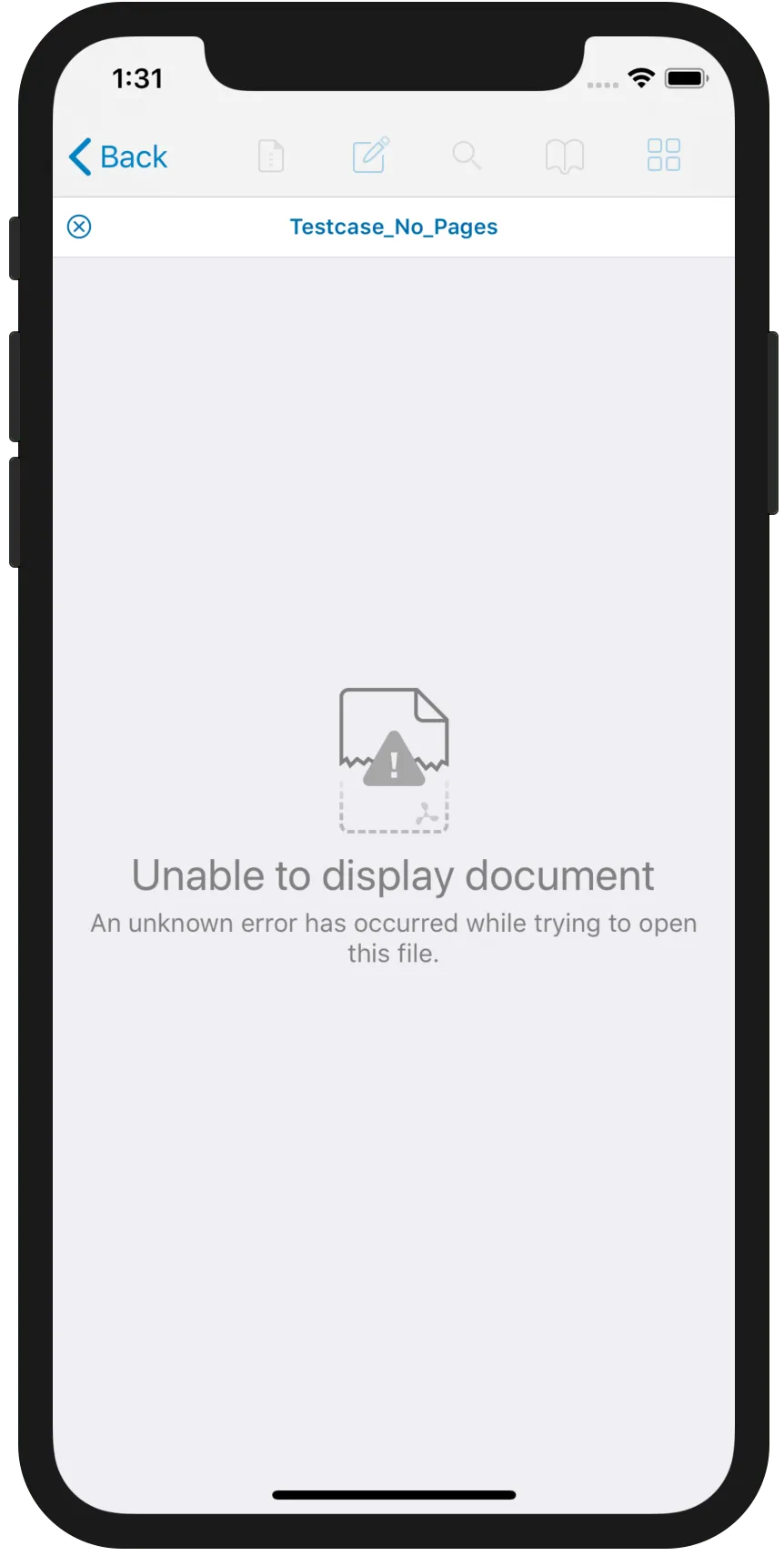
An application can display an error when it can’t open a document, as shown below. Diagnose the cause before telling the user that the file is corrupt.
Can an invalid PDF be repaired?
Start by downloading the file again or requesting a fresh export from the application that created it. This can resolve an incomplete transfer without changing the document’s contents.
If a repair tool can reconstruct the structure, save the repaired result separately and rerun validation. Compare page count, text, images, forms, and any signatures that matter to your workflow. Repair can make a file readable without recovering everything. Modifying a signed document can also affect signature validation.
No repair tool can reliably recreate missing source data. Exporting pages as images may preserve their appearance, but it loses features such as selectable text and interactive forms.
Conclusion
Check file structure, standards conformance, and application readiness separately. Use parser diagnostics to investigate damage, and a profile validator to confirm PDF/A or PDF/UA requirements. Nutrient’s isValid property then shows whether the iOS SDK can use the document now.
FAQ
Opening successfully shows that the viewer can process the file. Some readers repair damaged structures, so rendering alone doesn’t prove that the original file passes validation or meets a standard such as PDF/A.
No. Encryption is part of the PDF format. A locked document may be unavailable to an SDK until you provide the password. A separate standard can impose stricter rules: PDF/A, for example, prohibits encryption.
Use qpdf for structural diagnostics and veraPDF for PDF/A or PDF/UA profile checks. Nutrient Document Engine also provides a PDF/A validation API. Select the check that matches the requirement you need to verify.
No. Renaming a file doesn’t change its format, and a valid-looking header doesn’t establish that the remaining objects and references are correct. Parse the file and inspect any validation errors.
No. Some structural damage is recoverable, but missing document data may be lost. Keep the original, save repairs separately, and verify the repaired output before using it.