Nutrient Java SDK
Redact sensitive data from PDFs in Java
- Mark regions for removal by page coordinates
- Permanently delete underlying text and images — not just hide them
- Combine OCR with redaction to handle scanned documents
- Review marks before applying, or remove them on save
Need pricing or implementation help? Talk to Sales.
PDF REDACTION IN JAVA
import io.nutrient.sdk.Document;import io.nutrient.sdk.types.Color;import io.nutrient.sdk.editors.PdfEditor;import io.nutrient.sdk.editors.pdf.pages.PdfPage;import io.nutrient.sdk.editors.pdf.annotations.PdfAnnotationCollection;import io.nutrient.sdk.editors.pdf.annotations.PdfRedactAnnotation;
public class Redaction { public static void main(String[] args) { try (Document document = Document.open("input.pdf")) { PdfEditor editor = PdfEditor.edit(document); PdfPage page = editor.getPageCollection().getFirst(); PdfAnnotationCollection annotations = page.getAnnotationCollection();
// Mark a region for removal: x, y, width, height (points). PdfRedactAnnotation redaction = annotations.addRedact(72.0f, 684.0f, 504.0f, 72.0f); redaction.setInteriorColor(Color.fromArgb(255, 0, 0, 0));
// Saving applies the redaction and removes the content. editor.saveAs("output.pdf"); editor.close(); } catch (Exception e) { System.err.println("Error: " + e.getMessage()); } }}import io.nutrient.sdk.Document;import io.nutrient.sdk.editors.PdfEditor;import io.nutrient.sdk.editors.pdf.pages.PdfPage;import io.nutrient.sdk.enums.PdfSavePreferences;
public class ReviewRedaction { public static void main(String[] args) { try (Document document = Document.open("input.pdf")) { PdfEditor editor = PdfEditor.edit(document); PdfPage page = editor.getPageCollection().getFirst();
// Mark a region, but don't remove the content yet. page.getAnnotationCollection() .addRedact(72.0f, 684.0f, 504.0f, 72.0f);
// Preserve marks for review instead of applying on save. document.getSettings().getPdfSettings() .setSavePreferences(PdfSavePreferences.None);
editor.saveAs("for-review.pdf"); editor.close(); } catch (Exception e) { System.err.println("Error: " + e.getMessage()); } }} Lufthansa
Disney
Autodesk
UBS
Dropbox
IBM
Lufthansa
Disney
Autodesk
UBS
Dropbox
IBM
Enterprise-grade PDF redaction for Java
Mark redaction regions
Define rectangular areas for removal by page coordinates, with full control over position, size, and overlay appearance.
Permanent removal
Applying a redaction irreversibly deletes the underlying text and images from the file — the content can’t be recovered.
OCR and redaction for scans
Run OCR to make scanned documents searchable. Then redact email addresses, phone numbers, and other sensitive text.
Compliance-ready
Sanitize documents for GDPR, HIPAA, and CCPA workflows before they’re shared, released, or archived.
Comprehensive PDF redaction capabilities
Mark redaction regions
Add redaction annotations to mark rectangular areas for removal by page coordinates.
- Define regions by position, width, and height
- Point-based coordinate system (1 inch = 72 points)
- Add marks to any page in the document
Permanent content removal
Apply redactions to permanently delete the underlying content — it isn’t just hidden behind a box.
- Underlying text and images are erased
- Removed content can’t be recovered from the file
- Safe for secure sharing and archiving
Review-first or apply-now
Control when redactions are applied with save preferences — review marks before committing, or remove on save.
- Preserve annotations for a review pass
- Inspect and adjust marks before applying
- Apply permanently when ready
Customize redaction appearance
Set the fill color shown in place of redacted content to match your output requirements.
- Configurable overlay fill color
- Consistent appearance across redacted regions
- Color applies after redaction is committed
OCR and redaction for scanned PDFs
Scanned documents have no searchable text. Run OCR first to expose the text, then redact it automatically.
- Make image-based pages searchable with OCR
- Redact the recognized text in one workflow
- Handles scanned letters, contracts, and forms
Pattern-based redaction
Use redaction presets to find and remove common sensitive patterns without writing detection logic by hand.
- Presets for email addresses and phone numbers
- Match common patterns across the document
- Combine multiple presets in one pass
Built for compliant document workflows
Redaction is a two-step process — mark regions, then apply to remove them. Target text, images, and regions across privacy, legal, government, and HR workflows, all from a single Java API.
Redaction targets
Text Images Regions Scanned pages Redaction methods
Coordinates Preset patterns OCR text Overlay color Compliance
GDPR HIPAA CCPA Secure removal HOW REDACTION WORKS
Mark, then apply — with full control
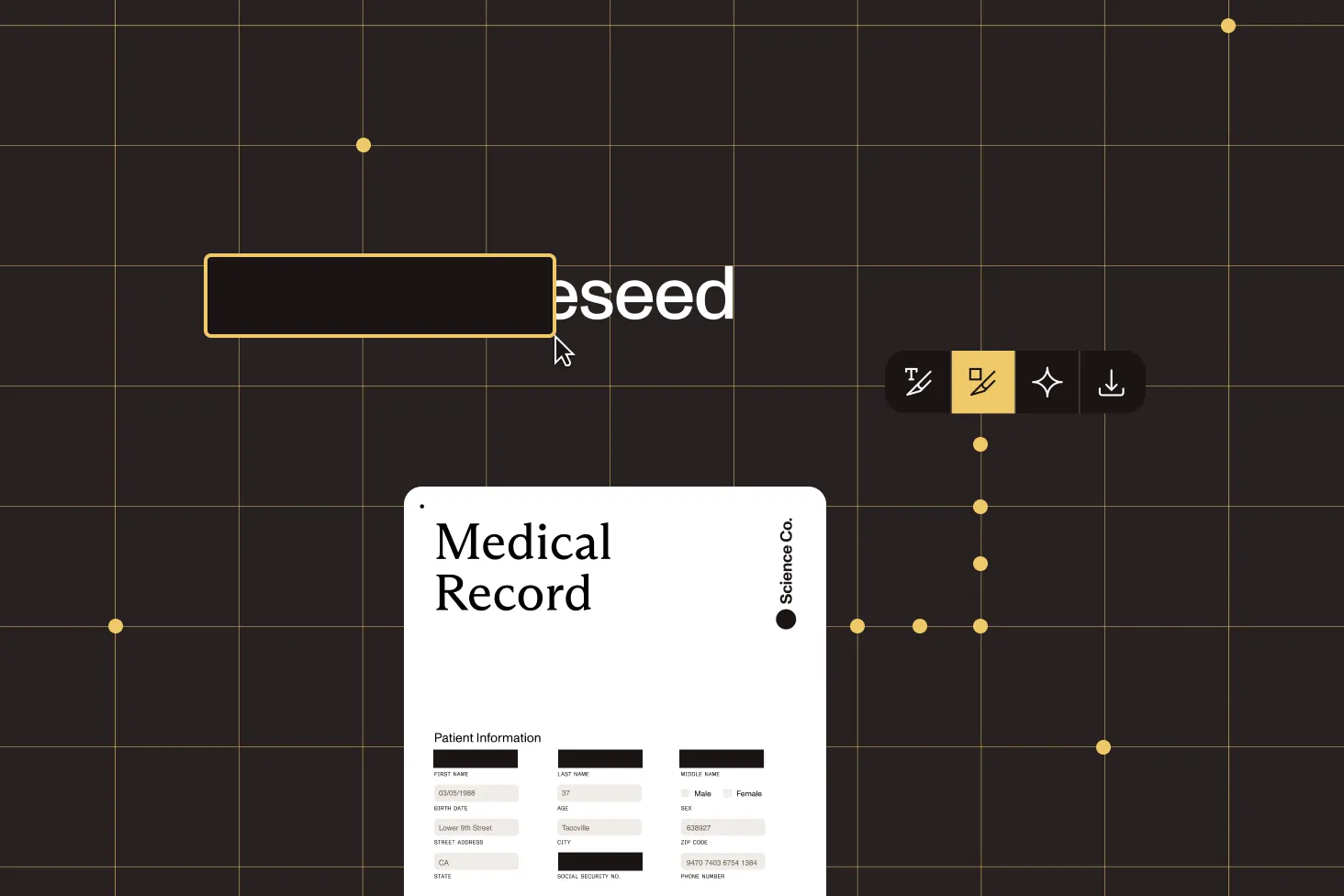
Redaction in the Java SDK is a two-step process: First, mark the regions you want to remove. Then, apply the redactions to permanently delete the underlying content. Separating the steps lets you review and adjust what will be removed before committing.
Two-step mark-then-apply
Add redaction annotations to mark regions first. Then apply to remove them. Adding a mark alone never deletes content.
Review-first save mode
Configure save preferences to preserve marks for a review pass, or apply redactions automatically when the document is saved.
OCR for scanned documents
Run OCR to make image-based pages searchable. Then use text or preset redaction to remove sensitive content from scans.
Point-based coordinates
Position redaction regions precisely using the PDF point coordinate system, with the origin at the bottom-left of the page.
Frequently asked questions
How do I redact a PDF in Java?
Redaction is a two-step process. First, add redaction annotations to mark the rectangular regions you want to remove, specifying their position and size in PDF points. Then, apply the redactions to permanently delete the underlying content. Until redactions are applied, marked content remains in the file. See the redaction annotations guide for more information.
Is the redaction permanent?
Yes. Once redactions are applied, the underlying text and images are irreversibly deleted from the PDF — they aren’t hidden behind a black rectangle. The data is gone from the file, which is what regulations like GDPR and HIPAA require.
Can I review redactions before they’re applied?
Yes. Adding a redaction annotation only marks content for removal — it doesn’t delete anything on its own. By configuring save preferences to preserve annotations, you can keep the marks for a review pass, inspect or adjust them, and apply the redactions permanently only when you’re ready.
How do I redact scanned PDFs in Java?
Scanned documents are images and have no searchable text, so run OCR first to make the content recognizable. You can then redact the text using presets or pattern matching. Our OCR plus redaction tutorial walks through removing email addresses and phone numbers from a scanned letter end to end.
Can I redact by coordinates?
Yes. You define each redaction region by its position, width, and height using the PDF point coordinate system (1 inch = 72 points), with the origin at the bottom-left corner of the page. This is ideal when you know exactly where sensitive content sits — a header, stamp, or signature block, for example.
Does the SDK detect emails and phone numbers automatically?
Yes. The redaction feature includes presets for common patterns such as email addresses and international phone numbers. You can add one or more presets and redact all matching occurrences in a single pass, without writing the detection logic yourself.
What Java versions and platforms are supported?
Nutrient Java SDK supports Java 8 and later, including Java 11, 17, and 21. You can deploy on any operating system that supports Java, including Windows Server, Linux servers, macOS, Docker containers, and cloud platforms like AWS, Azure, and Google Cloud. The same API works in both server-side and desktop applications.
How does licensing work for the Java SDK?
The SDK uses a per-server licensing model based on the number of servers or containers running the SDK, not per document or per user. A single license allows unlimited document processing on that server, and it covers development, staging, and production environments. You can start with a free trial that includes full functionality to evaluate redaction in your environment.
Explore more
Redaction across platforms
More Java SDK capabilities