How to programmatically edit PDFs using React
A comprehensive tutorial for editing PDFs in React with Nutrient.

Nutrient Web SDK
Need pricing or implementation help? Talk to Sales.
REACT PDF VIEWER
import NutrientViewer from "@nutrient-sdk/viewer";import { useEffect, useRef } from "react";
export default function PdfViewer() { const containerRef = useRef(null);
useEffect(() => { const container = containerRef.current;
NutrientViewer.load({ container, document: "document.pdf", });
return () => NutrientViewer.unload(container); }, []);
return <div ref={containerRef} style={{ height: "100vh" }} />;}import NutrientViewer from "@nutrient-sdk/viewer";import { useEffect, useRef } from "react";
export default function PdfEditor() { const containerRef = useRef(null);
useEffect(() => { const container = containerRef.current;
NutrientViewer.load({ container, document: "document.pdf", // Annotation, editing, and form tools are on by default toolbarItems: NutrientViewer.defaultToolbarItems, initialViewState: new NutrientViewer.ViewState({ showToolbar: true }), });
return () => NutrientViewer.unload(container); }, []);
return <div ref={containerRef} style={{ height: "100vh" }} />;}USE CASES
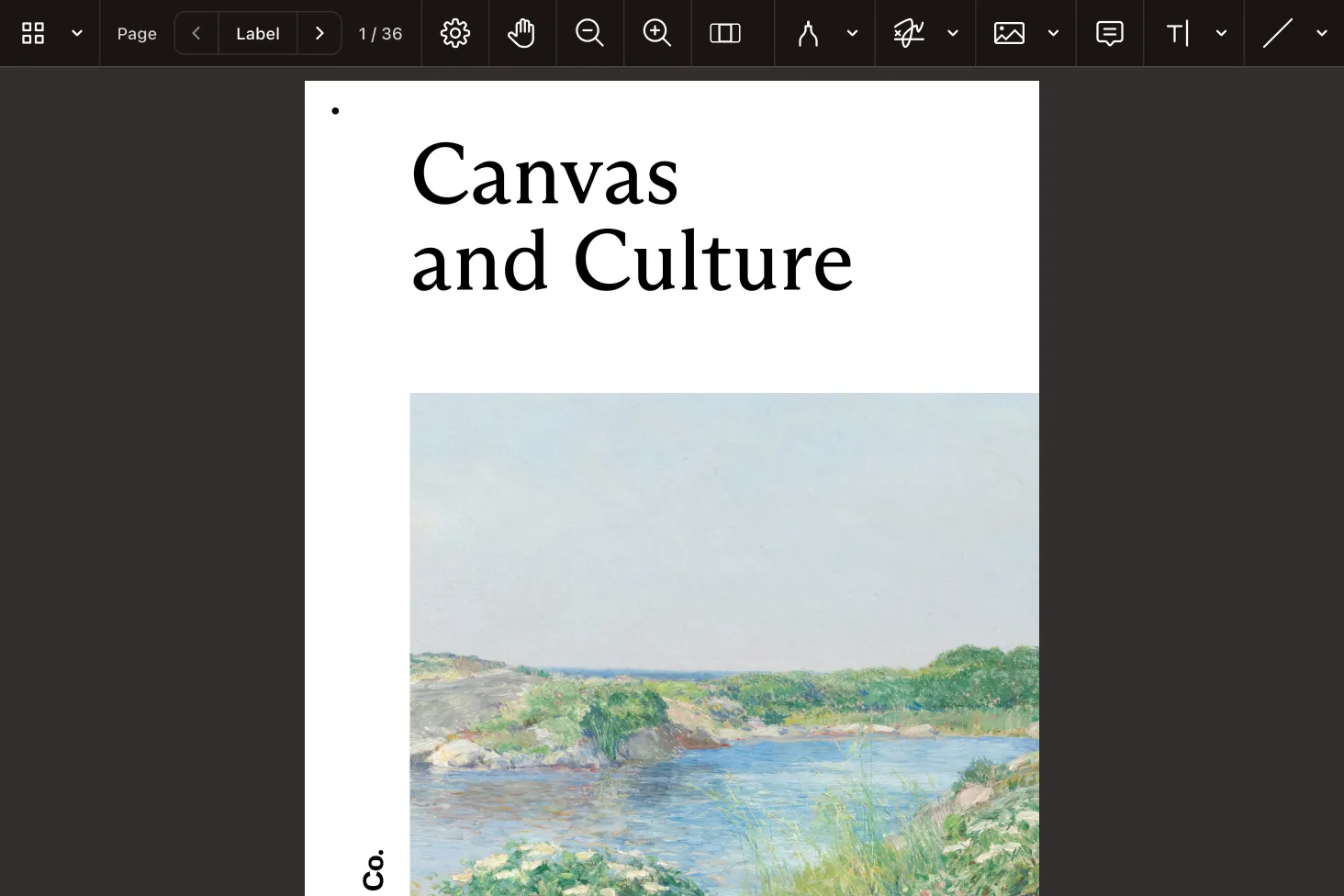
Drop a fully featured PDF viewer into a React component — text selection, search, zoom, and page navigation work out of the box.
Merge, split, rotate, and reorder pages, and edit page content client-side without a round trip to the server.
Add highlights, notes, shapes, and stamps. Annotations are saved back to the PDF or synced for real-time collaboration.
Render interactive AcroForms, fill fields programmatically, and build new form fields directly in the React app.
INTERACTIVE PLAYGROUND
A responsive, accessible PDF viewer that mounts into any React component, with a configurable toolbar and UI.
Edit documents in the browser — assemble pages, edit content, and export the result without server-side processing.
Add and edit annotations programmatically or through the UI, and persist them back into the PDF.
ADVANCED CAPABILITIES
The same SDK powers forms, signatures, redaction, and headless processing — so one library covers the whole document workflow in your React app.
Render, fill, and create interactive PDF forms, and read submitted values back out programmatically.
Capture electronic signatures and apply digital signatures with certificate-based validation.
Remove sensitive text and images permanently, with search-based redaction for repeatable workflows.
Run the engine without a UI for batch conversion, extraction, and document generation tasks.
FREE TRIAL
Add a PDF viewer and editor to your React app in minutes — no payment information required.
Install the SDK with npm install @nutrient-sdk/viewer. Then mount the viewer inside a useEffect hook using a ref for the container element. Call the load method with the container and document, and unload it on cleanup. The viewer needs no PDF worker configuration or CSS imports. See the viewer guide for a complete setup.
Yes. The React PDF editor runs in the browser — you can merge, split, rotate, and reorder pages; edit page content; and export the result without sending the document to a server. See the editor guide for the available operations.
It covers the full document workflow: viewing, editing, annotations, forms, signatures, redaction, and search, all from one package. Instead of stitching together separate libraries for rendering and editing, you use a single React PDF library. Explore the full feature set in the Web SDK guides.
Annotation tools are available in the UI by default, and you can also create, update, and delete annotations programmatically. Annotations are saved back into the PDF or synced for real-time collaboration. See the annotations guide for the API.
Yes. Because the SDK is a standalone client-side library, it works in any React setup, including Next.js. Load it inside an effect so it runs on the client rather than during server rendering. The Web SDK guides cover framework integration details.
The viewer renders interactive AcroForm fields so users can fill them in directly. You can also set and read field values programmatically and build new form fields in code. See the forms guide for details.
Yes. You can capture electronic signatures, apply certificate-based digital signatures, and permanently redact sensitive content. See the signatures guide and the redaction guide.
No. The SDK runs entirely on the client as a standalone library, so viewing and editing work without a backend. For synchronized collaboration or server-side processing, it can also pair with Document Engine. See the Web SDK guides for both modes.
