Instant JSON appearance theme comparison
When Nutrient .NET SDK imports Instant JSON, it generates the appearance streams that PDF readers use to draw each annotation. InstantJsonSettings.RenderTheme controls which renderer produces those streams.
Two themes are available. The Core theme matches the appearance produced by Nutrient Web SDK and Nutrient Document Engine, so PDFs that pass through the .NET SDK match PDFs touched by other Nutrient SDKs. The legacy GdPicture theme keeps the rendering used by earlier Nutrient .NET SDK releases.
This guide compares both themes against the Core SDK reference rendering, then shows how to switch themes in code. For an end-to-end walkthrough of the Instant JSON workflow that uses this setting, refer to the Configure Instant JSON appearance and tracking guide.
Visual comparison
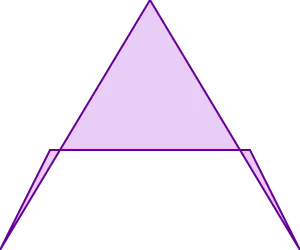
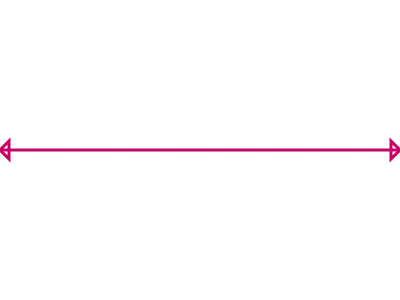
The examples below show the same Instant JSON annotation rendered three ways: by the Core SDK, by Nutrient .NET SDK with the legacy GdPicture theme, and by Nutrient .NET SDK with the Core theme. The Core theme keeps line caps, arrowheads, cloudy edges, and stamp typography close to the Core SDK reference. The GdPicture theme keeps the appearance used by earlier Nutrient .NET SDK releases.
Ink — multi-line
The first example shows a multi-line ink annotation rendered with each theme.
| Core SDK | .NET SDK (GdPicture theme) | .NET SDK (Core theme) |
|---|---|---|
 |  |  |
Polygon — cloudy
The next example shows a cloudy polygon annotation rendered with each theme.
| Core SDK | .NET SDK (GdPicture theme) | .NET SDK (Core theme) |
|---|---|---|
 |  |  |
Line — closed arrows
This example shows a line annotation with closed arrows rendered with each theme.
| Core SDK | .NET SDK (GdPicture theme) | .NET SDK (Core theme) |
|---|---|---|
 |  |  |
Free text — Times, large
This example shows a free text annotation that uses Times at a large size.
| Core SDK | .NET SDK (GdPicture theme) | .NET SDK (Core theme) |
|---|---|---|
 |  |  |
Rectangle — cloudy
This example shows a cloudy rectangle annotation rendered with each theme.
| Core SDK | .NET SDK (GdPicture theme) | .NET SDK (Core theme) |
|---|---|---|
 |  |  |
Stamp — Approved
This example shows an Approved stamp rendered with each theme.
| Core SDK | .NET SDK (GdPicture theme) | .NET SDK (Core theme) |
|---|---|---|
 |  |  |
Pick a theme
Use the following settings to choose the rendering theme. The default is InstantJsonRenderTheme.Core, and most customers should keep it because it matches the rest of the Nutrient platform and the Core SDK reference rendering.
using Nutrient.NativeSDK.API.Settings;
SdkSettings.Get<InstantJsonSettings>().RenderTheme = InstantJsonRenderTheme.Core;
Choose InstantJsonRenderTheme.Default only when you need bit-for-bit appearance compatibility with documents produced by earlier Nutrient .NET SDK releases:
SdkSettings.Get<InstantJsonSettings>().RenderTheme = InstantJsonRenderTheme.Default;The setting only affects new appearance streams generated during import. It doesn’t rewrite appearances that already exist in the source PDF.
Override the theme for a single document
Use DocumentSettings.Get<InstantJsonSettings>() when you need to scope the override to one document. The example below keeps every other document in the process on the SDK-wide value or the built-in default:
DocumentSettings legacyDocSettings = new DocumentSettings();legacyDocSettings.Get<InstantJsonSettings>().RenderTheme = InstantJsonRenderTheme.Default;Conclusion
The comparison above shows where the two themes diverge. Line caps, arrowheads, cloudy edges, and stamp typography render closer to the Core SDK reference under the Core theme. Refer to the configure Instant JSON appearance and tracking guide for a runnable end-to-end example.