Search
DOCUMENT TOOL VALIDATION
Check AI edits before they change your document
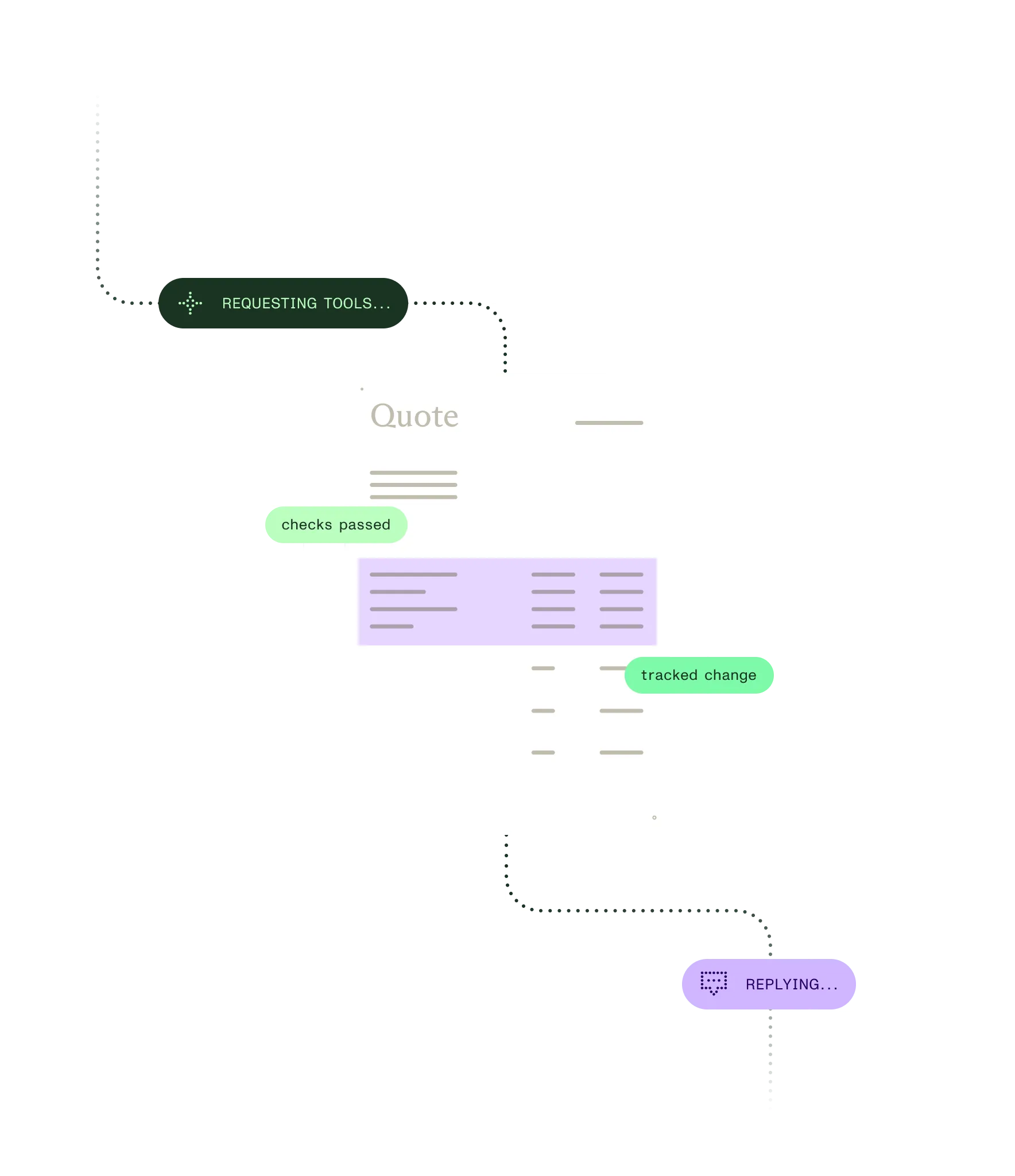
AI agents make mistakes when they edit documents. Nutrient’s DOCX editor checks each edit an agent asks for and can show it as a tracked change a person approves.
What you can do
What you can do with document tool validation
Limit
Decide what the agent may do
Give the agent only the tools it needs. A tool is one action, such as replacing a paragraph.
Block
Block edits that don’t fit
The editor blocks an edit that names a wrong action or targets text that has since changed.
Review
Choose what happens to each edit
Apply an edit directly, save it as a tracked change for a person to approve, or block it.
Explain
See why each edit was made
Ask the agent for a short reason with each edit. It’s saved as a comment next to the change.
Ways to build
Connect the editor to the AI stack you already use
With Vercel AI SDK
Document Authoring gives your server the list of tools and runs each edit in the browser, where the editor checks it.
Chat assistant Tool calls
With LangChain
Document Authoring has a ready-made LangChain adapter. Only your server code changes. Edits are still checked in the browser.
LangChain
With any other backend
Document Authoring exports its tool list and prompts as JSON for Python, Go, Ruby, or a custom agent. Your backend passes each edit to the browser.
Python Go Ruby
For fixed tasks
Document Authoring workflows run proofreading, translation, or a custom task without a chat. The result is checked in the browser before it changes the document.
Proofreading Translation Custom
Try it in code
This code hands the agent’s edit to the editor’s toolkit. The toolkit checks it and then applies it or saves it as a tracked change, with the agent’s reason as a comment.
type AiToolExecutionOptions = { writeMode?: "apply" | "track_changes"; reviewComments?: "disabled" | "create";};
const executed = await toolkit.executeTool(rawCall, { writeMode: editor.getEditorMode() === "review" ? "track_changes" : "apply", reviewComments: "create",});How it works
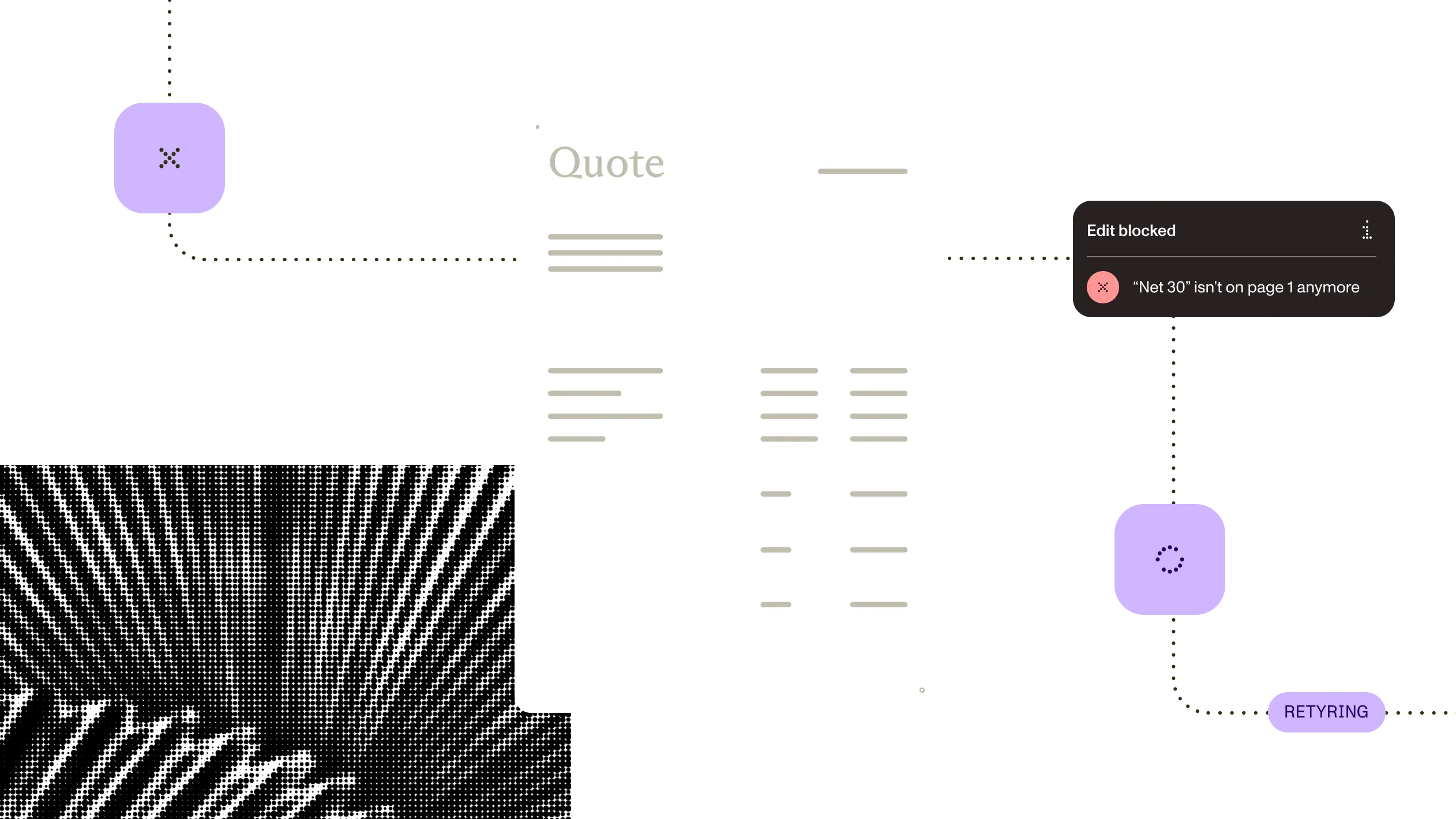
What happens when an AI agent asks for an edit
1
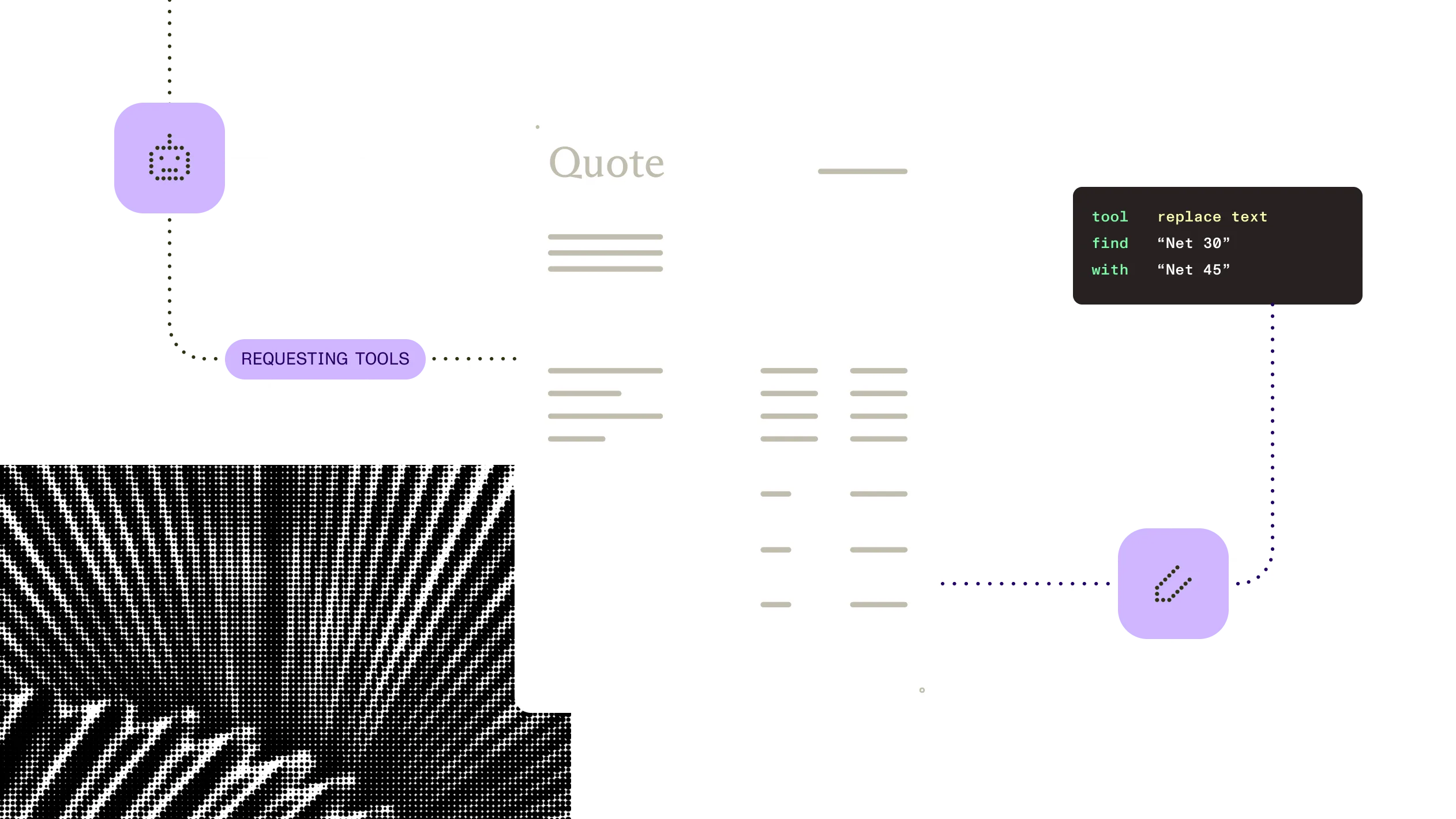
The agent asks for an edit
The agent can’t change the document itself. It sends the edit it wants to the editor.
2
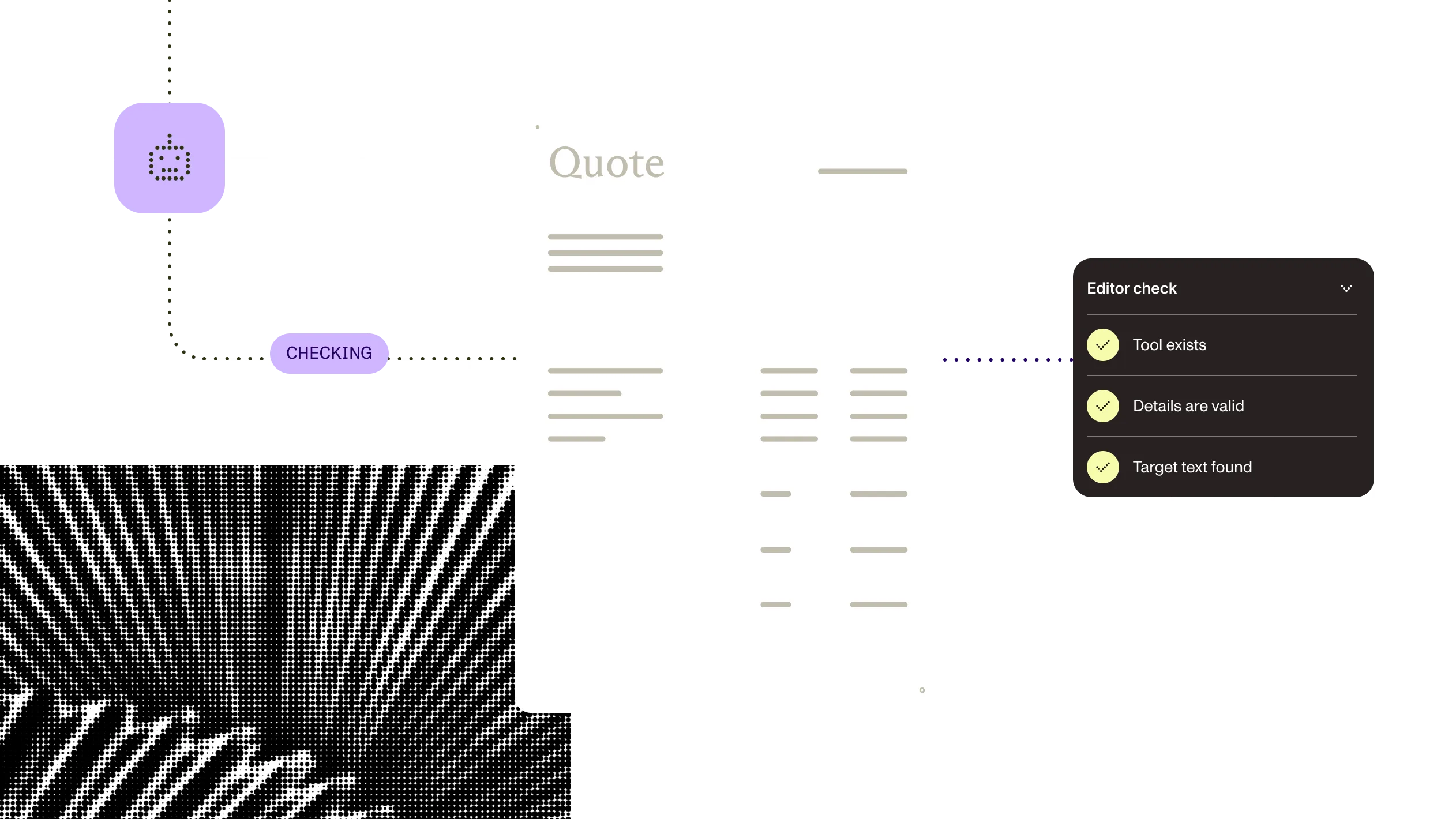
The editor checks it
Does the tool exist? Are the details right? Is the target text still there? If not, nothing changes.
3
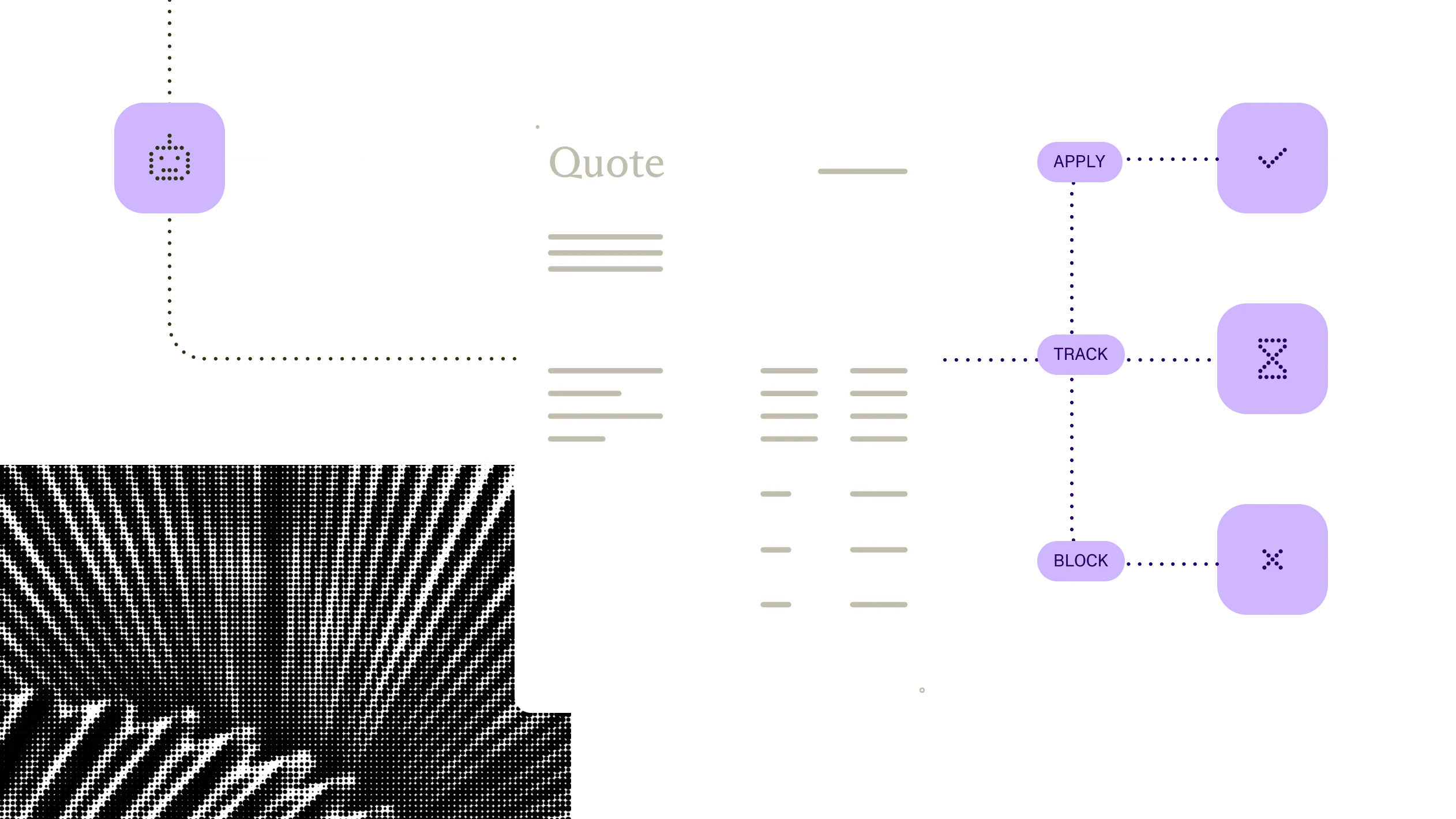
Your rule decides
Your app decides what happens next: Apply the edit, save it as a tracked change, or block it.
4
The agent hears back
If the edit was blocked, the agent is told why. It can look at the document again and retry.
At a glance
The specs behind document tool validation
Nutrient document tool validation checks each edit an AI agent asks to make to a DOCX document, before the edit is applied. The editor checks that the tool exists, that its details are right, and that the content it targets is still there. Your app decides if a valid edit is applied, saved as a tracked change, or blocked.
Inputs
An edit that an AI agent asks to make.
Outputs
The edit applied, a tracked change, or a clear error.
Checks
The tool exists, the details are right, and the target text is still there.
Rules you set
Which tools the agent gets, and whether edits apply directly or need approval.
Runs on
The browser, inside Nutrient’s DOCX editor.
Where it fits
Document tool validation in the document workflow
Agents can now edit documents. Check each change against your rules before it’s saved, and show a person the ones that need judgment.
Letting an agent update contracts
ExampleAct
Check each edit the agent proposes against your rules before it’s written to the document.
Review
The contract owner compares the proposed changes with the original and then accepts them.
Legal document workflows
For DOCX authoring, validate tool names, arguments, and element IDs before applying edits.
See the offeringBoard preparation and decisions
Define which pack version the agent uses and which materials each role can access.
See the offeringTax and audit workflows
Give agents structured information and source references, and keep the supporting document available for a final edit.
See the offeringWhy Nutrient
The agent asks, and the editor decides
An AI agent can target a paragraph that moved, name an action that doesn’t exist, or rewrite a clause nobody asked it to touch.
A blocked edit changes nothing
The check runs before the edit, so a blocked edit leaves the document exactly as it was.
A person has the last word
Agent edits can arrive as tracked changes, so a person accepts or rejects each one.
The agent can correct itself
A blocked edit comes back with the reason, so the agent can look again and try a corrected edit.
You control what the agent sees
The document stays in the browser. The agent sees only what it reads through the tools you gave it.
- 3,000+ organizations worldwide
- 15 percent of Global 500 companies
- 1B+ document interactions a year
- SOC 2 Type 2 audited
- GDPR and CSA compliant
Frequently asked questions
An AI agent changes a document through tools: single actions such as “replace this paragraph.” Document tool validation checks each tool request (a tool call) before it runs, so the agent can’t change the document directly. It’s part of Nutrient’s DOCX editor and runs in the browser.
Guardrails are limits on what an agent can do. Here there are three: Your app chooses which of the 13 tools the agent gets; the editor blocks edits that don’t fit the document; and your app decides if an edit applies, becomes a tracked change, or is blocked.
Three things: that the tool exists, that the details match what the tool expects, and that the content it targets is still there. An edit that fails any check is blocked, and the document stays as it was.
No. It checks that the edit can be made, not that the new text is right. To keep a human in the loop, have each AI edit arrive as a tracked change (a redline) that a person accepts or rejects.
Word-type (DOCX) documents that are open in Nutrient’s DOCX editor, in the browser. It doesn’t run on a server, and it doesn’t cover spreadsheets.
The document stays in the browser. Your own server calls the AI provider you choose. The agent sees only what it reads, or what a fixed task such as proofreading sends. That content goes to the provider, so check its data terms.