Search
SOURCE GROUNDING
See where AI found each extracted value
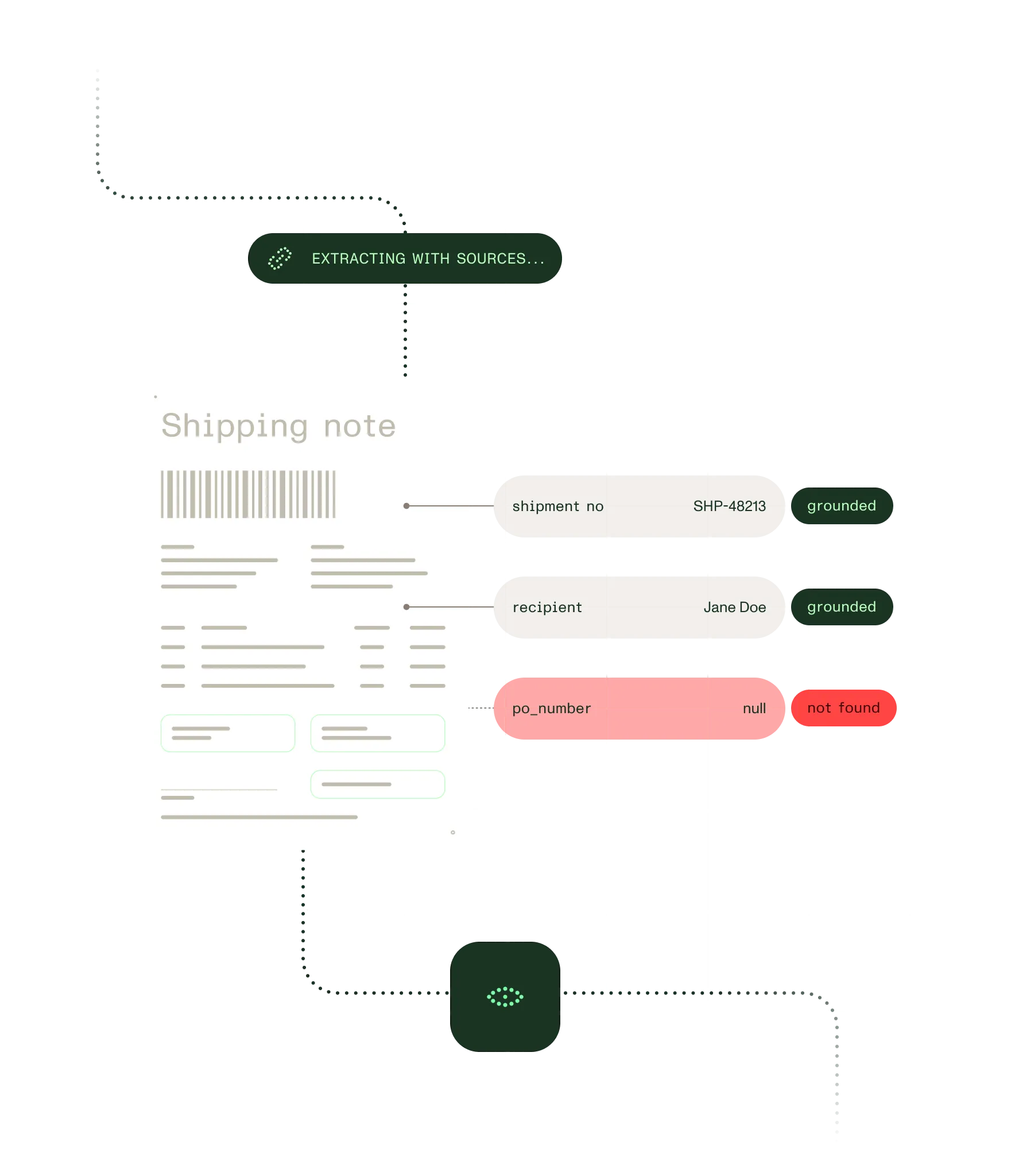
When AI pulls data from a document, it can misread a number or make one up. Nutrient shows where each value came from and flags any with no source.
What you can do
What you can do with source grounding
Trace
Trace each value to its source
Get the page and position for each value so nobody has to search the document.
Flag
Flag values with no source
Spot the values that have no match in the document before they reach your systems.
Automate
Review only what needs it
Let exact matches pass automatically, and send loose matches and values with no source to a person.
Verify
Check a value against the page
Highlight the source on the page so a person sees the value next to where it came from.
Ways to build
Use source grounding through an API, an SDK, or an AI agent
Through a hosted API
Nutrient APIs return each value with a match label, plus the page and position of its source. Source grounding is on by default.
Page and position Match labels Confidence score
On your own servers
Nutrient SDKs return the same result in Python, Java, and .NET. You bring the AI model.
Python Java .NET
From an AI agent
Nutrient MCP lets an AI agent ask for values in plain language and get each one with its source. Add the server URL and sign in.
Extract Citations
On a Mac
Extract Studio for macOS shows the source of each extracted value, using a local model or your own AI key.
Local model Your own AI key
Try it in code
This function looks at what came back and lists the values a person should check: loose matches, values with no source, and low confidence scores.
def fields_needing_review(data: dict, metadata: dict) -> list[str]: """Return field names whose citation suggests manual review.""" flagged = [] for field, citation in metadata.items(): if not isinstance(citation, dict): continue # nested object or array — handle separately match = citation.get("match") confidence = citation.get("confidence") if match in ("fuzzy_match", "not_found"): flagged.append(field) elif confidence is not None and confidence < 0.7: flagged.append(field) return flaggedfunction fieldsNeedingReview(data, metadata) { const flagged = []; for (const [field, citation] of Object.entries(metadata)) { if (typeof citation !== "object" || Array.isArray(citation)) continue; const { match, confidence } = citation; if (match === "fuzzy_match" || match === "not_found") { flagged.push(field); } else if (confidence != null && confidence < 0.7) { flagged.push(field); } } return flagged;}How it works
From a document to values you can check
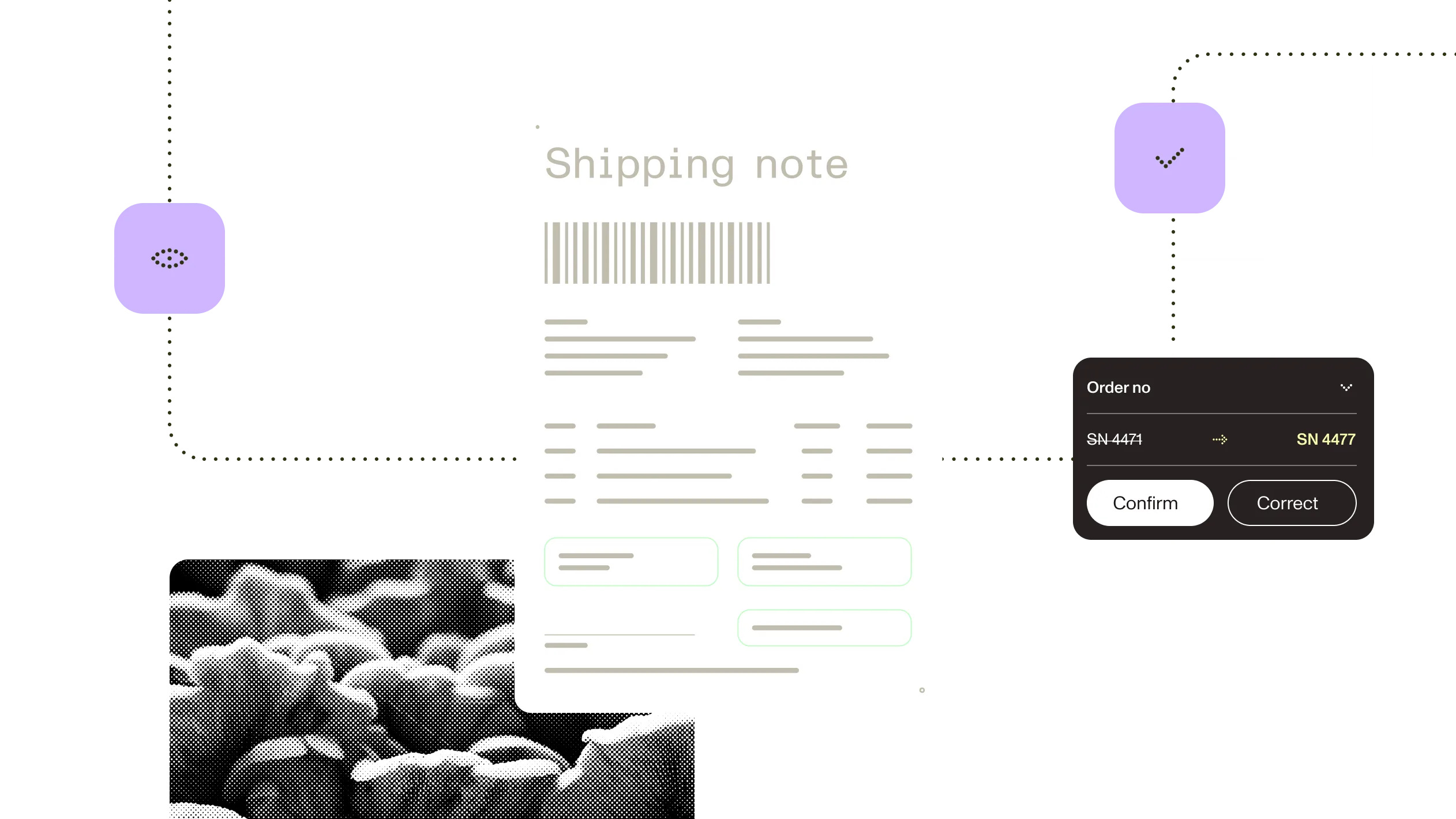
1
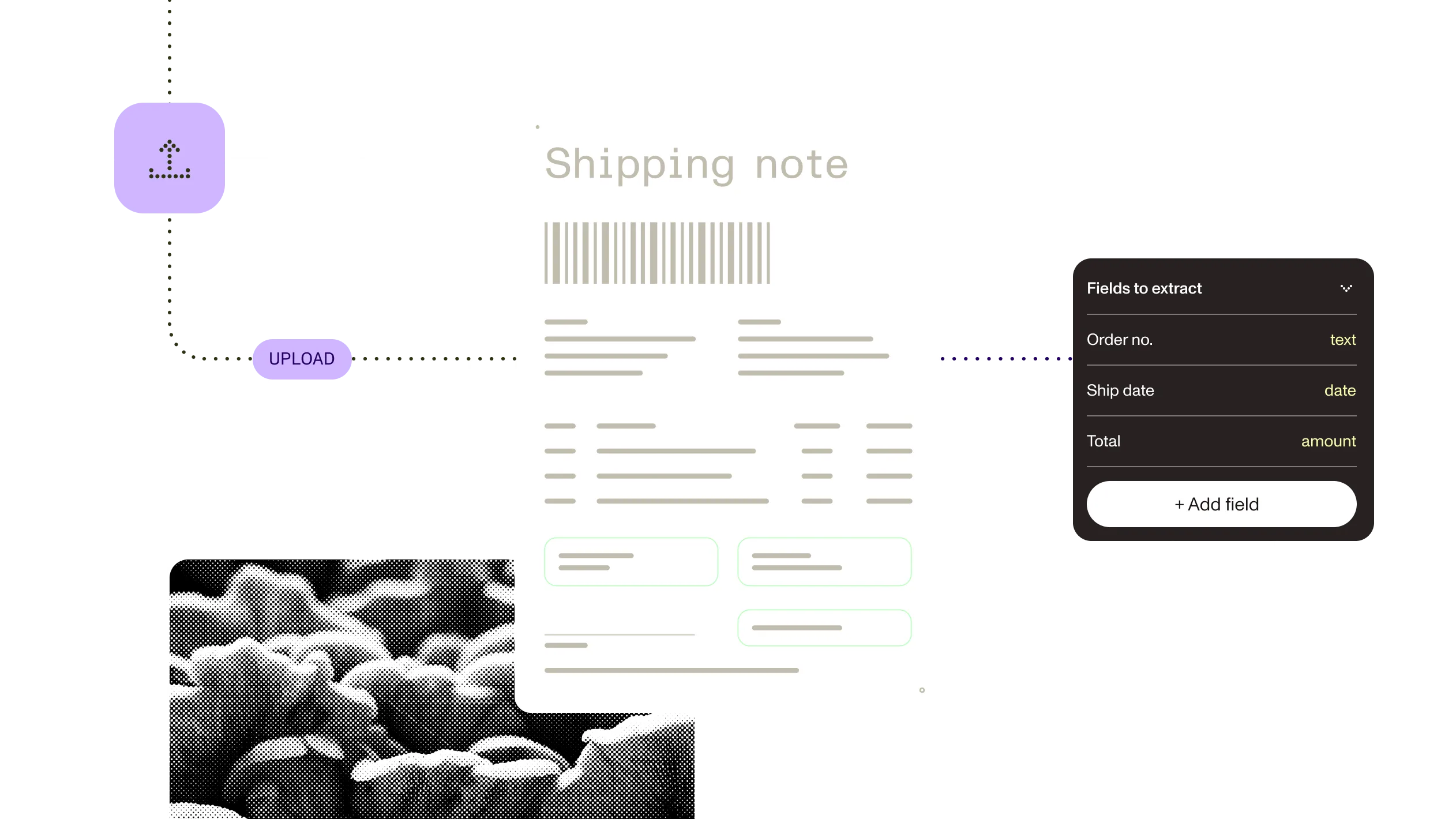
Send a document
Upload a document and list the data you want from it, such as a total or a date.
2
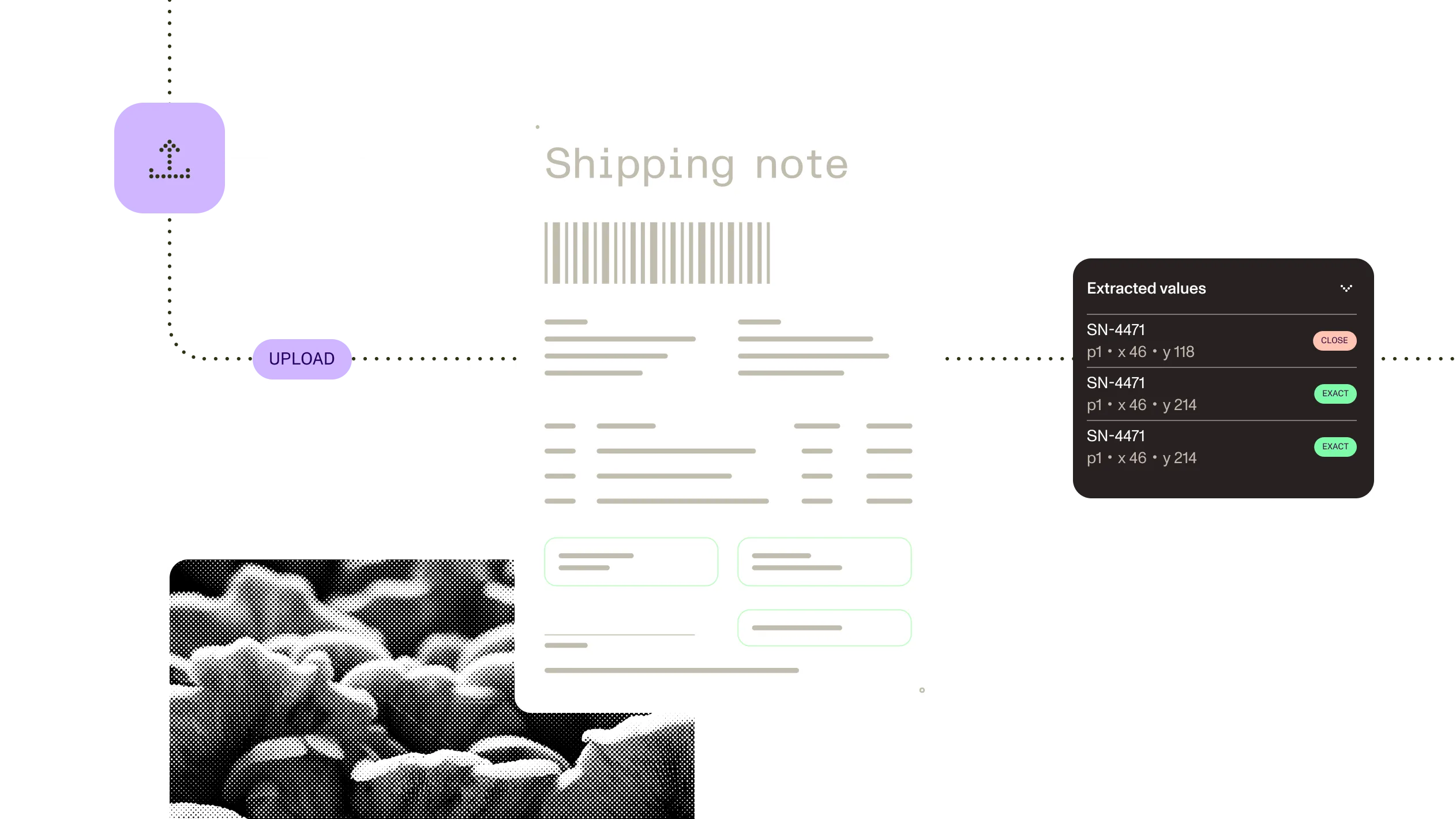
Get each value with its source
Each value gets a label for how closely it matches the text, plus the page and position it came from.
3
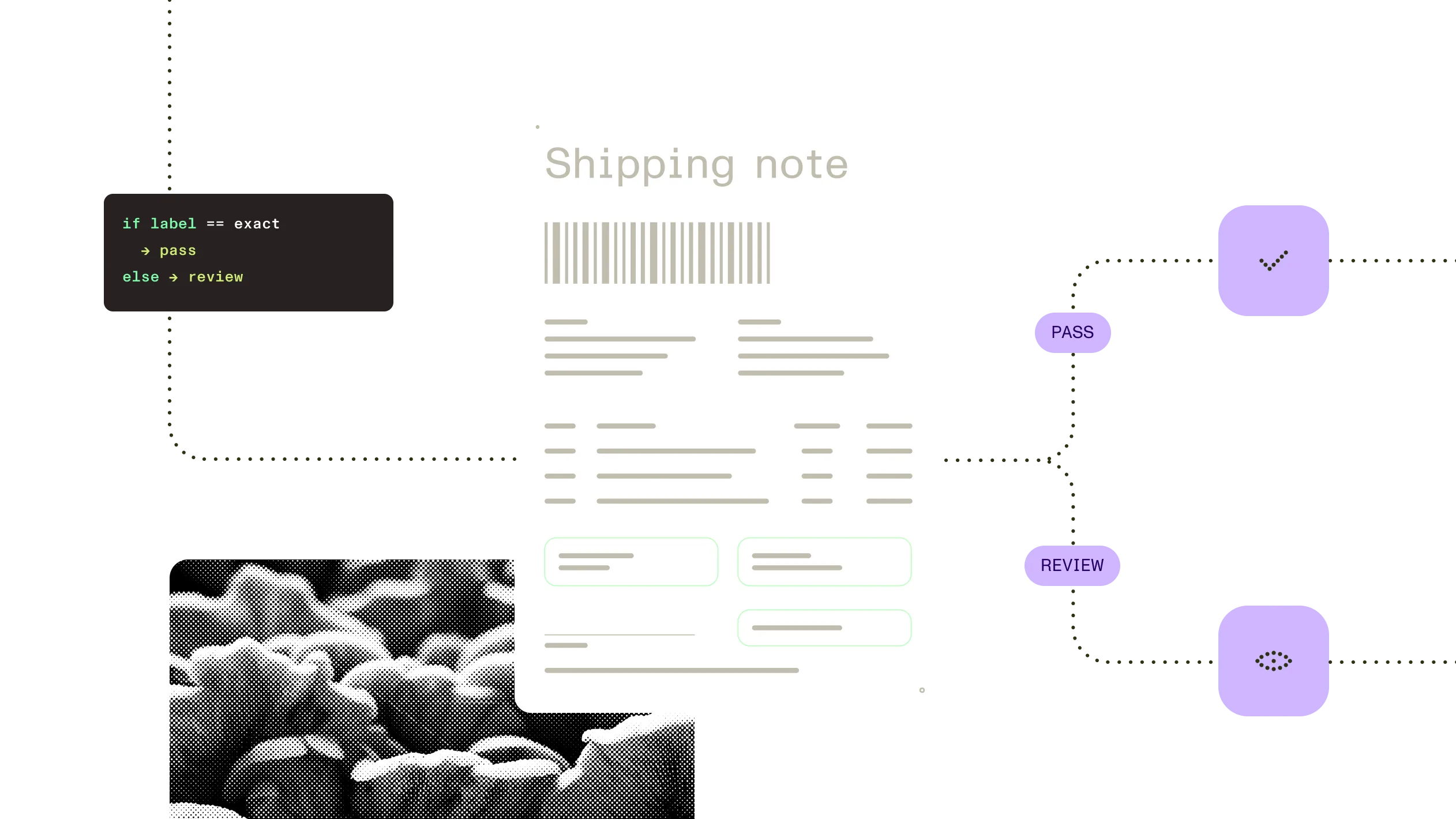
Apply your rule
Your code reads the label and decides which values pass and which go to a person.
4
Show the source to a person
Your app highlights the source on the page, and a person confirms or corrects the value.
At a glance
The specs behind source grounding
Nutrient source grounding ties each value extracted from a document to the place it came from. Each value comes back with a match label that says how closely it matches the source text and with the page and position where it was found. Software uses the label to sort values, and people check them against the page.
Inputs
A document and a list of the data you want.
Outputs
Each value, with a match label and the page and position of its source.
Match labels
Five labels, from exact match to not found.
Confidence
A score from 0 to 1, when available.
Runs on
Nutrient’s cloud, your own servers, or a Mac.
Where it fits
Source grounding in the document workflow
An extracted number is only as good as your ability to check it. Tie every value to where it came from so automation can trust it and people can verify it.
Checking figures pulled from financial statements
ExampleAct
Link each figure to the exact spot it came from, and flag any that can’t be tied to a source.
Tax and audit workflows
Extract fields to a defined schema and connect each value to its source location.
See the offeringSupplier activation
Extract supplier information into structured fields with source references, and keep the source close to each detail that needs checking.
See the offeringSpend approvals
Prepare source-linked packet details with agents, and let explicit rules decide where each request goes next.
See the offeringWhy Nutrient
Grounding your code can act on
A highlighted source helps a person. Your code needs a clear answer for every value, even without a source.
A match label, not only a location
Each value says how it matched the source: exactly, partly, loosely, or not at all. One rule in your code decides what happens next.
Missing sources get their own label
A value with no source is labeled not found, so your code can stop it.
On by default
In the cloud API, grounding is on from the first request, with nothing to switch on.
A confidence score as a second check
A score from 0 to 1 can come with the label, so you can be stricter with important values.
- 3,000+ organizations worldwide
- 15 percent of Global 500 companies
- 1B+ document interactions a year
- SOC 2 Type 2 audited
- GDPR and CSA compliant
Frequently asked questions
Source grounding ties each value extracted from a document to the place it came from. Nutrient returns a match label for how well each value matched the source text, along with the page and position where it was found. It’s part of Nutrient data extraction, in the cloud or on your own servers.
Grounding means tying an AI model’s output to a source you can check. For large language models (LLMs), it’s often called LLM grounding. An ungrounded answer can sound right and still be made up. Source grounding applies this to data extraction: Each value gets a match label, and a matched value points to its page and position.
There are five. A value can match one piece of text exactly, match text that is split across several pieces, match partly, match loosely, or have no source at all. Nutrient recommends sending loose matches and values with no source to a person.
No. It shows where the value came from so a wrong value is easy to spot and fix. A value can match the text and still be the wrong one, such as a subtotal where you wanted the total. Keep a person in the loop for important data.
A number from 0 to 1 for how confident the extraction is, returned when available. Use it together with the match label, test your cutoff on a sample of your own documents, and don’t read a missing score as a low one.
It depends on where you run it. The cloud API and the AI agent connection process documents in Nutrient’s cloud. With the SDKs, extraction runs on your own servers, using an AI model you run or connect.