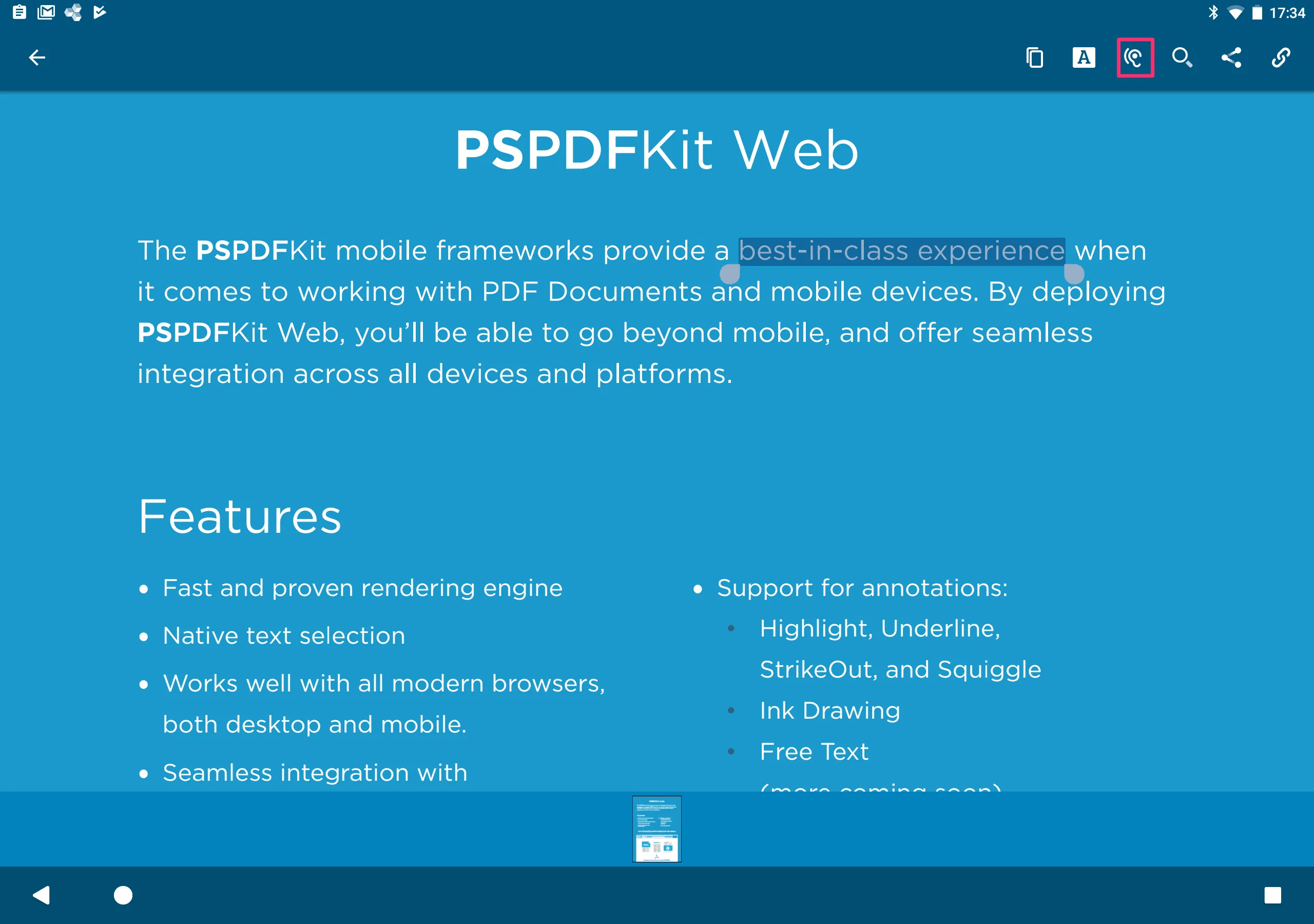
Text-to-speech for our Android viewer
The Android PDF text-to-speech feature is enabled by default. To disable the text-to-speech action in the TextSelectionToolbar, you need to register an OnContextualToolbarLifecycleListener on your activity and filter the action right before the toolbar is displayed. More details on this technique can be found in our toolbar customization guide:
override fun onPrepareContextualToolbar(toolbar: ContextualToolbar<*>) { (toolbar as TextSelectionToolbar?)?.setMenuItemGroupingRule { flatItems, _ -> flatItems.filter { it.id != R.id.pspdf__text_selection_toolbar_item_speak } }}@Overridepublic void onPrepareContextualToolbar(@NonNull ContextualToolbar toolbar) { if (toolbar instanceof TextSelectionToolbar) { toolbar.setMenuItemGroupingRule(new MenuItemGroupingRule() { @NonNull @Override public List<ContextualToolbarMenuItem> groupMenuItems(@NonNull List<ContextualToolbarMenuItem> flatItems, int capacity) { final List <ContextualToolbarMenuItem> filteredItems = new ArrayList<>(); for(ContextualToolbarMenuItem item : flatItems) { if (item.getId() != R.id.pspdf__text_selection_toolbar_item_speak) filteredItems.add(item); } return filteredItems; } }); }}