Nutrient iOS SDK 26.3 release notes
11 December 2025
Nutrient iOS SDK 26.3 adds fractional input for measurement scales. Read on for details.
We’re continuing a long-term project to improve user interface (UI) responsiveness and performance in complex documents. This release includes three improvements in this area, including speeding up opening documents when using automatic double-page mode, which is especially noticeable in documents with tens of thousands of pages.
Our 26.3 release contains several fixes including addressing the eraser sometimes appearing to not erase after scrolling back to a page. For the full list, see the changelog.
Fractional scales
Nutrient’s Measurement Tools component, which was introduced in 2022, is used to precisely check distance and area in technical drawings, principally in the construction industry.
The scale of a measurement is the ratio between a distance on a document page (if printed at standard size) and a distance in the real world. So far, our scales worked with decimal numbers, which capture enough information for metric units. However, when working with United States customary units, it’s common to define distances using fractional values. For example, a building plan might use the scale 3/16 in : 1 ft.
In Nutrient iOS SDK 26.3, our Measurement Tools component enables users to type fractional values, which are preserved exactly as entered.
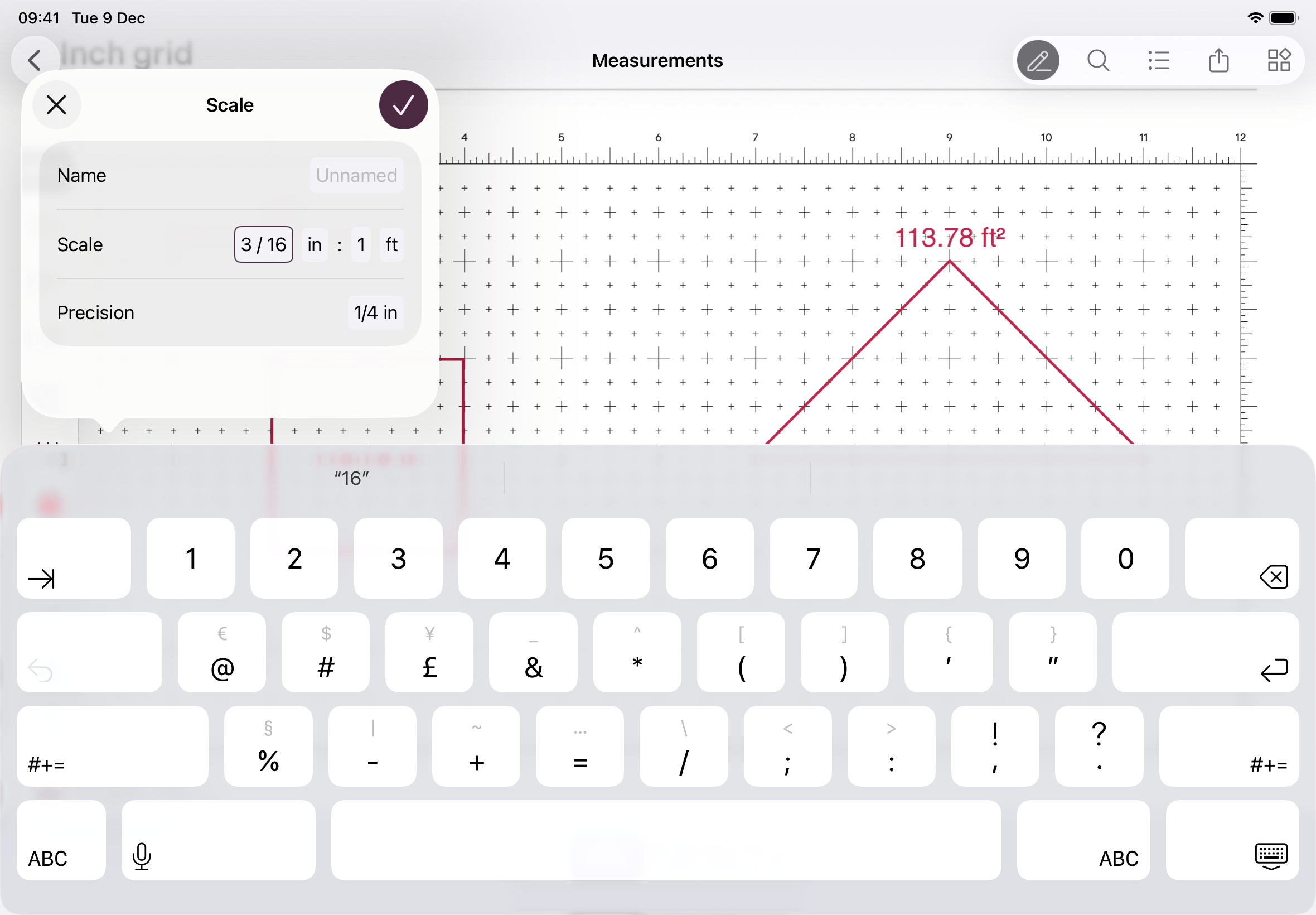
The underlying MeasurementScale type can now be created with the numerical values as either Double or String. You can read the values back as either type; Nutrient will convert between Double and String as needed.
Font fun with PDFs
While there’s a clear PDF specification we follow, the reality is we’re continuously encountering and fixing issues with unusual documents, which sometimes require creative solutions. Recently a customer came to us with a large number of documents where text rendered with incorrect characters.
To give some background, there are various ways text can be saved in a PDF. Sometimes the text isn’t represented using Unicode, but instead refers to the indices of glyphs in a specific font file. The bad news is that in the customer’s documents, the fonts weren’t embedded, so the text could only render if the font was installed. The glyph indices are meaningless numbers without that context. The good news is that these were fairly common fonts, which are available on macOS and Windows, but not on Android and iOS.
To work around this, we’re now hardcoding Unicode mappings for a small number of common fonts: Arial, Arial Narrow, Lucida Sans, Times New Roman, and Trebuchet. We still have to render using a fallback font so it won’t be exactly the same as when the document was created, but at least the text is readable.
Migration notes
We improved page index validation on the Document methods documentProviderForPage(at:), pageInfoForPage(at:), textParserForPage(at:), and pageLabelForPage(at:substituteWithPlainLabel:). These now consistently return nil if the index is greater than or equal to the number of pages in a document. Since password-protected documents have no known number of pages when locked, this change means documentProviderForPage(at:) now returns nil for locked, single-provider documents instead of returning that single provider. This is relevant if you have code that assumes documents always have at least one page:
document.documentProviderForPage(at: 0)! // ❌ Not safe for locked documents.That assumption was never safe, but it’ll now actually encounter nil in the situation described above. Use document.documentProviders.first or document.documentProviders[0] to get the document provider, even if the document is locked.