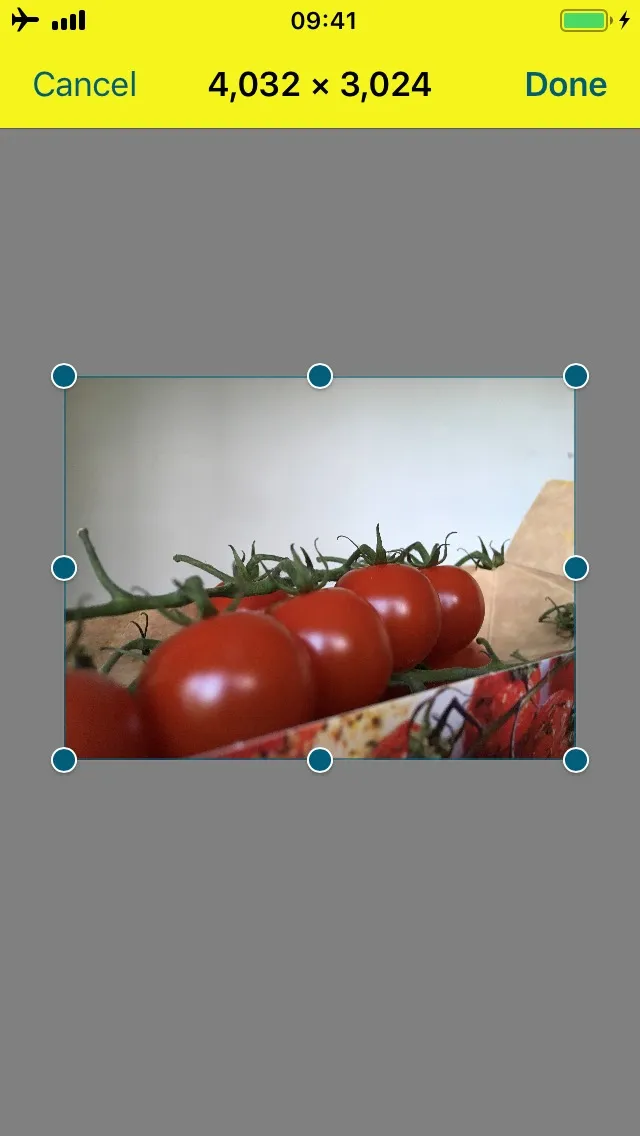
Customize your iOS navigation bar above crop UI
It’s possible to customize the appearance of the navigation bar shown above the crop user interface (UI) after taking a photo with the camera when adding an image annotation. This navigation bar is part of ImagePickerController, which is a subclass of UIImagePickerController, which is a subclass of UINavigationController. You can use UIAppearance to customize all instances of this class like this:
UINavigationBar.appearance(whenContainedInInstancesOf: [ImagePickerController.self]).barTintColor = UIColor.systemYellow[UINavigationBar appearanceWhenContainedInInstancesOfClasses:@[PSPDFImagePickerController.class]].barTintColor = UIColor.systemYellowColor;If you need to access a particular instance of the picker controller, you can use the PDFViewController delegate method, pdfViewController(_:shouldShow:options:animated:).
It’ll look like what’s shown in the following image.