Annotation notes
Nutrient Web SDK supports a full UI for displaying and editing annotation notes. Annotation notes allow you to set textual notes on most annotation types, except NoteAnnotation, TextAnnotation, WidgetAnnotation, and CommentMarkerAnnotation.
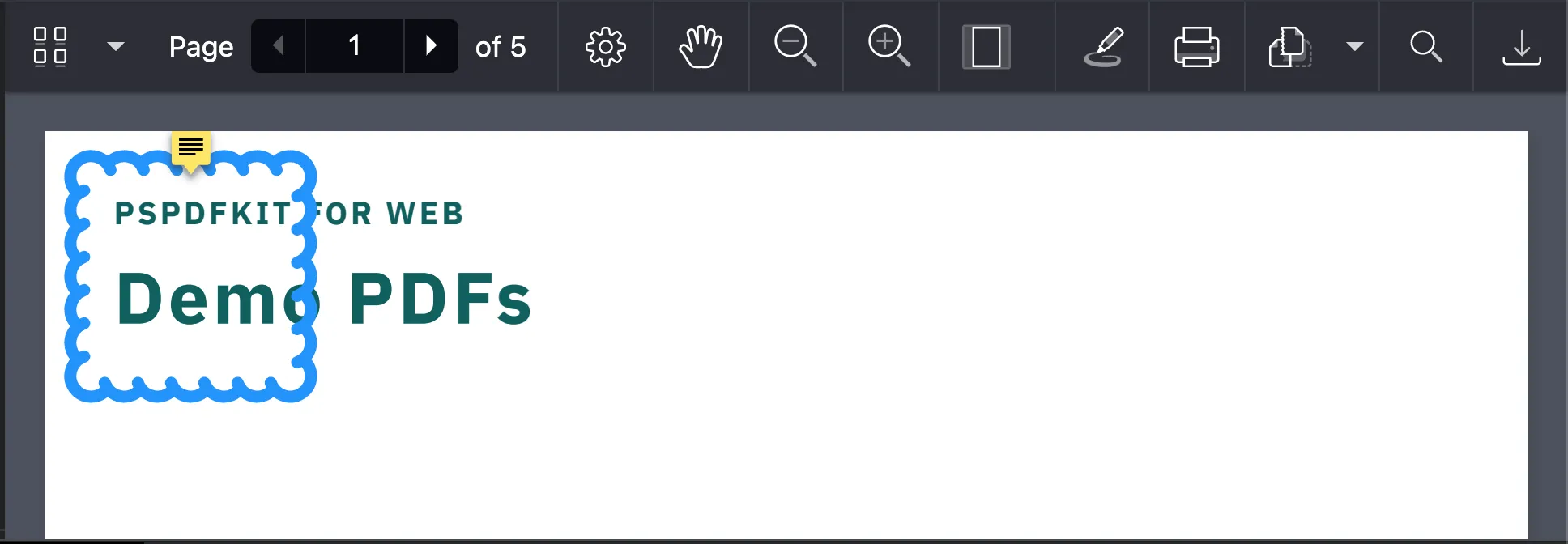
Creating an annotation with a note
Create an annotation with a note by setting the note property:
const annotation = new NutrientViewer.Annotations.RectangleAnnotation({ note: "This is a note", pageIndex: 0, boundingBox: new NutrientViewer.Geometry.Rect({ left: 10, top: 10, width: 100, height: 100 }), cloudyBorderIntensity: 2, cloudyBorderInset: new NutrientViewer.Geometry.Inset({ left: 9, top: 9, right: 9, bottom: 9 })});Adding a note to an existing annotation
Add a note to an existing annotation using the API for updating annotations:
NutrientViewer.load(configuration).then(async (instance) => {  const annotations = await instance.getAnnotations(0);  const annotation = annotations.get(0);  const updatedAnnotation = annotation.set("note", "new note");  await instance.update(updatedAnnotation);
  console.log("Annotation updated.");});
These notes are fully compatible with other Nutrient products and Adobe Acrobat.
By default, Nutrient Web SDK shows the annotation note, but this behavior can be changed by setting NutrientViewer.ViewState#showAnnotationNotes to false.
Programmatic note panel control
The notes panel is the popup that displays and edits an annotation’s note text. Open and close it from your own code with instance.openAnnotationNote and instance.closeAnnotationNote. This is useful when you’ve replaced the annotation actions UI with a custom toolbar, when a host-app keyboard shortcut needs to focus the panel, or when a workflow needs to step through annotations and surface their notes one at a time:
const annotations = await instance.getAnnotations(0);// Filter out annotation types that don't support notes (widgets, text,// note, and comment-marker annotations) before looking for a target.const target = annotations.find(  (a) =>    a.note &&    !(a instanceof NutrientViewer.Annotations.WidgetAnnotation) &&    !(a instanceof NutrientViewer.Annotations.TextAnnotation) &&    !(a instanceof NutrientViewer.Annotations.NoteAnnotation) &&    !(a instanceof NutrientViewer.Annotations.CommentMarkerAnnotation),);
if (target) {  instance.openAnnotationNote(target);}
openAnnotationNote accepts an Annotation, an annotation id, or no argument (which uses the current selection). closeAnnotationNote is a no-op when the panel isn’t open. Refer to the headless notes panel guide for the full pattern.
Annotation notes are not to be confused with note annotations, even though their UI is similar. Note annotations are a type of annotation supported by Nutrient; they’re “sticky notes” attached to a point in a PDF document. Annotation notes are notes set on annotations — they aren’t considered annotations.