Reply to annotations in our JavaScript PDF viewer
Annotation replies allow you to create a thread of comments in a PDF document. Nutrient Web SDK will display any comments you create as a threaded conversation.
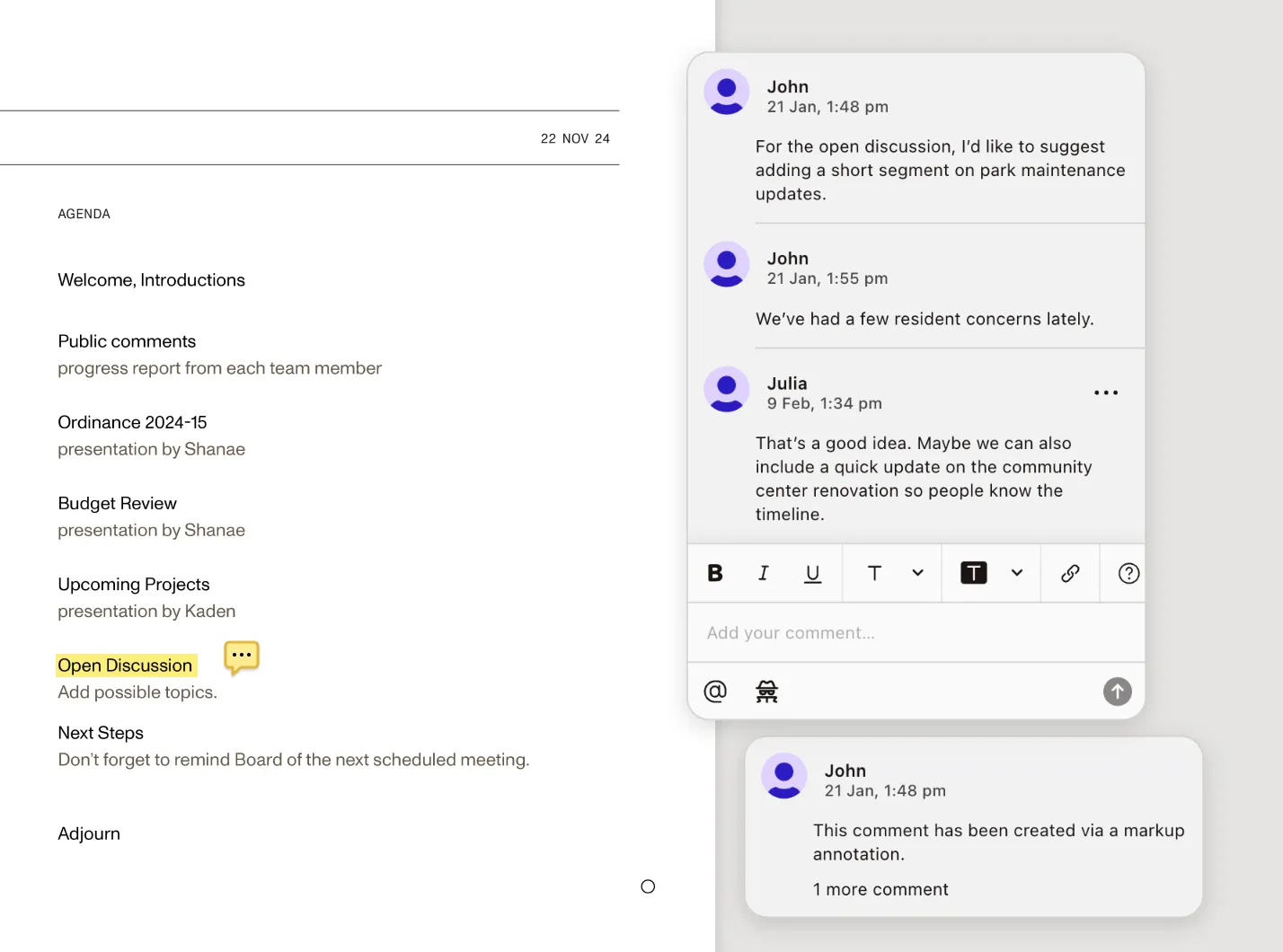
In addition, if you open a document where comments were created by any of the Nutrient SDKs, these comments will be displayed in a thread too.
Annotation replies created by other PDF software aren’t supported by Nutrient Web SDK; they’re displayed as individual note annotations.
Disabling replies
If you want to prevent users from replying to comments while still allowing them to create new top-level comments, you can use the setIsEditableComment method:
let comments = await instance.getComments();
instance.addEventListener("comments.change", async () => {  comments = await instance.getComments();});
instance.setIsEditableComment((comment) => {  return !comments.find((_comment) => _comment.rootId === comment.rootId);});
How this works:
commentsis initialized with the existing comments and refreshed whenever comments change.- The callback checks whether a comment with the same
rootIdalready exists. This enables starting a new thread, while comments in an existing thread aren’t editable and new replies can’t be added.
With this configuration, users can still create new comments on the document, but they won’t be able to add replies to existing comments.