Display specific forms in approval tasks
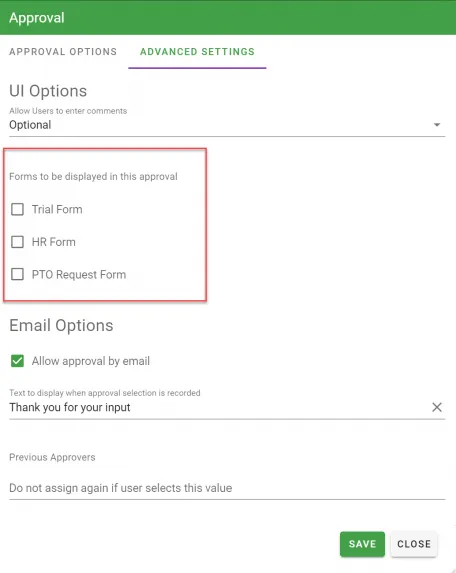
Form to be displayed in this approval:
You can optionally display any of the process form tasks within the approval task. This helps when you have multiple forms in a process but want to direct users to the particular form task that the approver is taking action on.
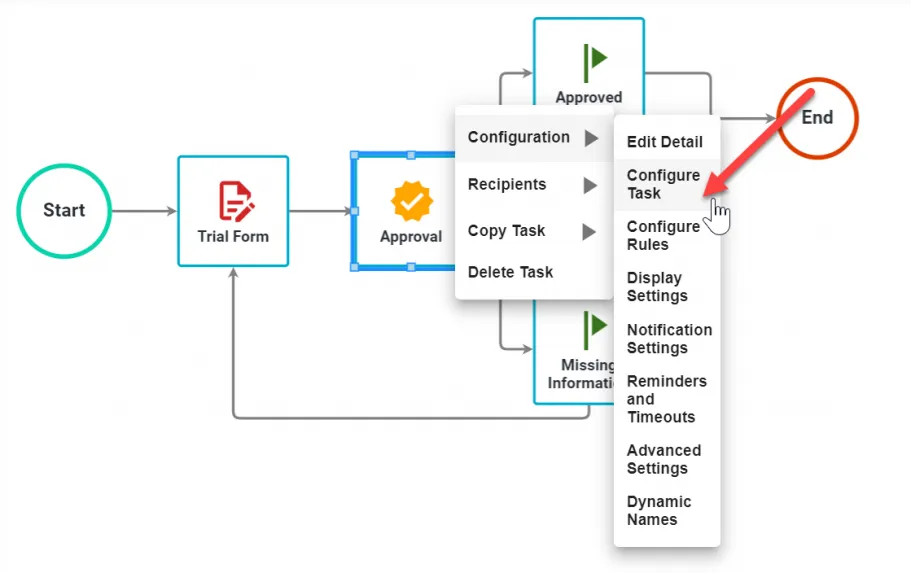
To do this, select Configure Task for the Approval task. Then, select the Advanced Settings tab.
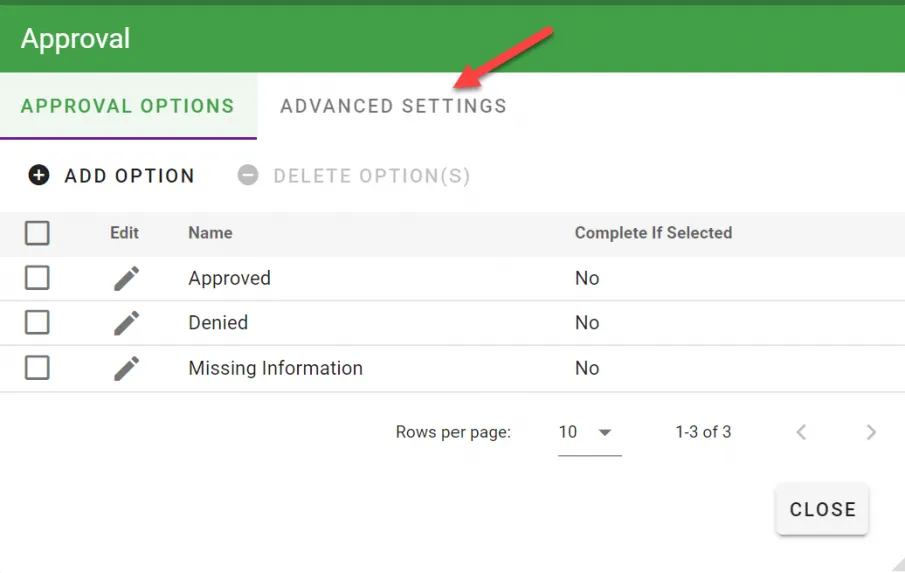
The Forms to be displayed in this approval checkboxes list all the form tasks in the process for you to choose from. You can choose multiple forms or just one. After you make your selections, click Save.
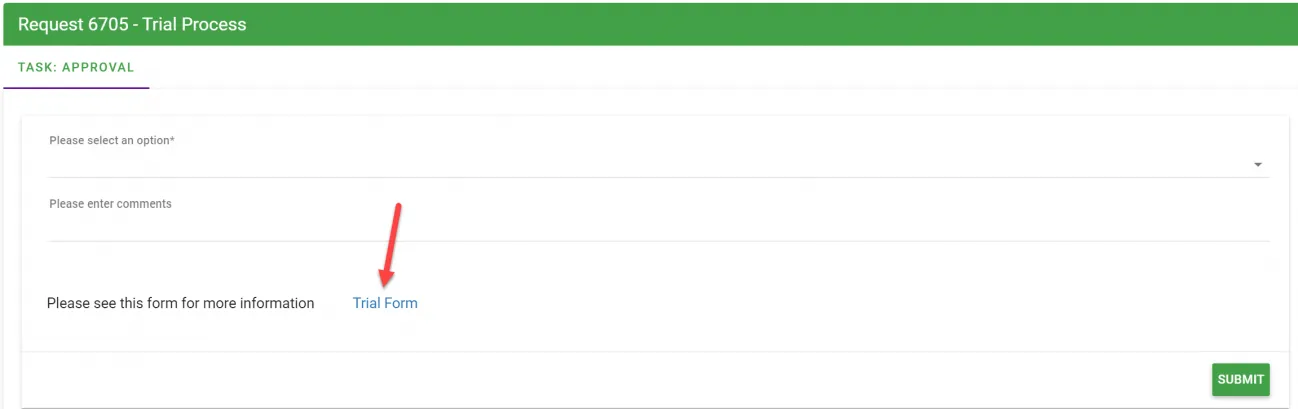
The following example shows how the form task link appears in the Approval task:
Viewing forms in the Approval interface
When you display forms in an approval task, approvers have two ways to interact with them:
- Click the form name: Opens a modal displaying the completed form view, enabling approvers to review the form data the requester submitted
- Click the View icon: Opens the document viewer for any attached documents
This separation ensures approvers can quickly review form submissions without confusion, while still having easy access to any associated documents.