Managing your account
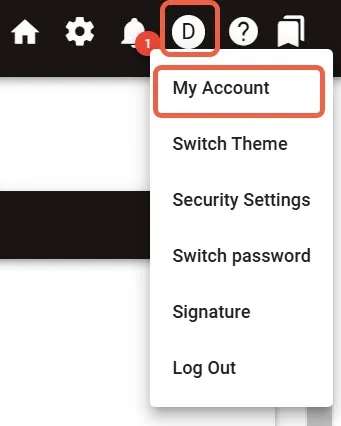
Open My Account from the account menu in the upper-right corner. Your administrator configures which account workflows appear on this page.
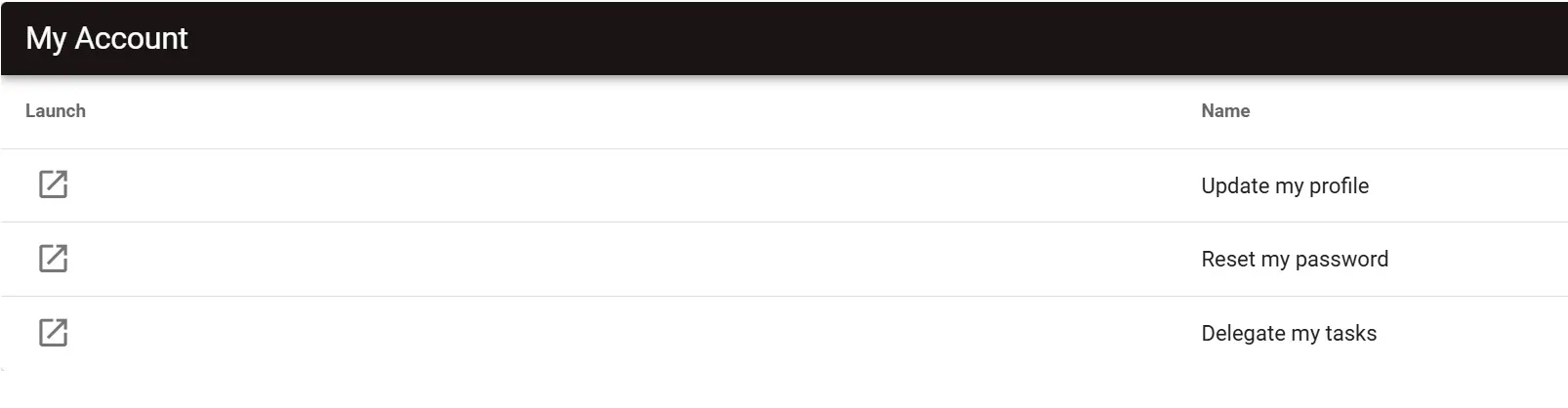
Select Launch beside a workflow to open its request-entry page. My Account lists configured workflows; it isn’t a profile editor.
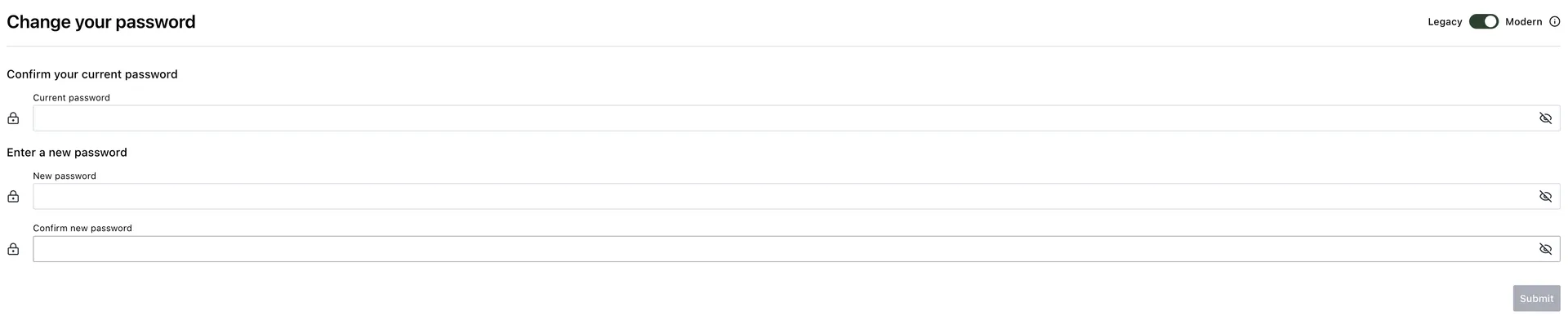
Change your password
Use the Change your password page to update your password.
- Enter your current password.
- Enter your new password.
- Enter your new password again to confirm it.
- Select Submit.
Password validation follows your tenant’s password settings.
Manage your signature
Use the Signature page to add or manage your signature.
- Upload an image or draw a signature on the Signature Pad.
- Save or submit the signature using the control shown on the page.
- Preview or download your signature if one already exists.
Manage your devices
Open Security Settings. Then select Open beside Manage Devices. Use the Manage Devices page to review your devices.
- Select Refresh to reload the device list.
- Rename a device using the edit control. Then select Save or Cancel.
- Remove a device to revoke it.
Delegate your tasks
For instructions on delegating tasks, refer to the managing your tasks guide.