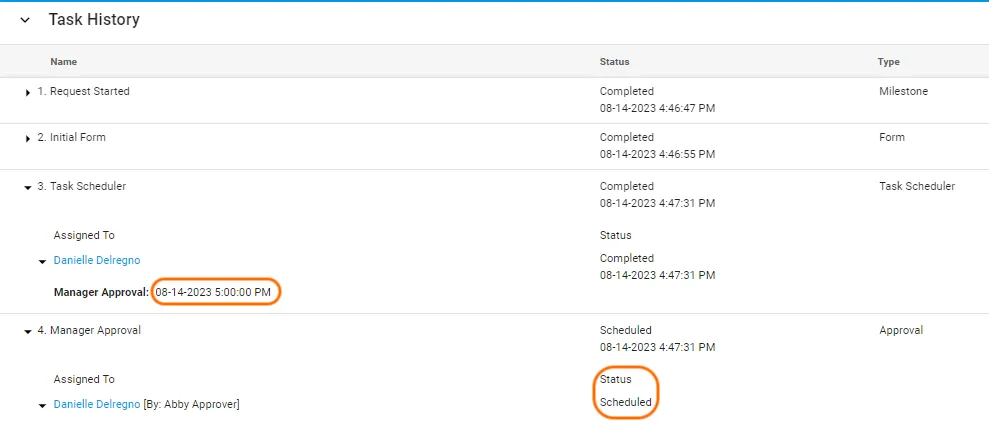
Schedule future tasks with Task Scheduler
Use the Task Scheduler task type to let users schedule when future tasks start. Users can choose the date, start hour, AM/PM setting, and timezone.
The Task Scheduler runtime uses the modern Baseline interface. Completing the task requires the assigned open task and valid schedule details.
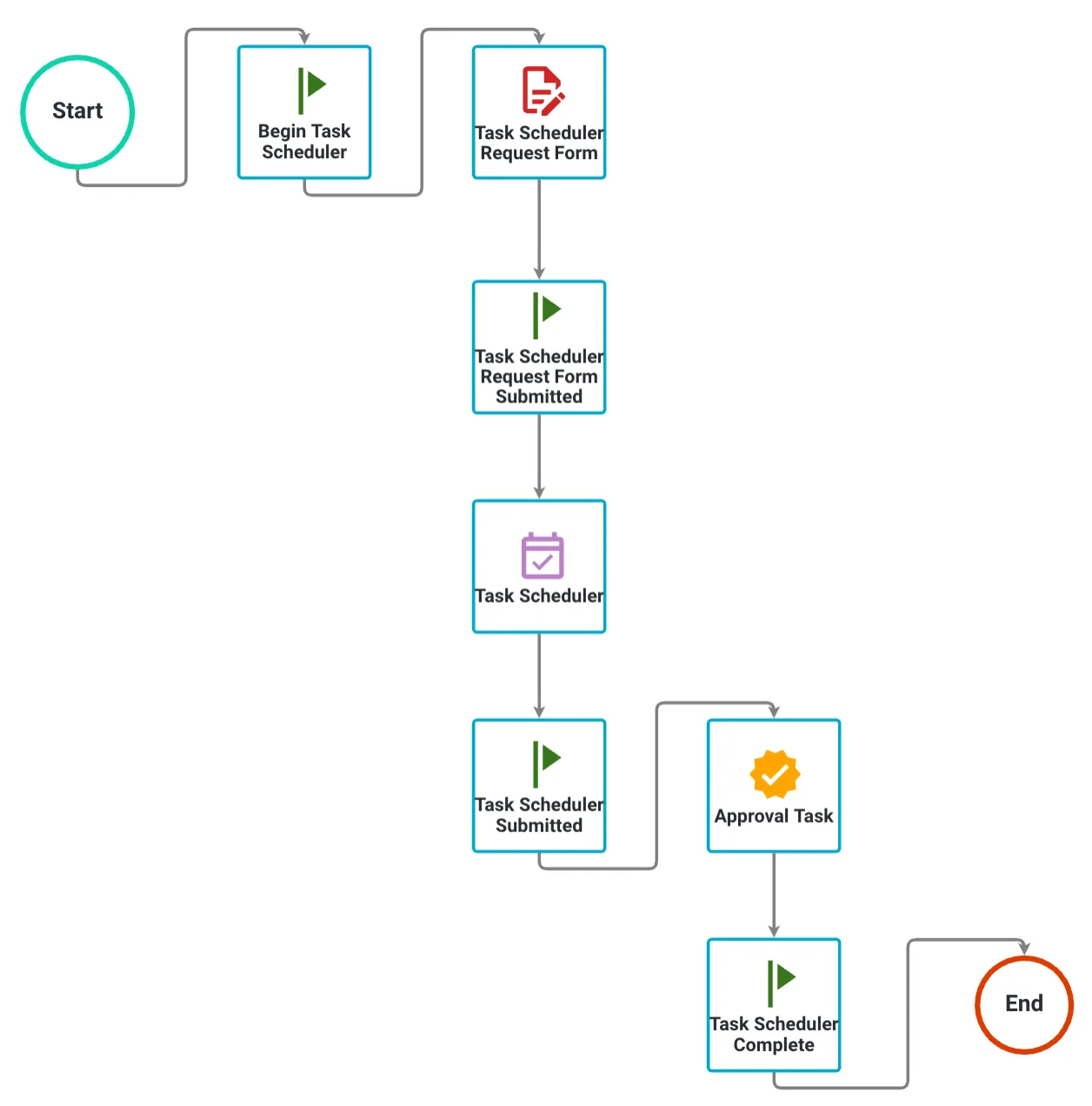
Use Task Scheduler with a Launch Request task to schedule a new request. Use Form Assigner to schedule future task start dates without hour and time zone selection.
Configure Task Scheduler
Add the Task Scheduler task to your process before you configure its settings.
- Choose the Task Scheduler task type.
- Drag it into your process.
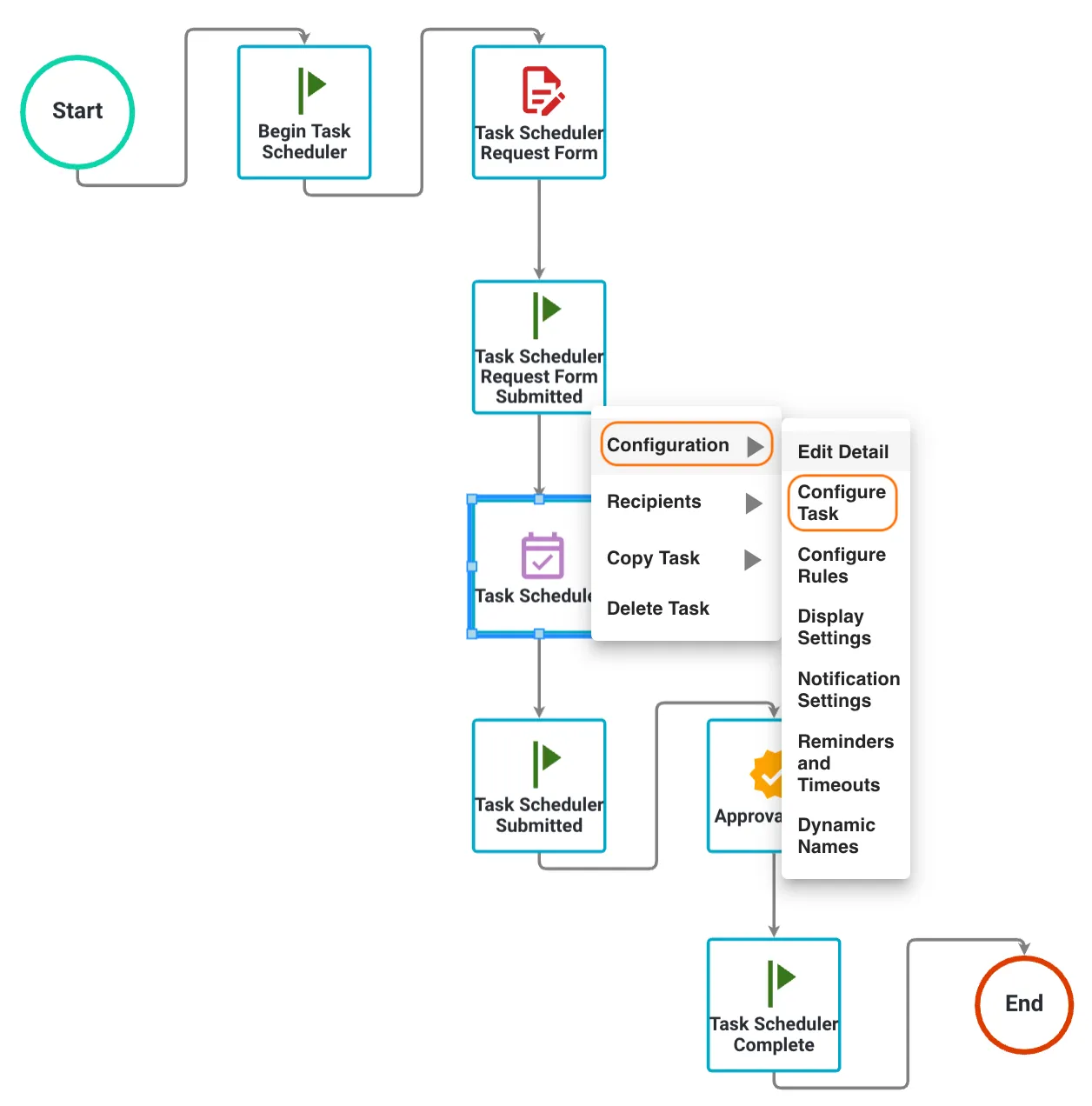
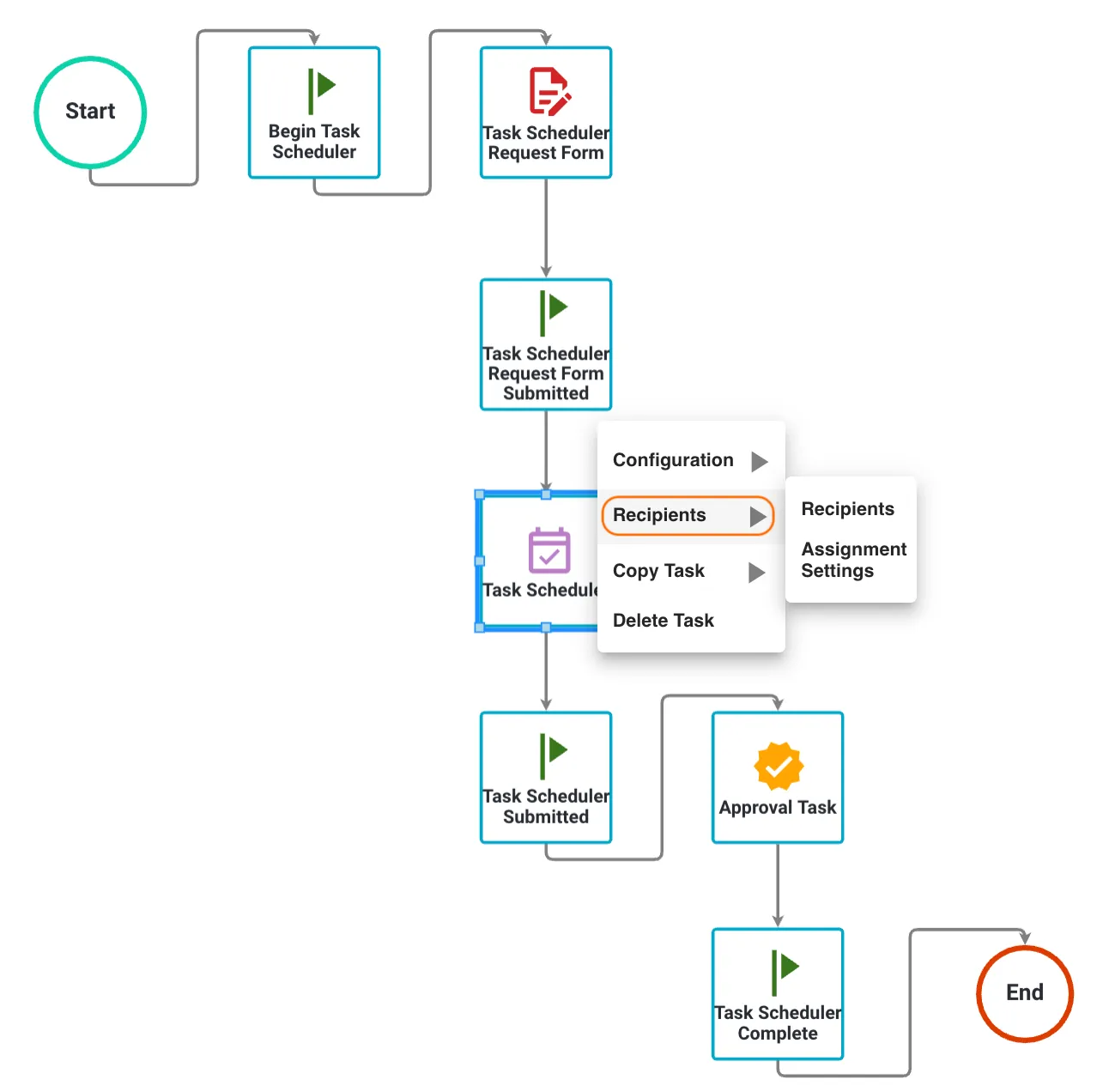
- Right-click the task.
- Select Configuration > Configure Task.
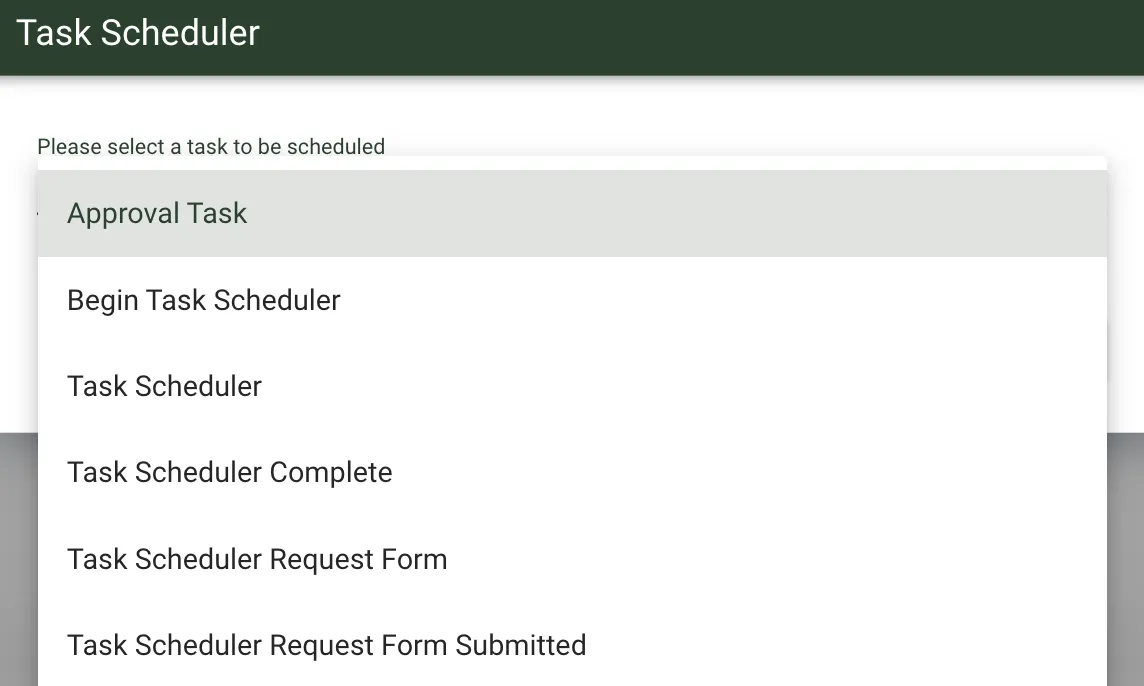
In Task Scheduler Settings, choose the task that users will schedule, and select it in Please select a task to be scheduled.
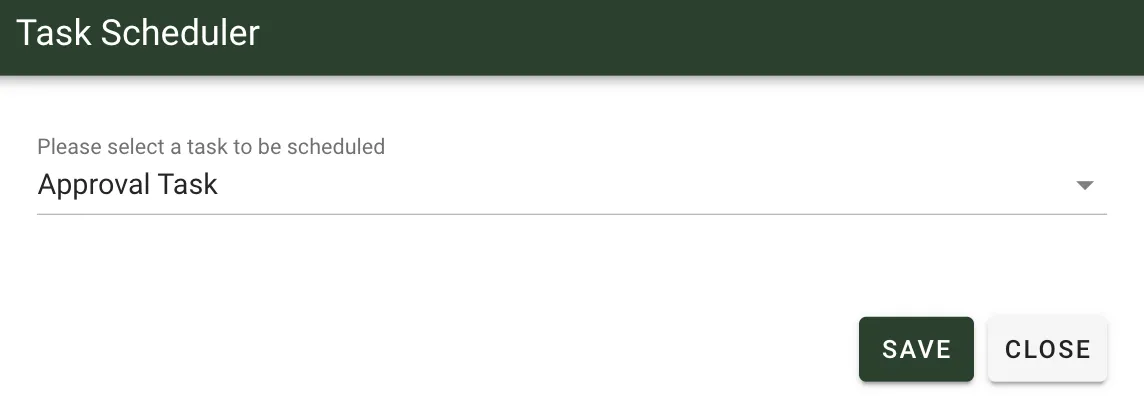
This example selects the Manager Approval task to schedule an Approval task. Click Save to save the configuration.
Define one or more recipients for the Task Scheduler task.
Runtime behavior
At runtime, the recipient chooses the Date, Time, AM/PM, and Time Zone settings that control when the task starts.

The Request Detail page shows the scheduled start time for the Launch Request task.