Dynamic calculations for streamlined form entries
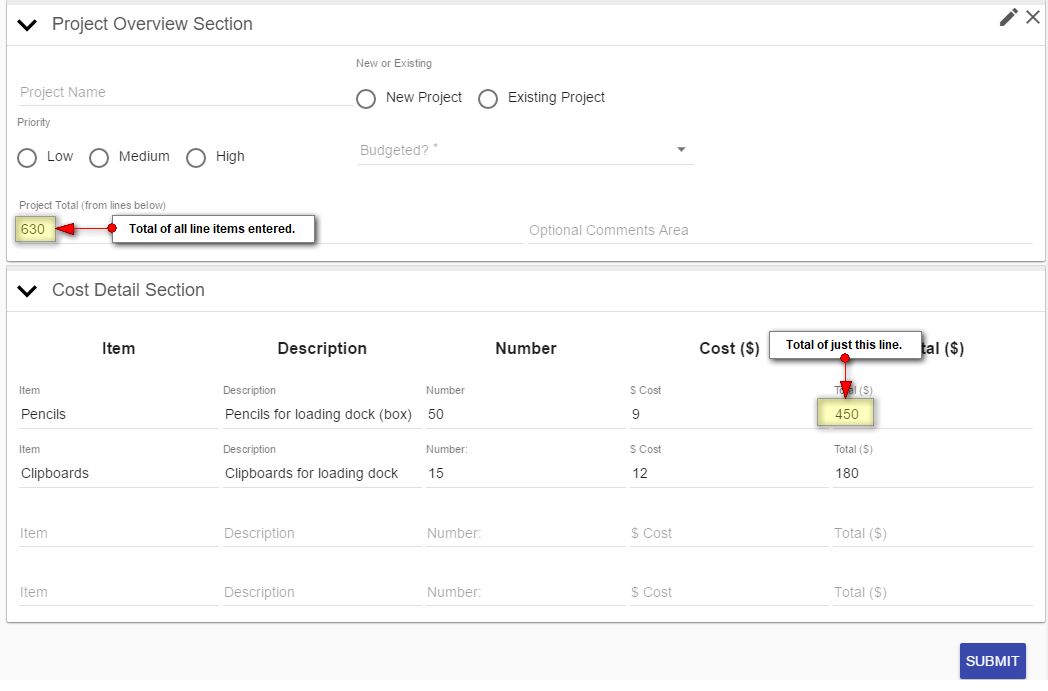
On some forms, you may want to include calculations that display as information is entered. A good example is when your form has line items and you want to show totals directly in the form.
For example, the form below shows totals for each line and for all lines.
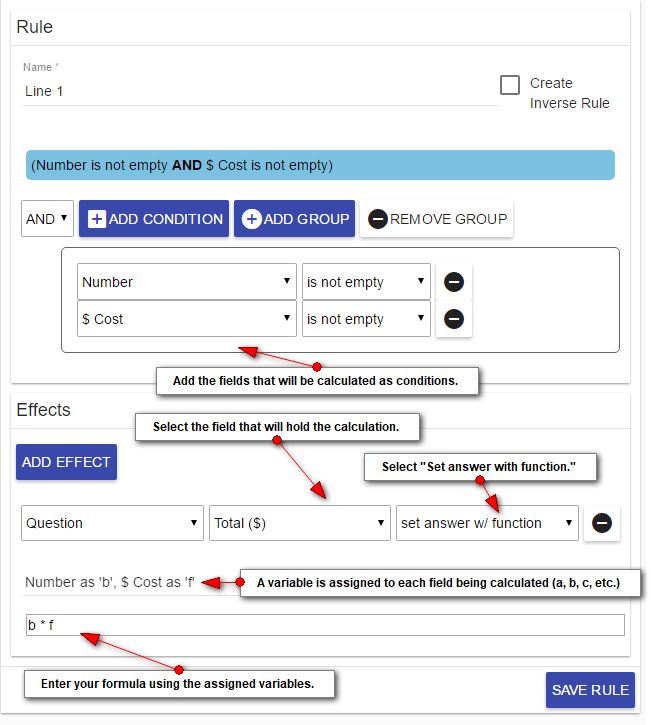
To set up calculations, create a new rule in the form. At the top of the form designer, click Rules > + Add Rule. Give the rule/calculation a name, and then follow the instructions below.
Notes
- The conditions (the fields being calculated) must be number fields.
- Don’t add more conditions than you’ll be using. Unused conditions may cause errors in calculations.
- Leave spaces between each variable and operator or the rule may not function correctly.