Streamline task management with the Form Assigner
The form assigner can be used to schedule future performance tasks. More specifically, it can assign users to tasks based on a previous user’s choice, it can be used to set reminder dates and periods, and it can set notification dates and task start dates.
The Performance Review Process app used a prefill feature to store the delay period for the form assigner task. You can also allow the user to see the field and choose their delay period.
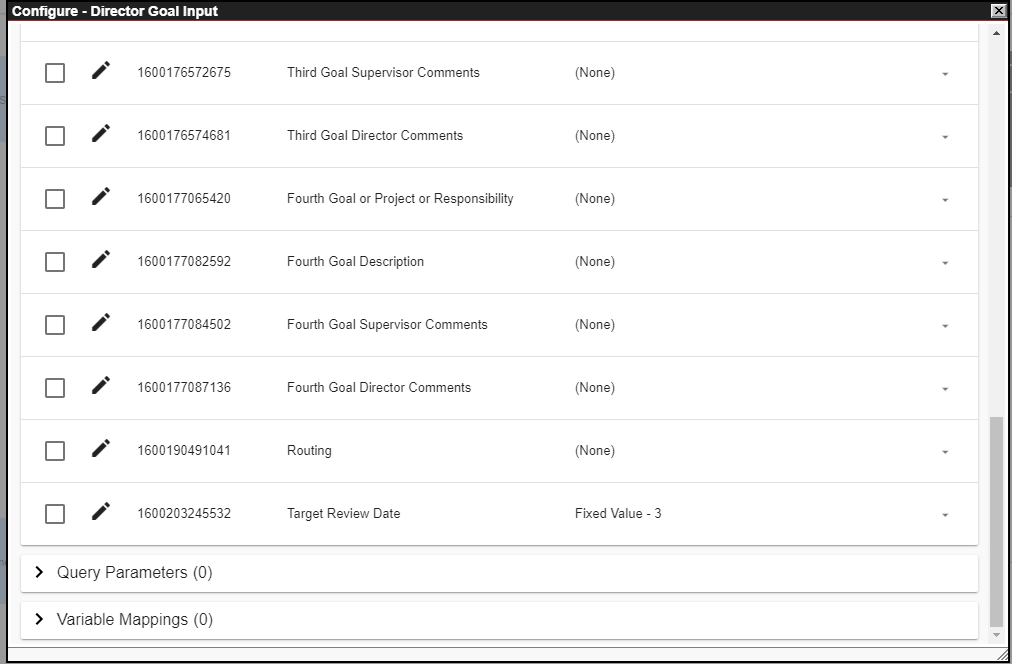
In this workflow, the Director Goal Input task holds the value for the delay period in a hidden field (highlighted) on the form. This field is prefilled with a fixed value of three, as shown below. The unit of time is set in the Form Assigner task so that the delay period can be three minutes, three hours, or three days.
 (opens in a new tab)
 (opens in a new tab)