Fixing missing fields in form data settings
Everytime you add or change fields on a form already used within a form task within a process, you need to import fields in Fields To Cpature.
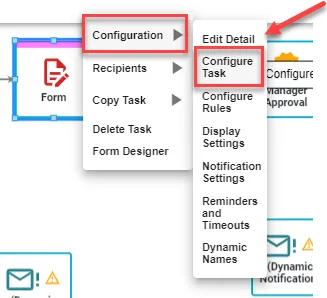
Right-click on the form task, hover over Configuration and select Configure Task.
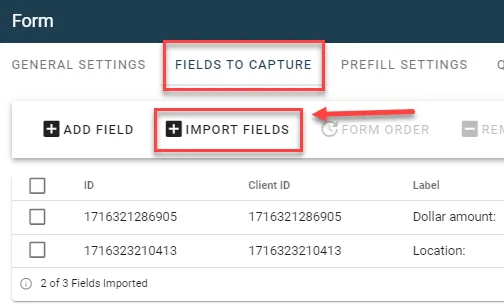
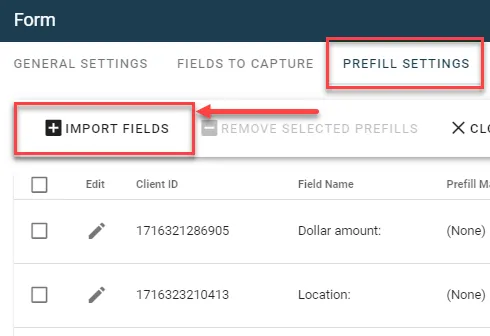
Next, under Fields to Capture and Prefill Settings, select Import Fields.
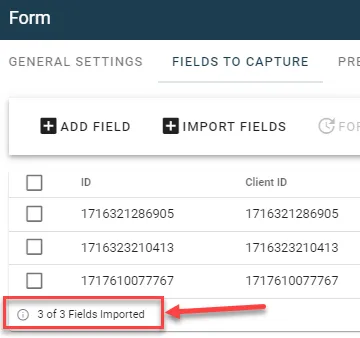
After importing fields, these numbers should match.
This process must be done every time an additional field is added to an existing form.